This guide explains how to sign out of the POS365 app.
By following this guide, the user will be signed out of POS365 and any employee user can be used afterwards to sign in.
Step 1:
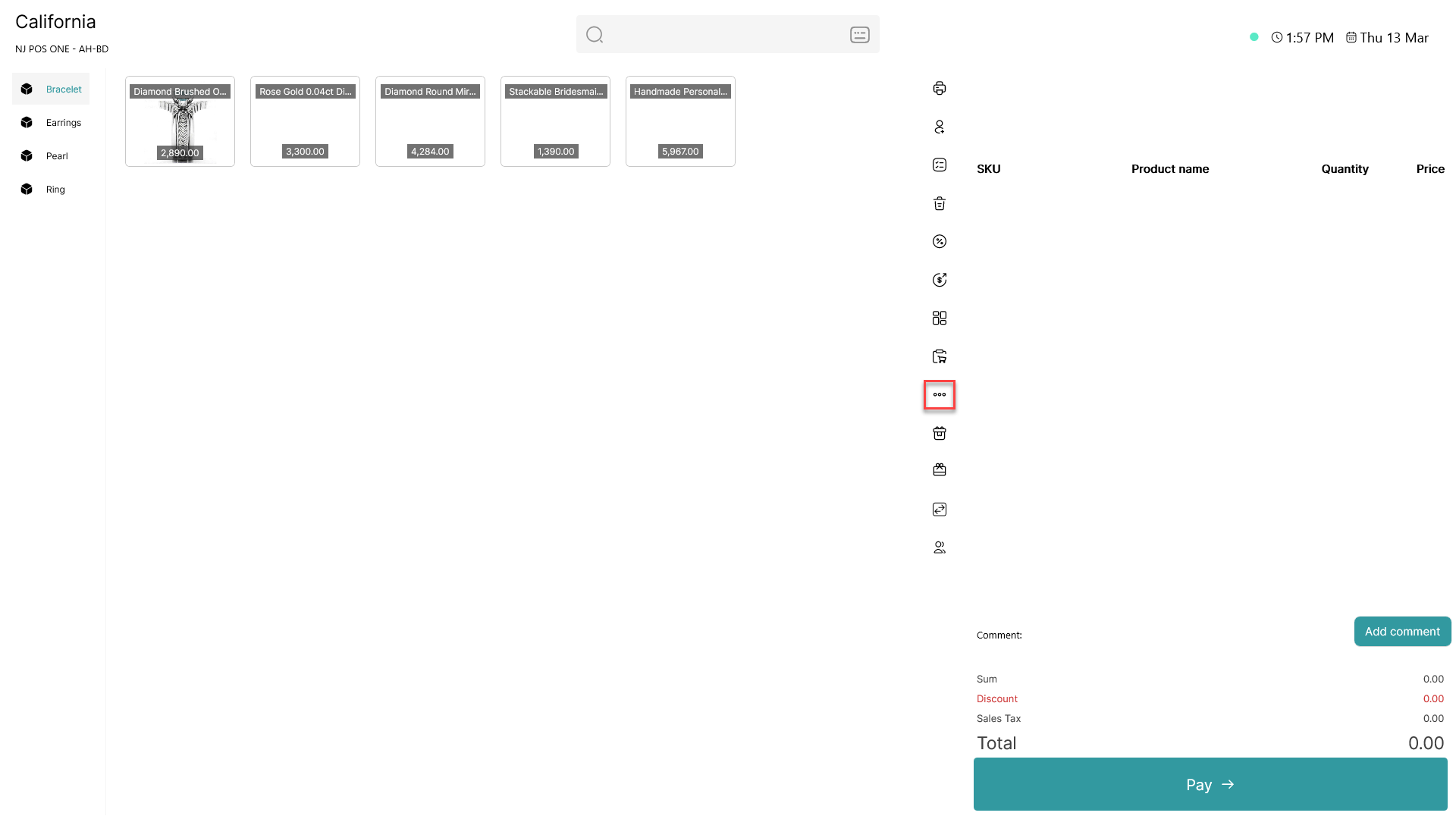
Click on the three dots (  - button) to access more options
Step 2:
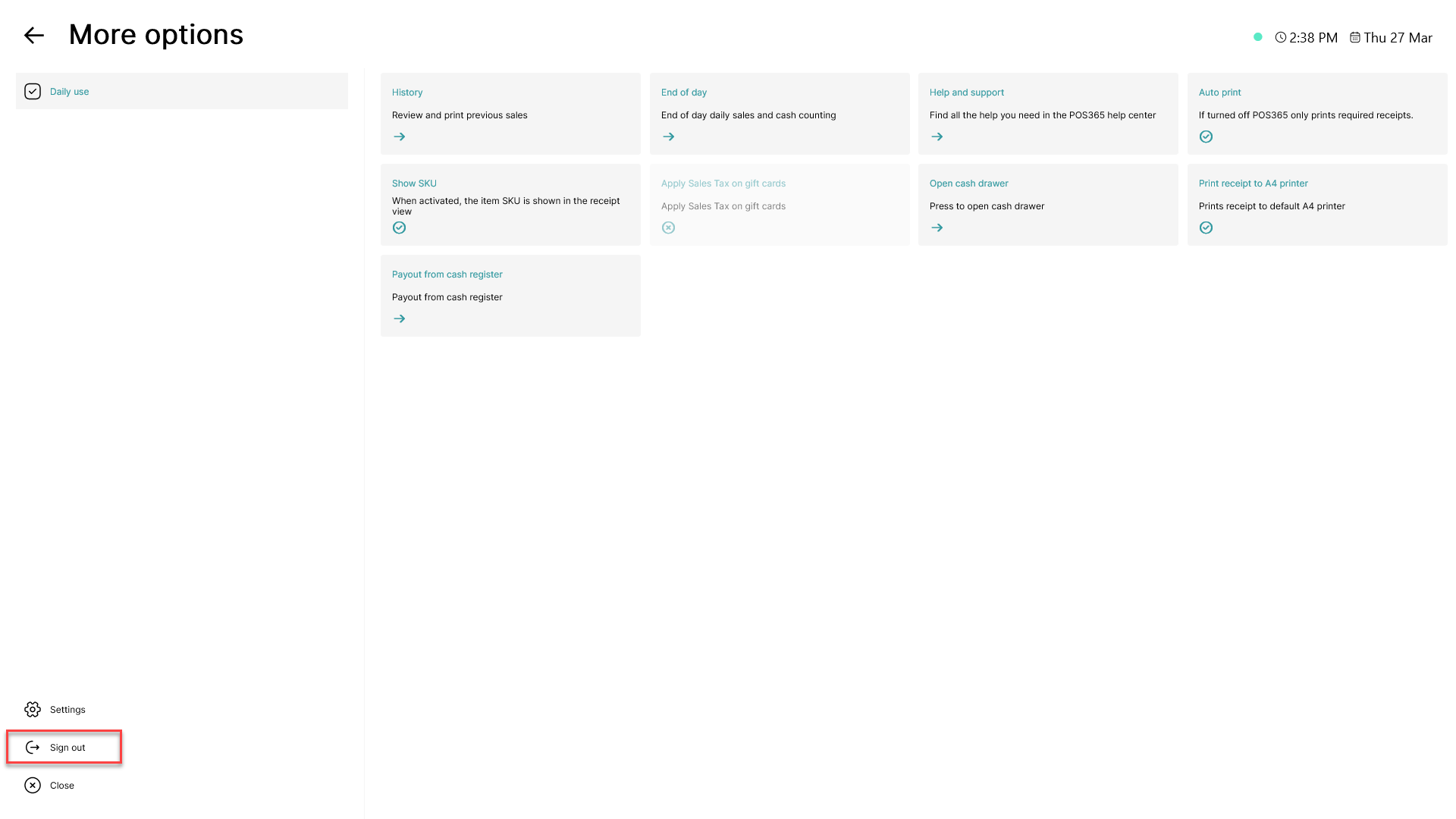
Click on 'Sign out' in the bottom, left corner
Note:
To sign out of the POS365 app completely to change cash register, follow this guide: How to - Change cash register