This guide explains how to enable or disable SKU view in the POS365 app when making a transaction.
Step 1:
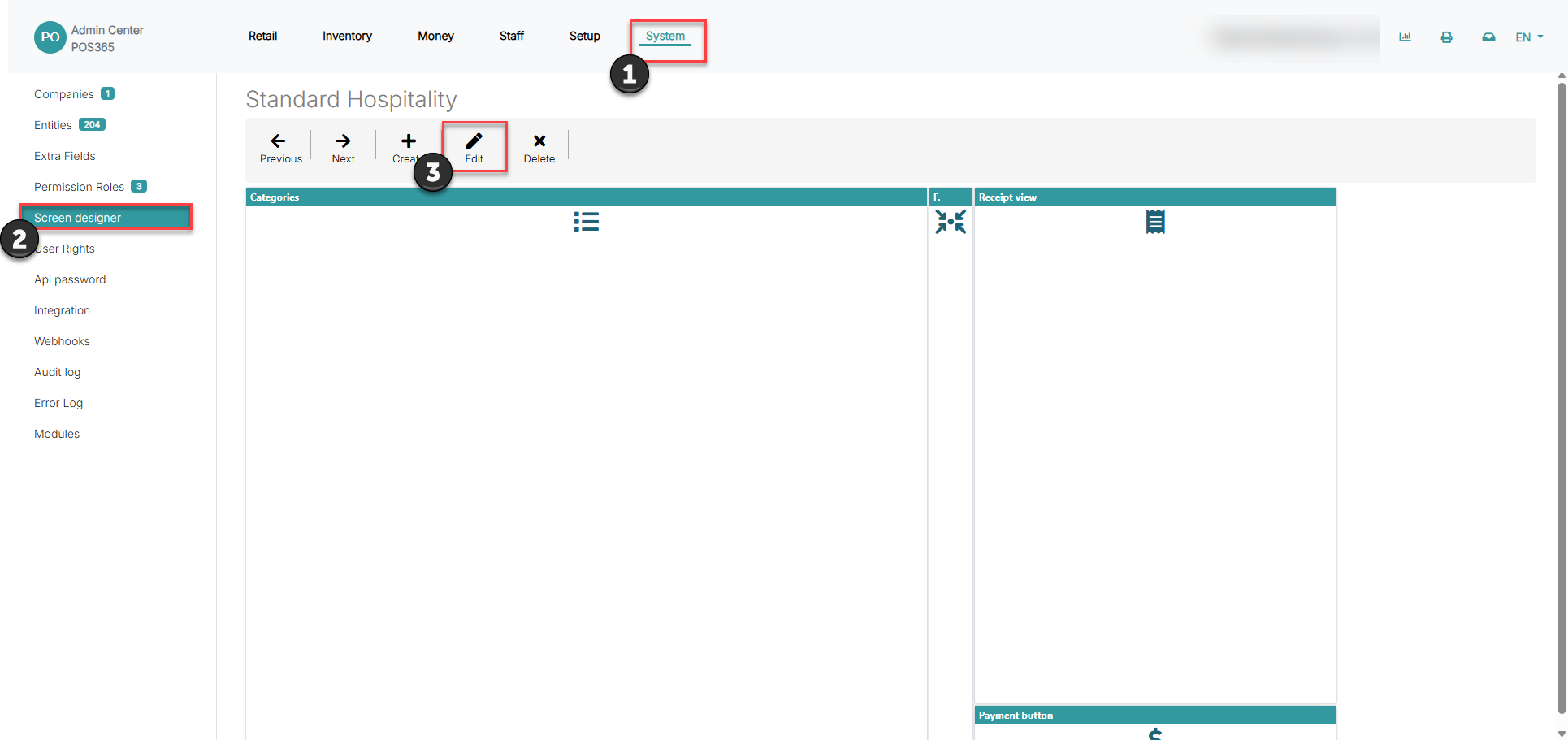
1) Go to 'System'
2) Open 'Screen Designer'
3) Click 'Edit'
Step 2:
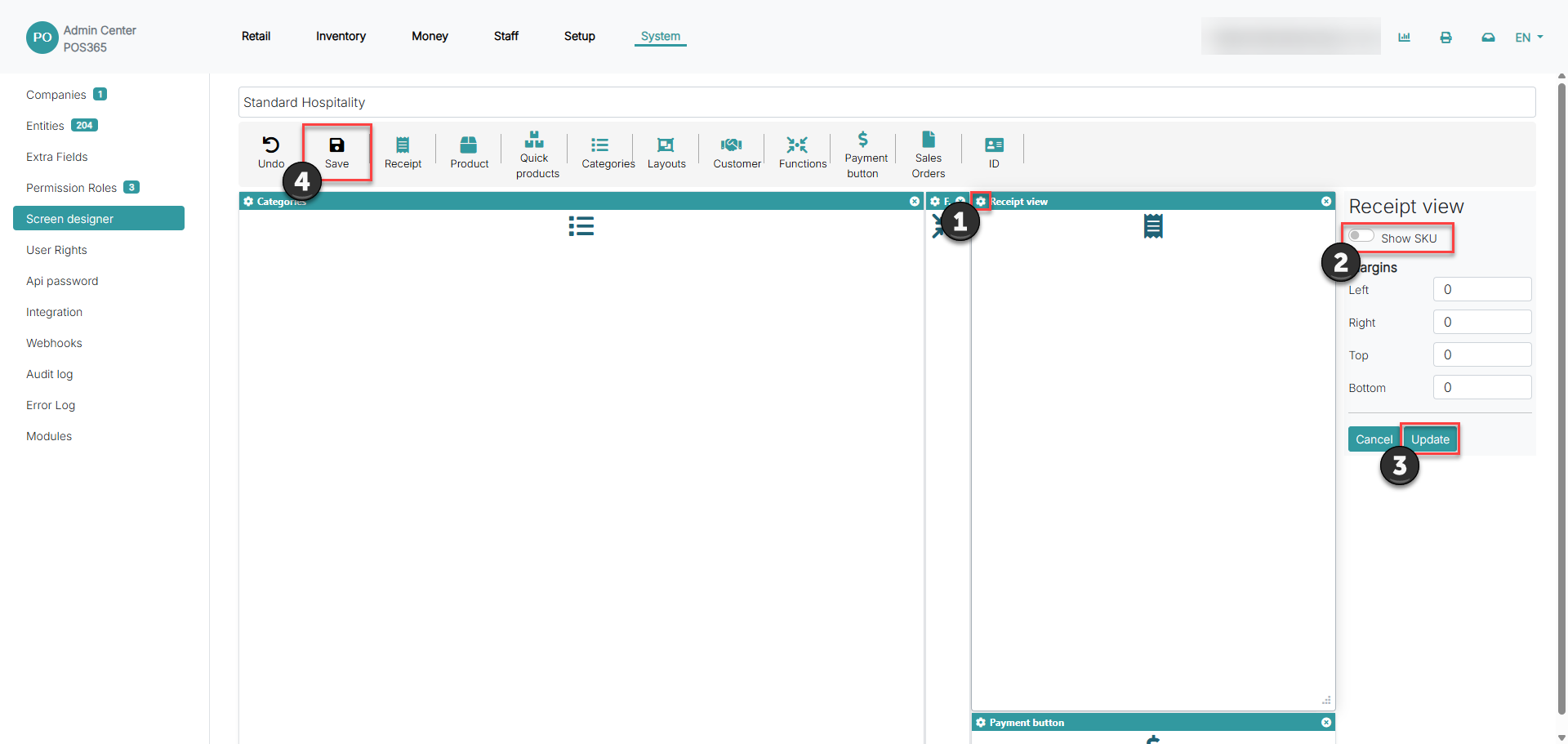
1) Click on the  - icon (settings)
2) Toggle SKU on/off
3) Click 'Update'
4) Click 'Save'