This guide explains how to change the cash register used on the POS365 app. The cash registers are created in the Admin Center. To do so, follow this guide: How to - Set up cash registers using POS365 Admin Center
Step 1:
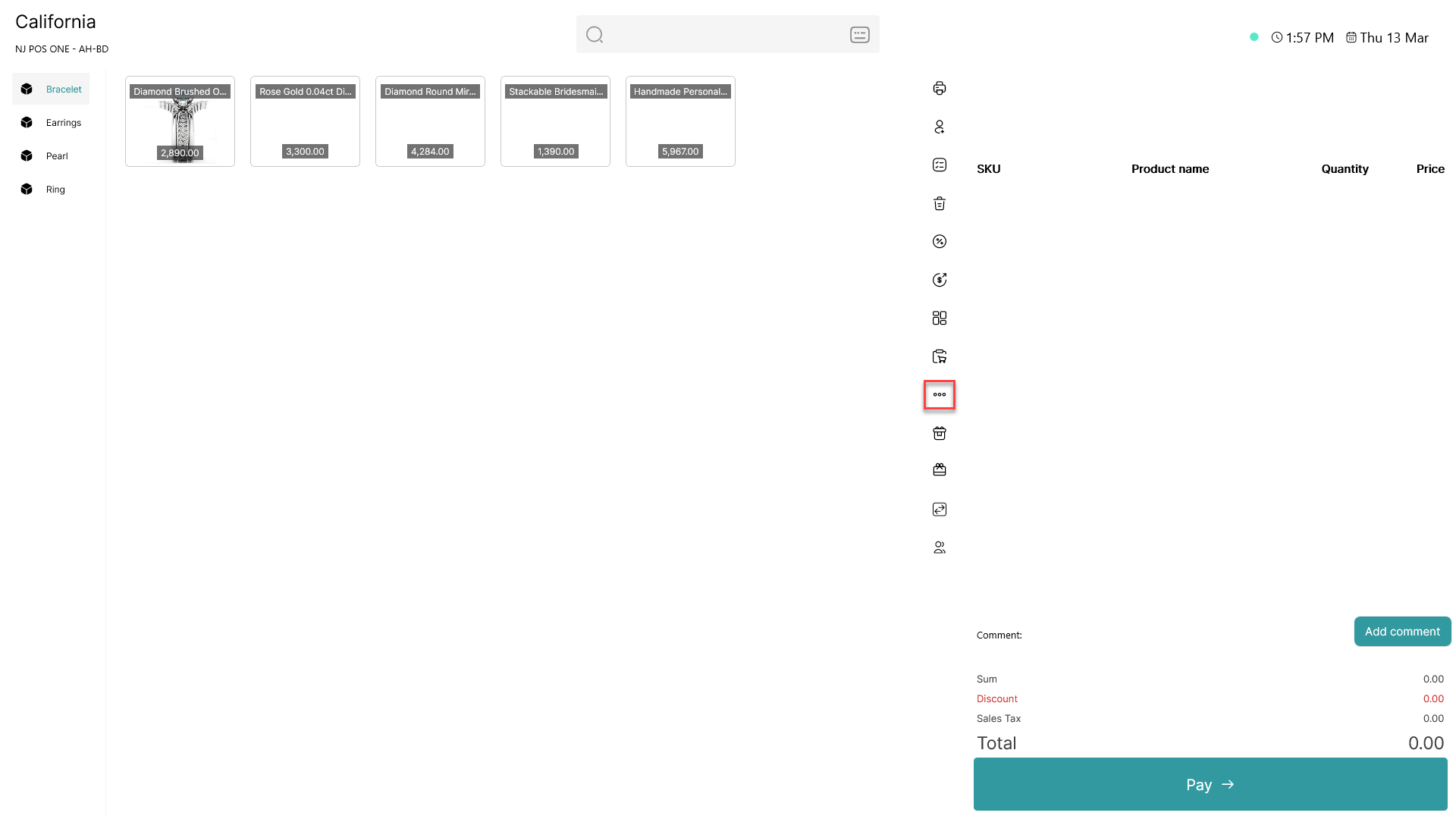
Click on the three dots ( - button) to access more options
Step 2:
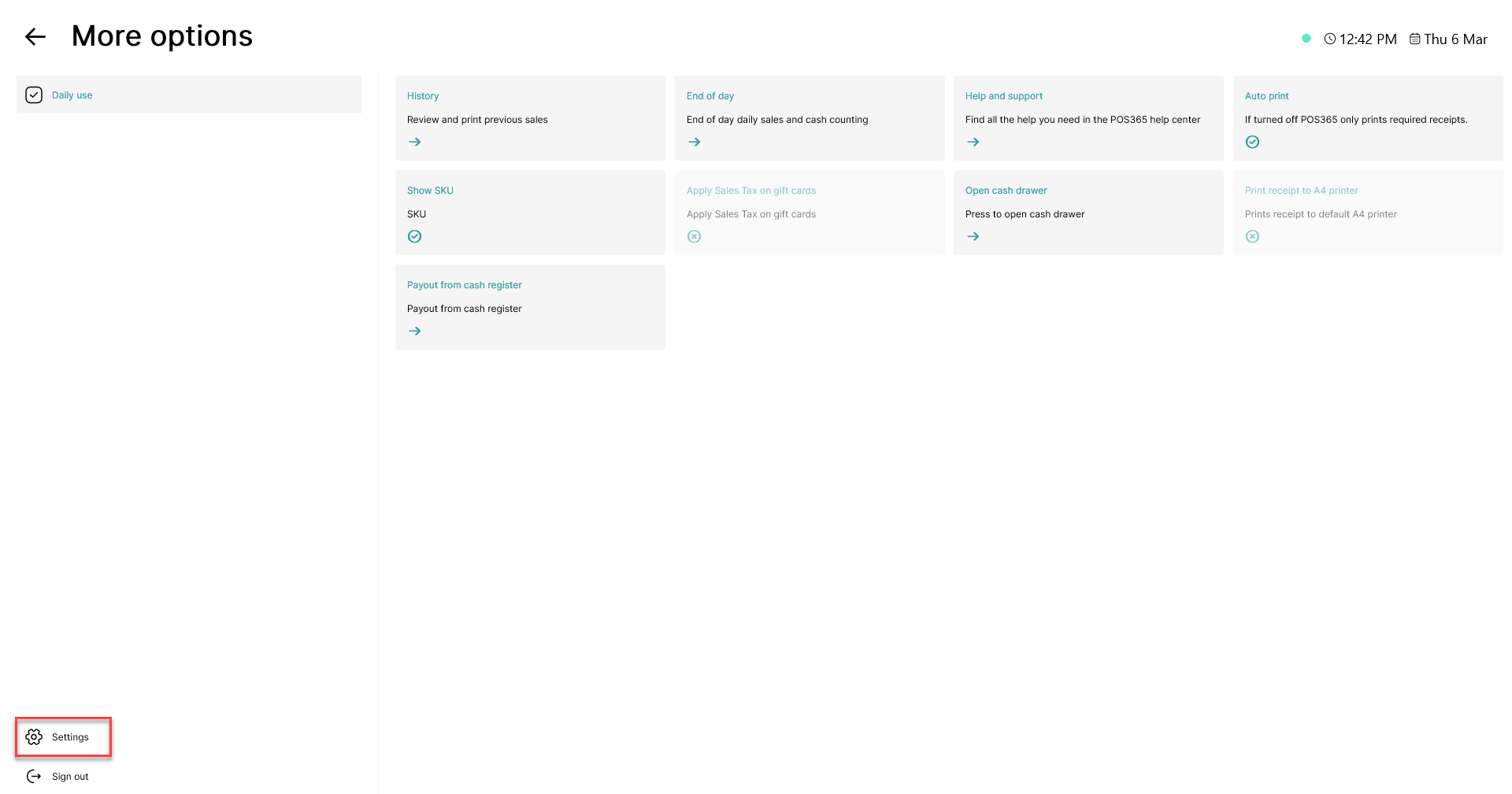
Click on the 'Settings' button in the bottom, left corner
Step 3:
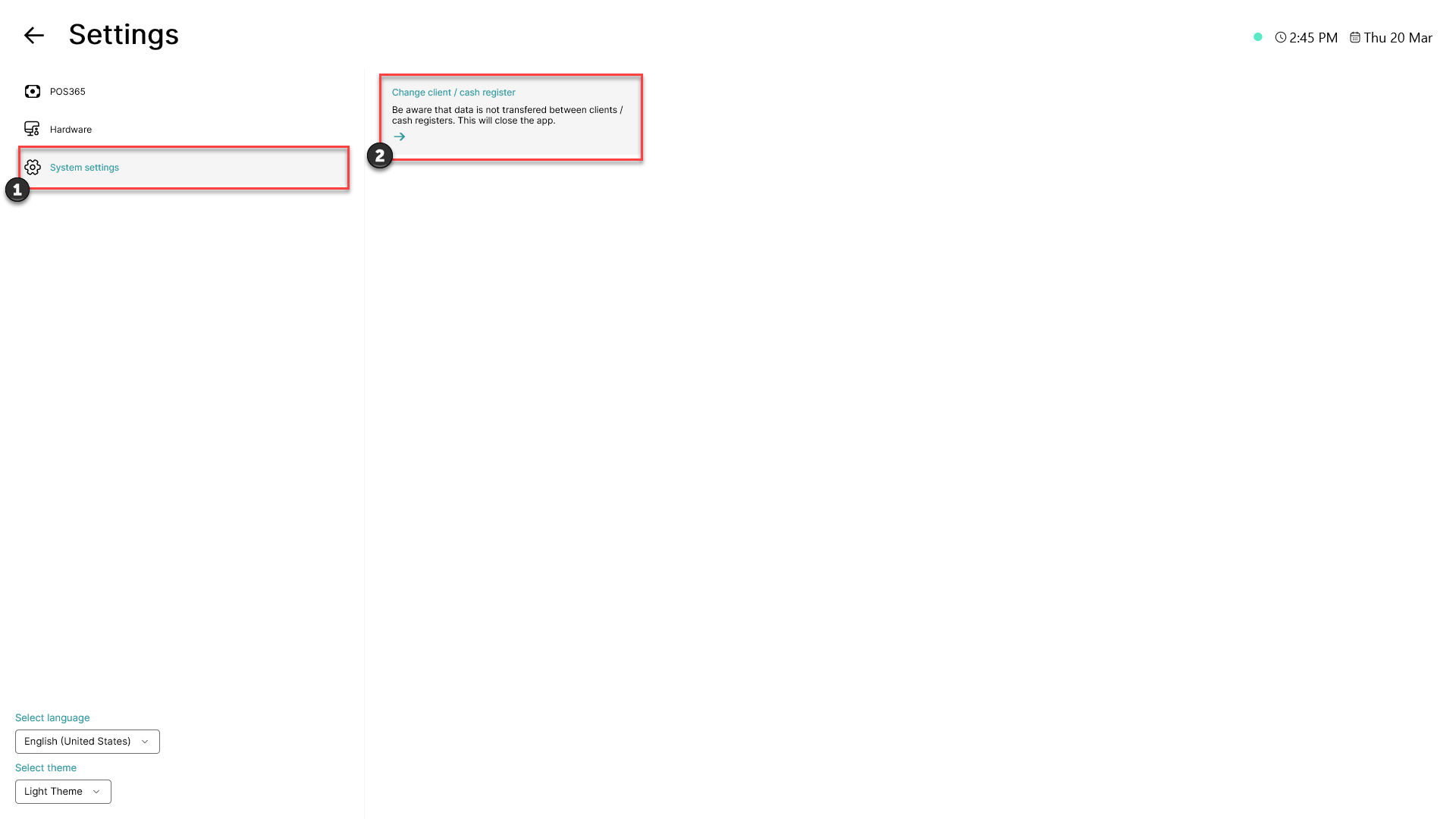
1) Click on 'System settings' located in the menu on the left side of the screen
2) Click 'Change client / cash register'
Note:
After this action has been performed, POS365 will close. When it reopens, you will be met by a login page asking for an email and a PIN code. To log in, you will need an email that has access to the Admin Center.