This guide explains how to activate or deactive the automatic sign out function in POS365. The function can be used to keep an employee signed in between sales.
Step 1:
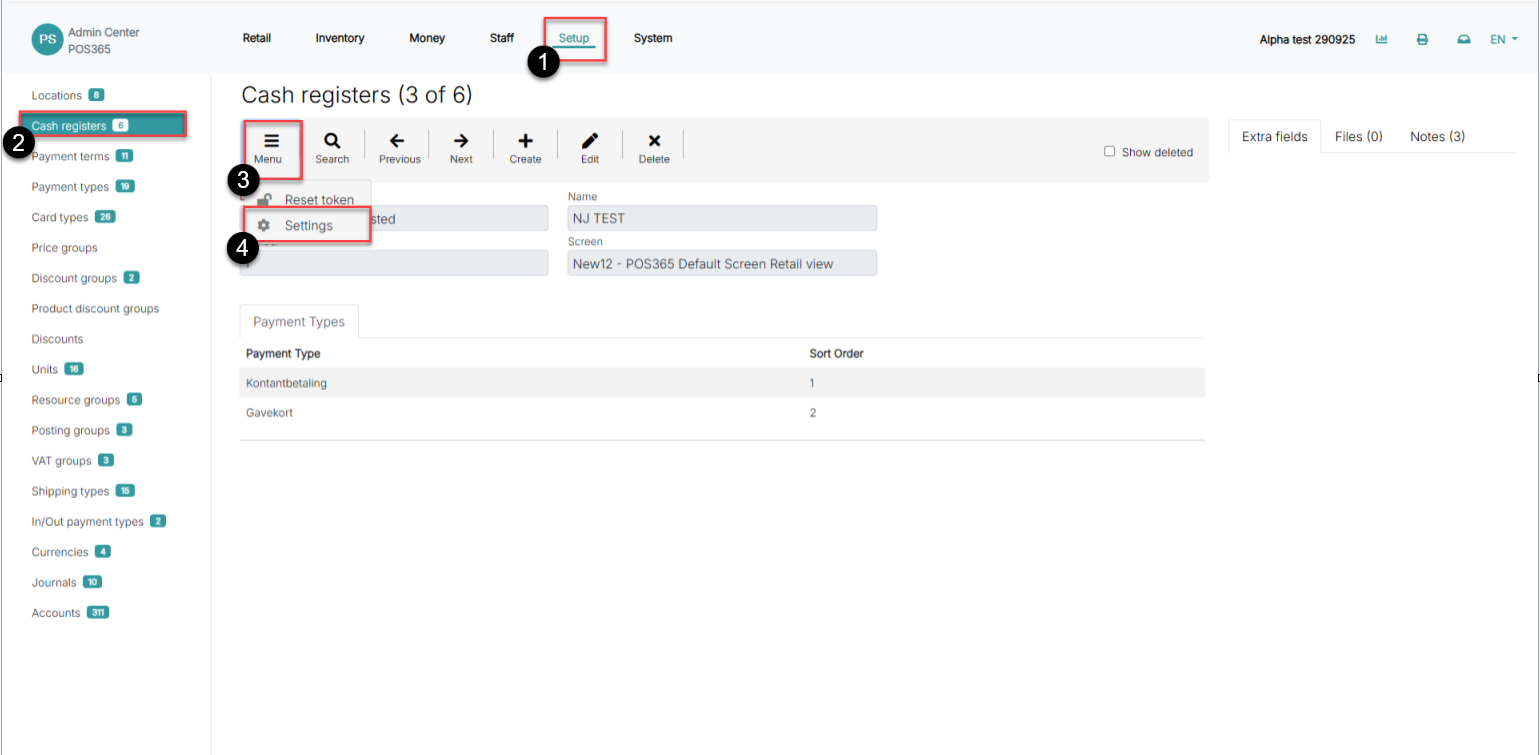
1) Go to 'Setup'
2) Click on 'Cash registers'
3) Open 'Menu'
4) Select 'Settings'
Step 2:
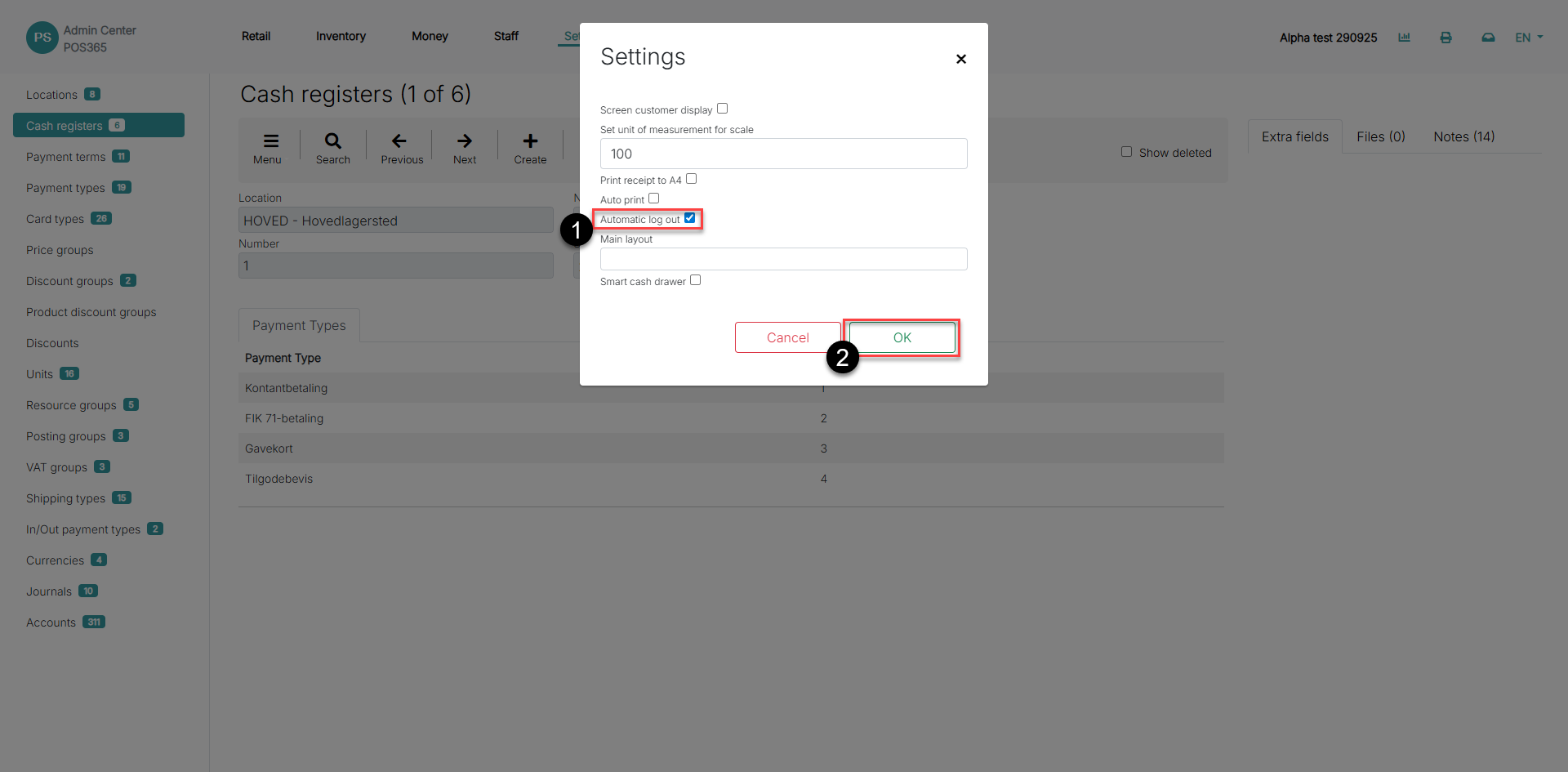
1) Toggle 'Automatic log out' on or off
2) Click 'OK'
Note:
The setup needs to be made on each cash register you want to implement the change