This guide explains how to clear the image cache in the POS365 app. This function can be used if the images on items in the POS are not updated correctly when changed in the Admin Center.
Step 1:
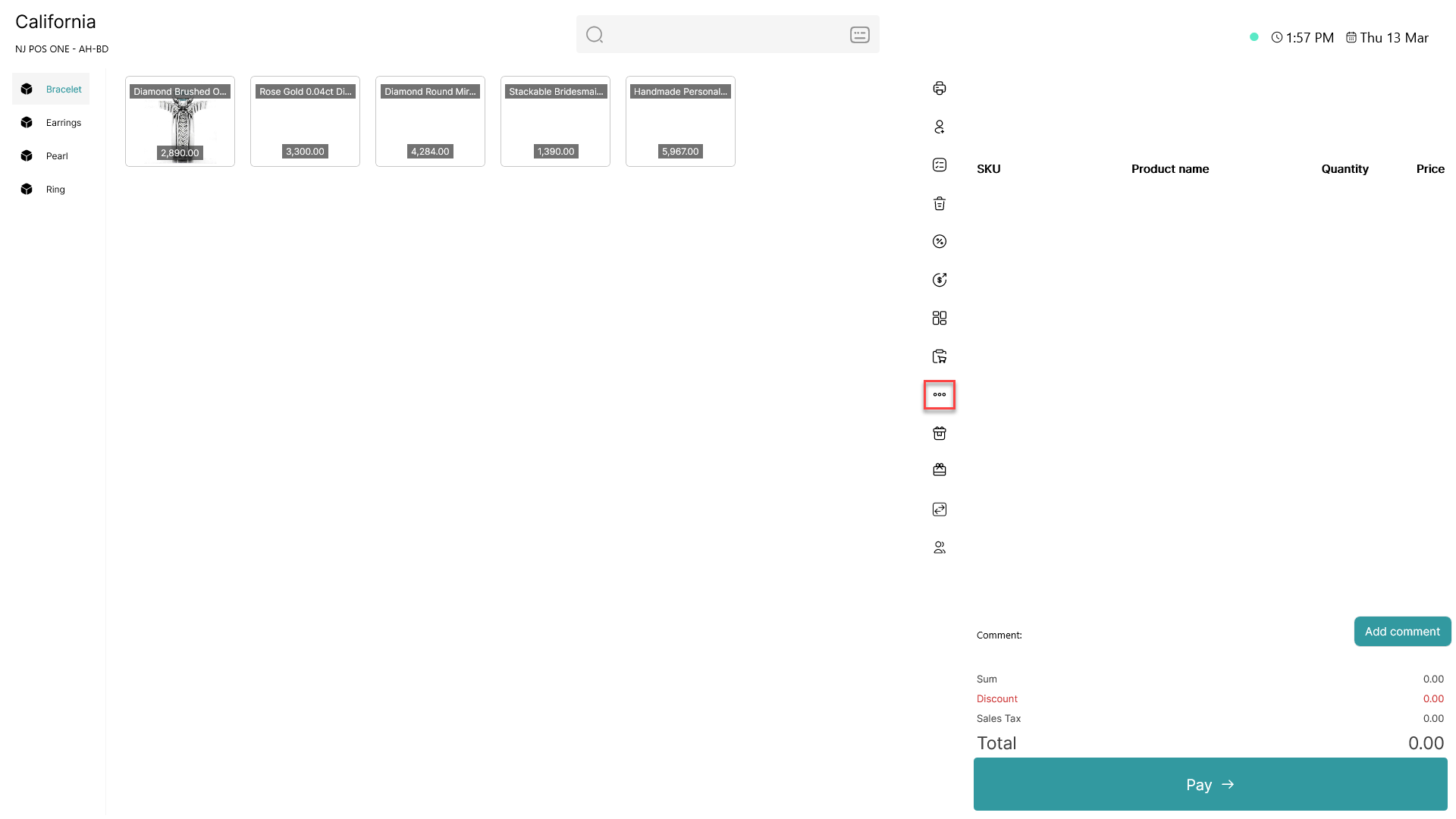
Click on the three dots ( - button) to access more options
Step 2:
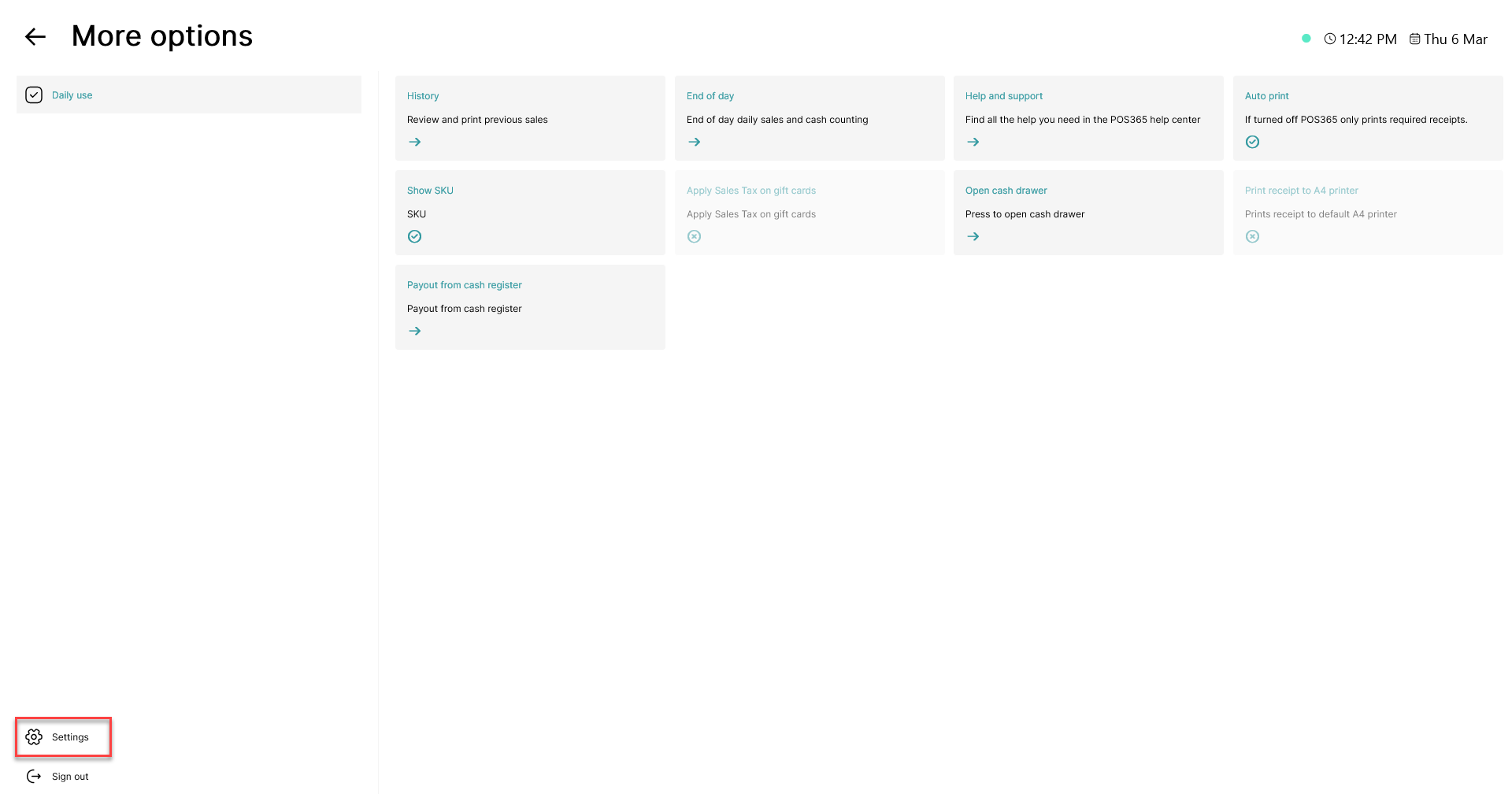
Click on the 'Settings' button in the bottom, left corner
Step 3:
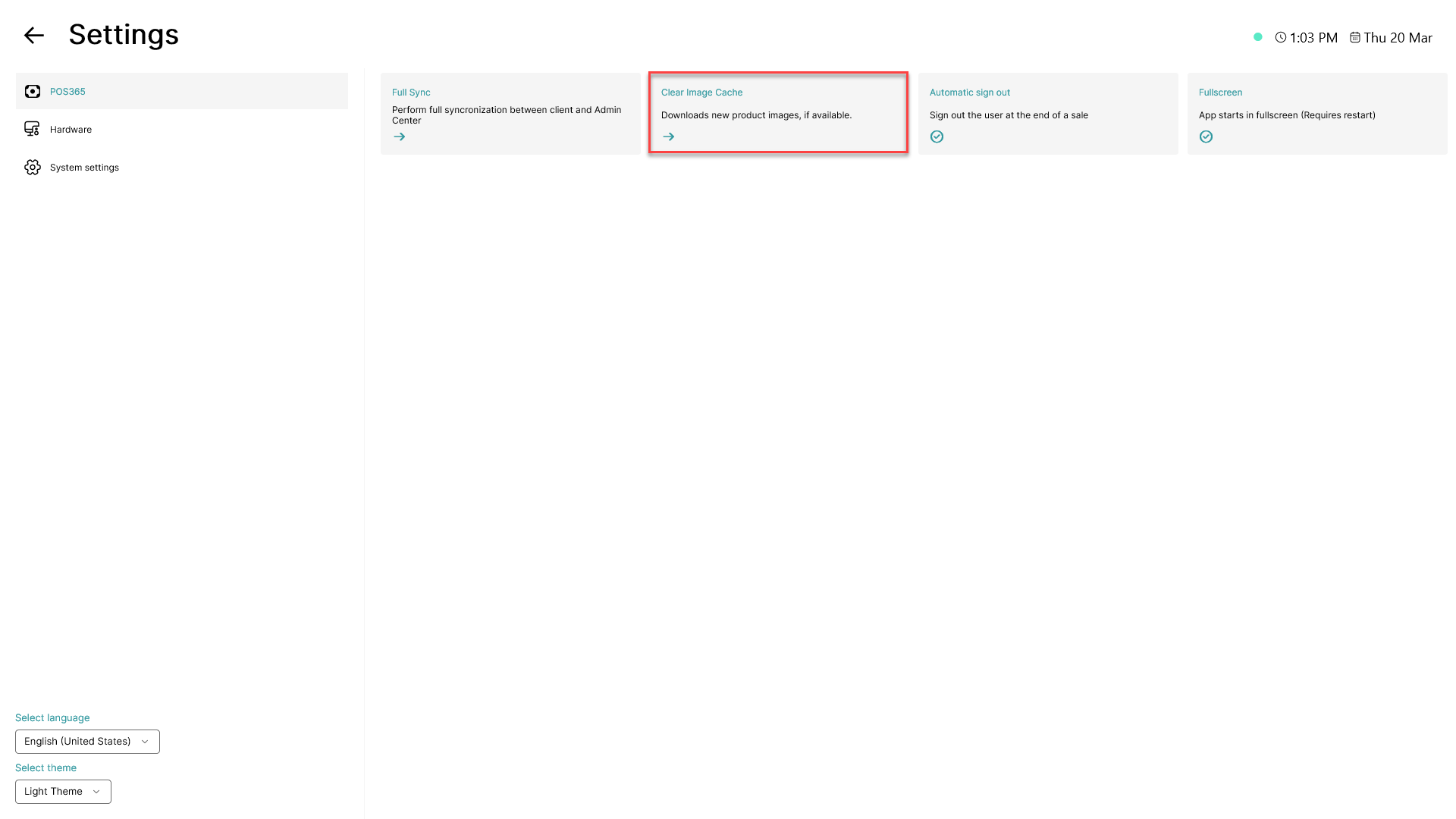
Click on 'Clear Image Cache'