Skip to content
English
  • There are no suggestions because the search field is empty.

Access the help center through the cash register

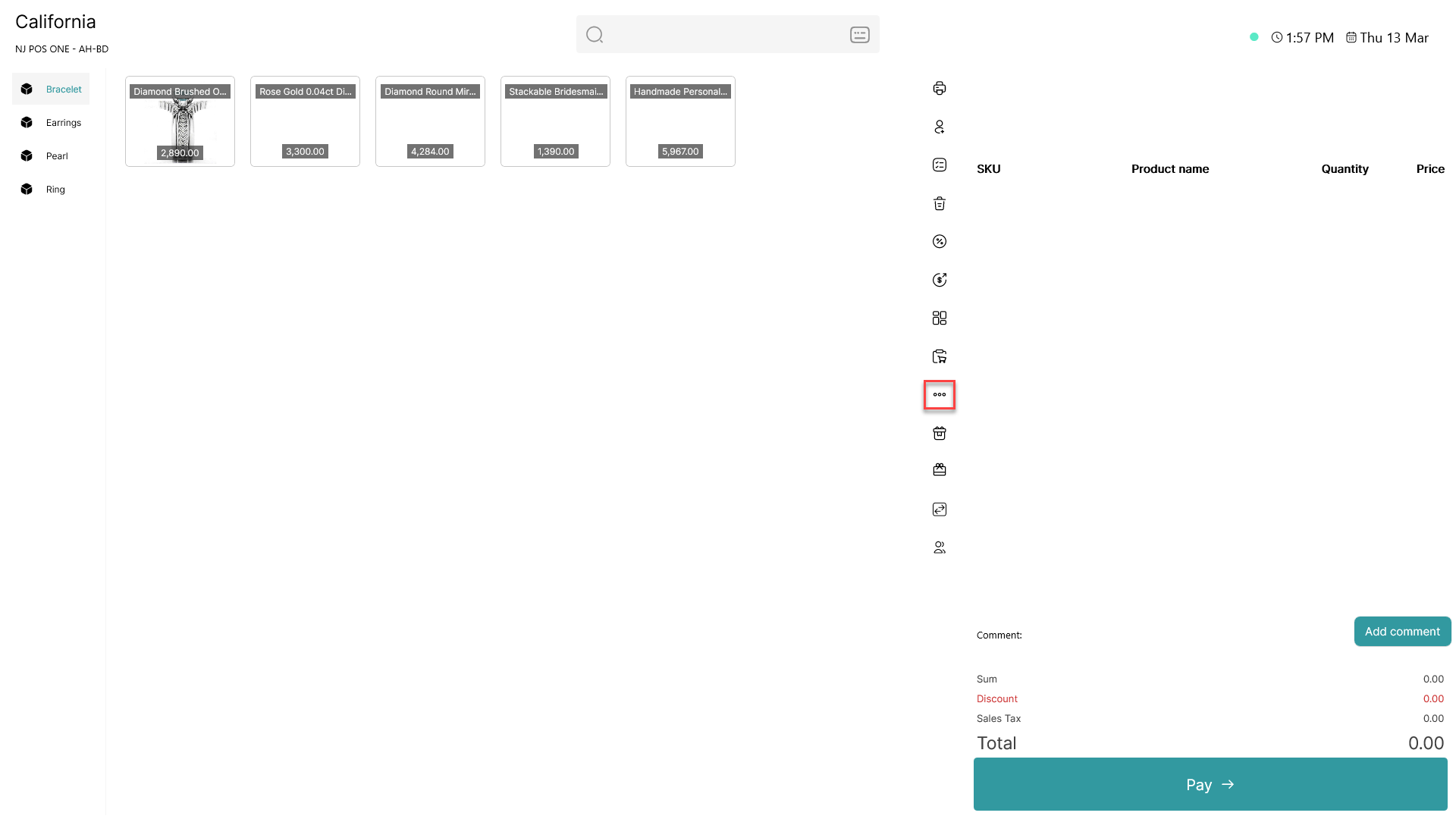
This guide explains how to access the help and support webpage through the POS365 app Step 1: Click on the three dots ( - button) to access more options Step 2...
This guide explains how to access the help and support webpage through the POS365 app

Step 1:

access the help center through the cash register

Click on the three dots (access the help center through the cash register- button) to access more options

Step 2:
access the help center through the cash register

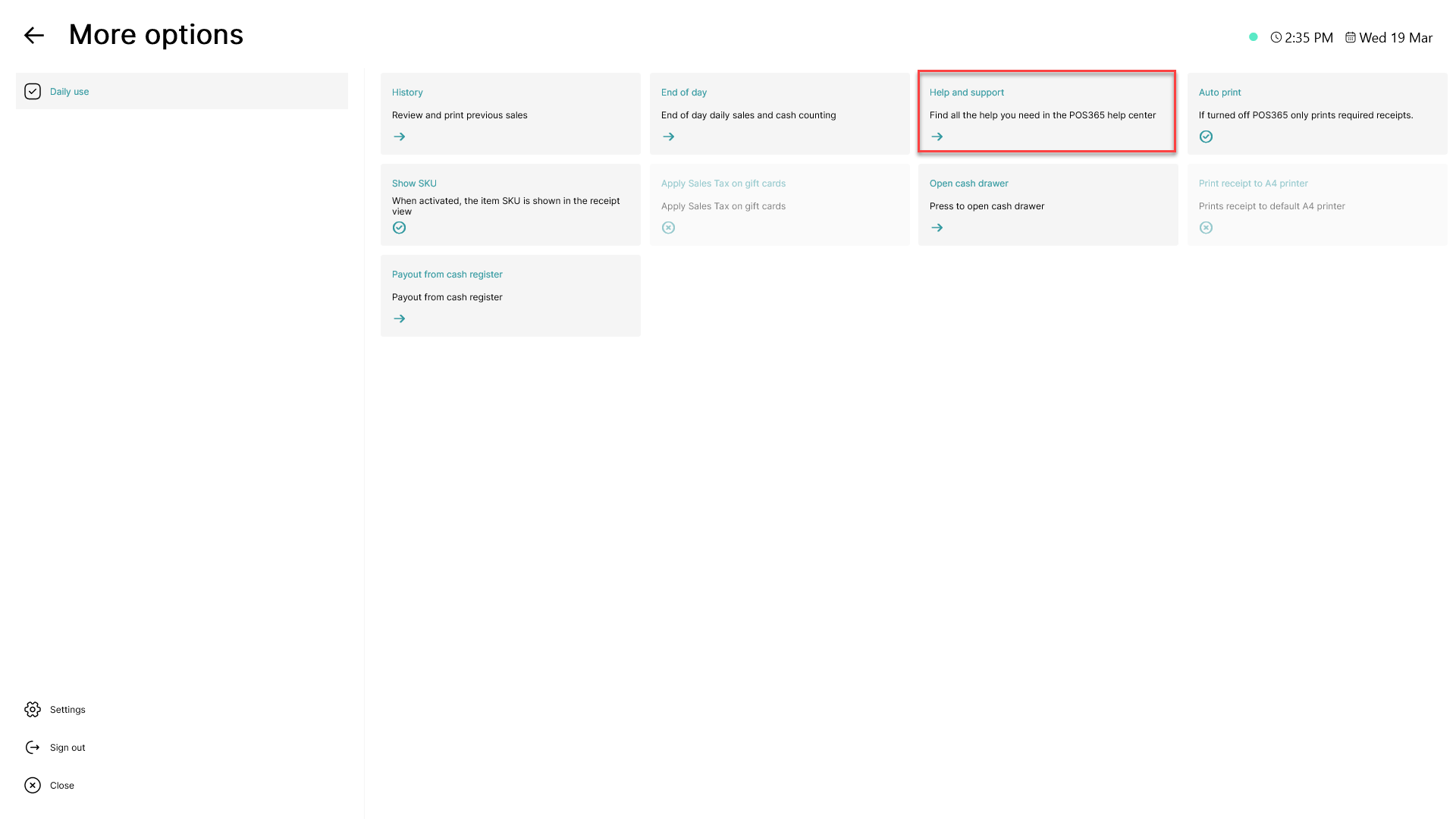
Click on 'Help and support'

Step 3:

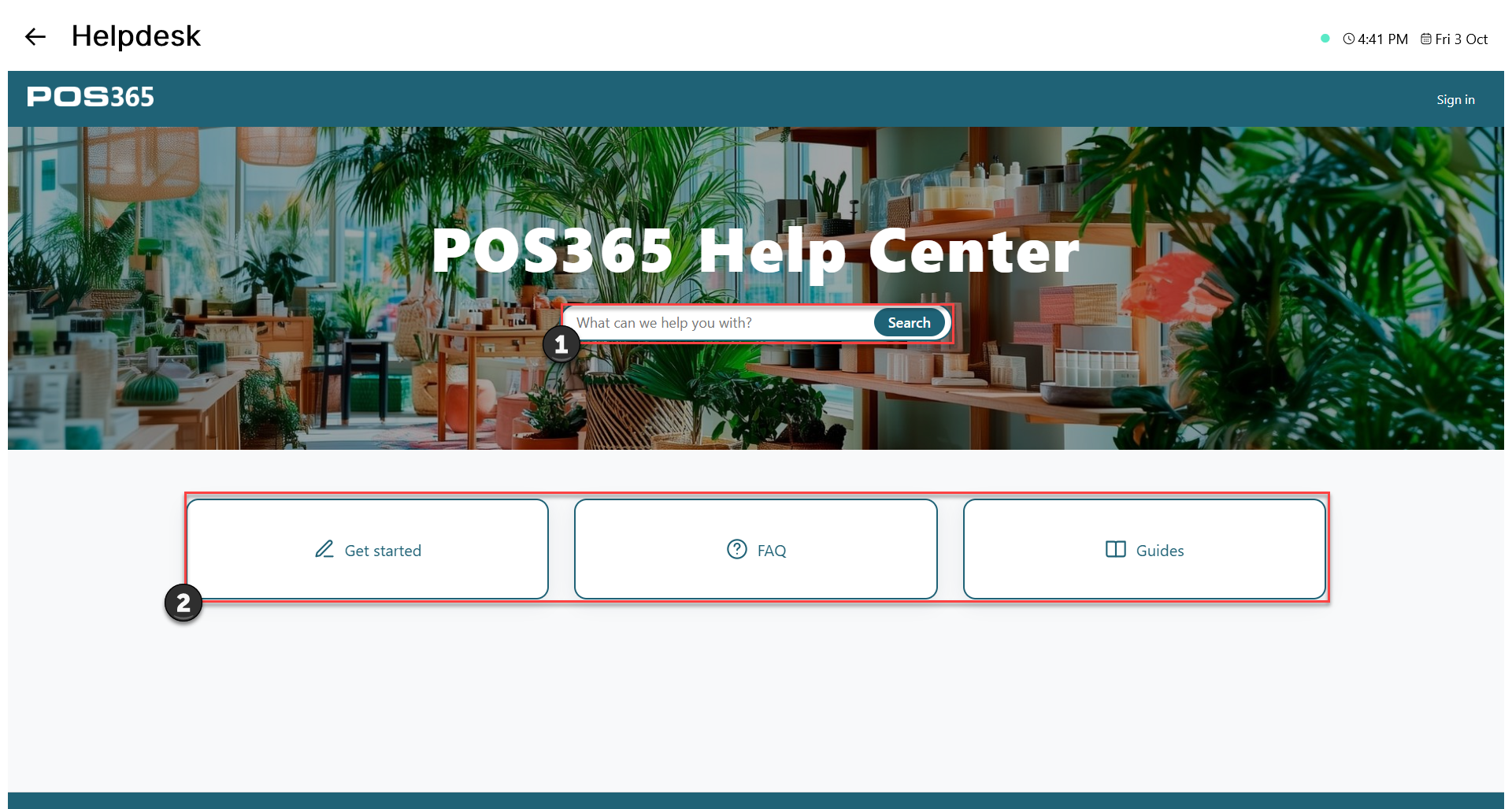
access the help center through the cash register

1) The search bar can search through all guide articles in the help center. To use the AI assistant, search for 2 or more words

2) The blue buttons are used to navigate through different categories of guides