This guide shows how to access and use the 'End of day' function in POS365. The purpose is to help you review totals and close the cash register correctly.
Step 1:
Open the POS menu to access additional options. Click the menu icon to continue to the next step.
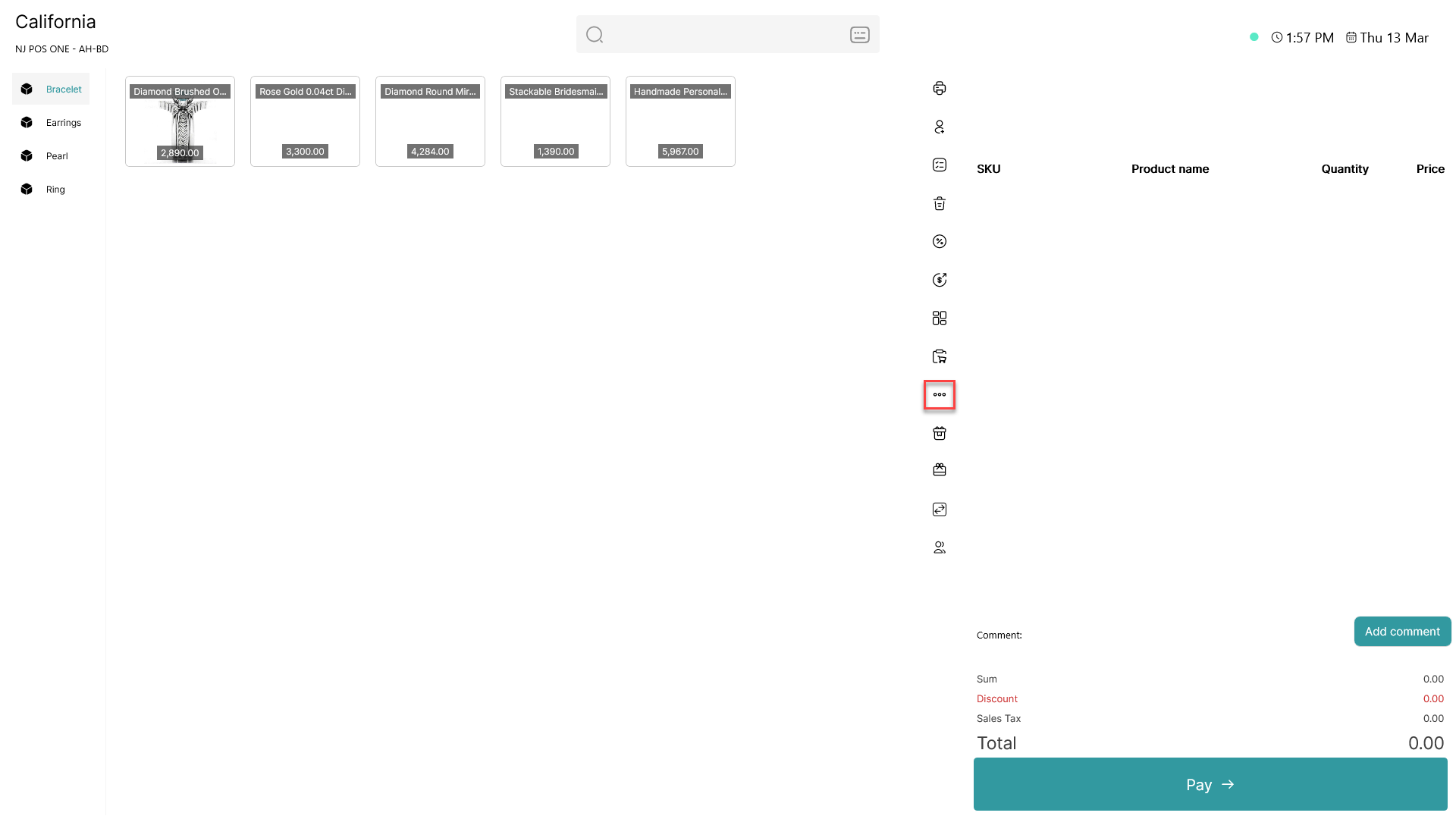
1) Click on the three dots (menu button)
2) Wait for the menu to open
Step 2:
Select the 'End of day' option from the menu to open the overview. This gives you access to the closing functions.
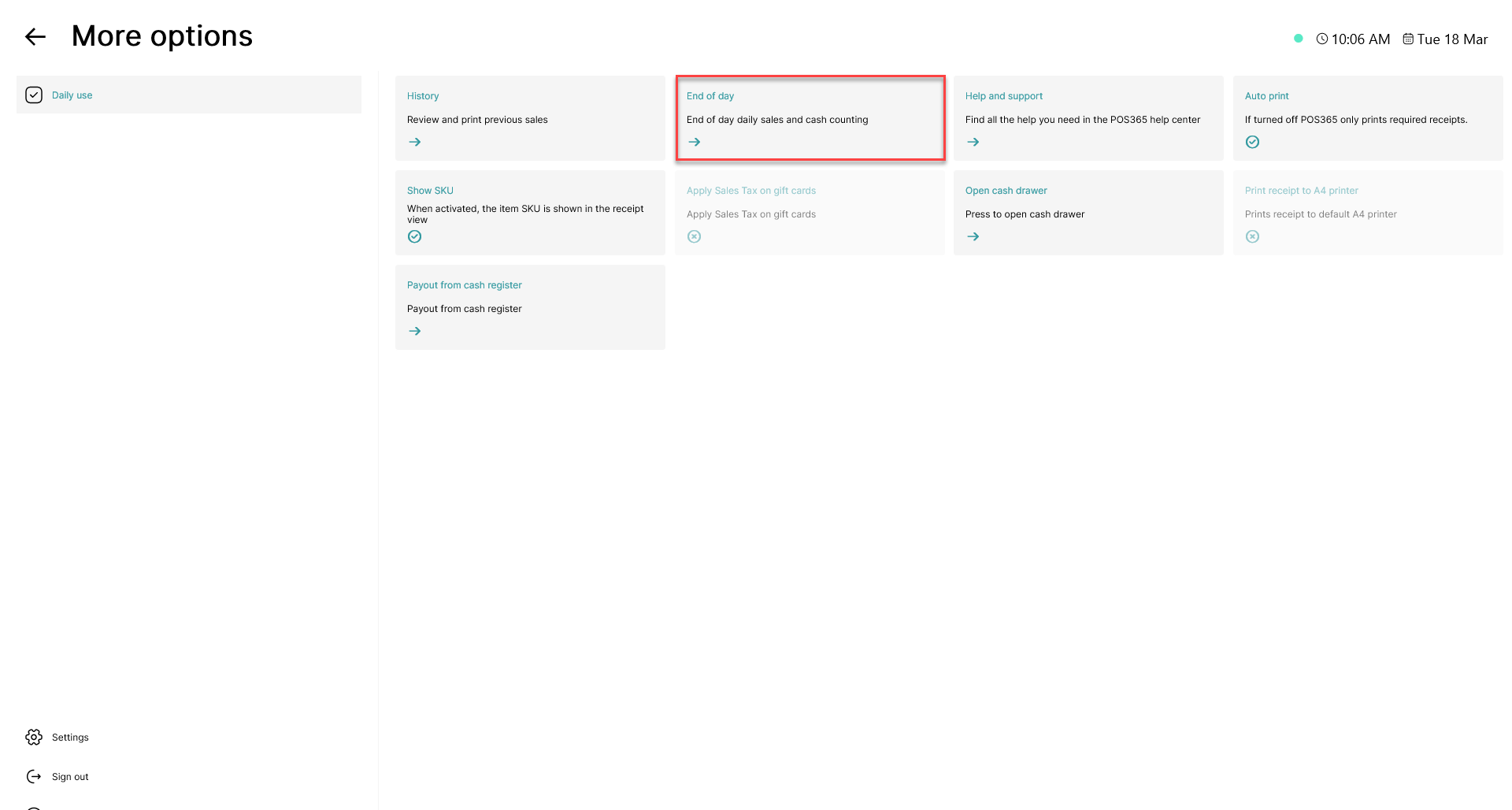
1) Click on 'End of day'
2) Wait for the window to open
Step 3:
Review the 'End of day' window and complete the closing. Adjust balances if needed and close the register.
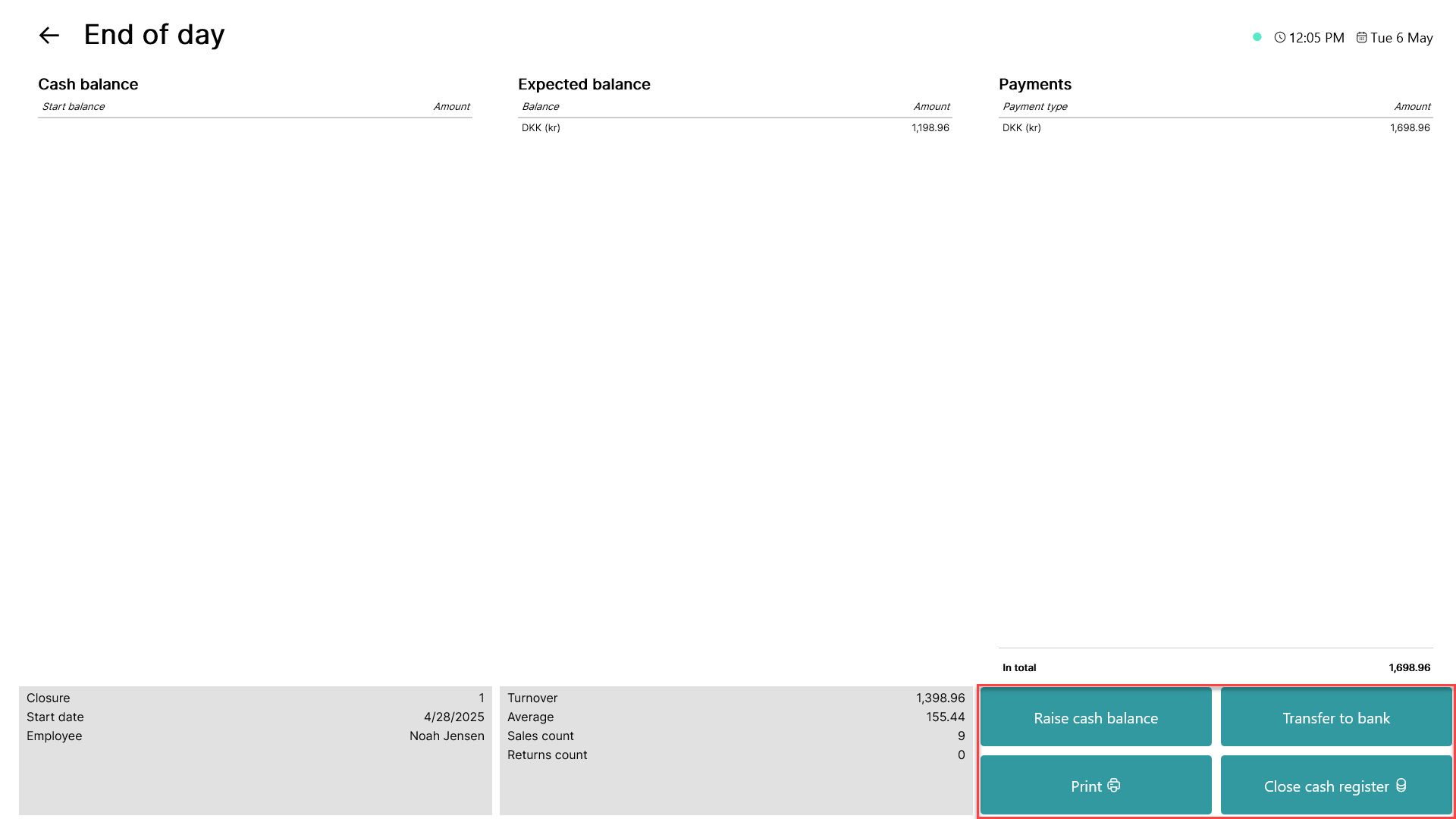
1) Click 'Raise cash balance' to adjust the expected balance if cash was added
2) Click 'Transfer to bank' to register removed cash
3) Click 'Print' to preview the report
4) Click 'Close cash register' to finish the day
5) Enter the counted cash amount
6) Review any difference shown by the system
Note:
The expected balance is based on start balance, cash sales and movements. Differences should be checked and reconciled. The report is used for posting in Business Central, where turnover and payments are registered per type.
Posting example:
This example explains how each account is used when posting data from 'End of day' to Admin center and Business central.
For more information, see here:
Posting example
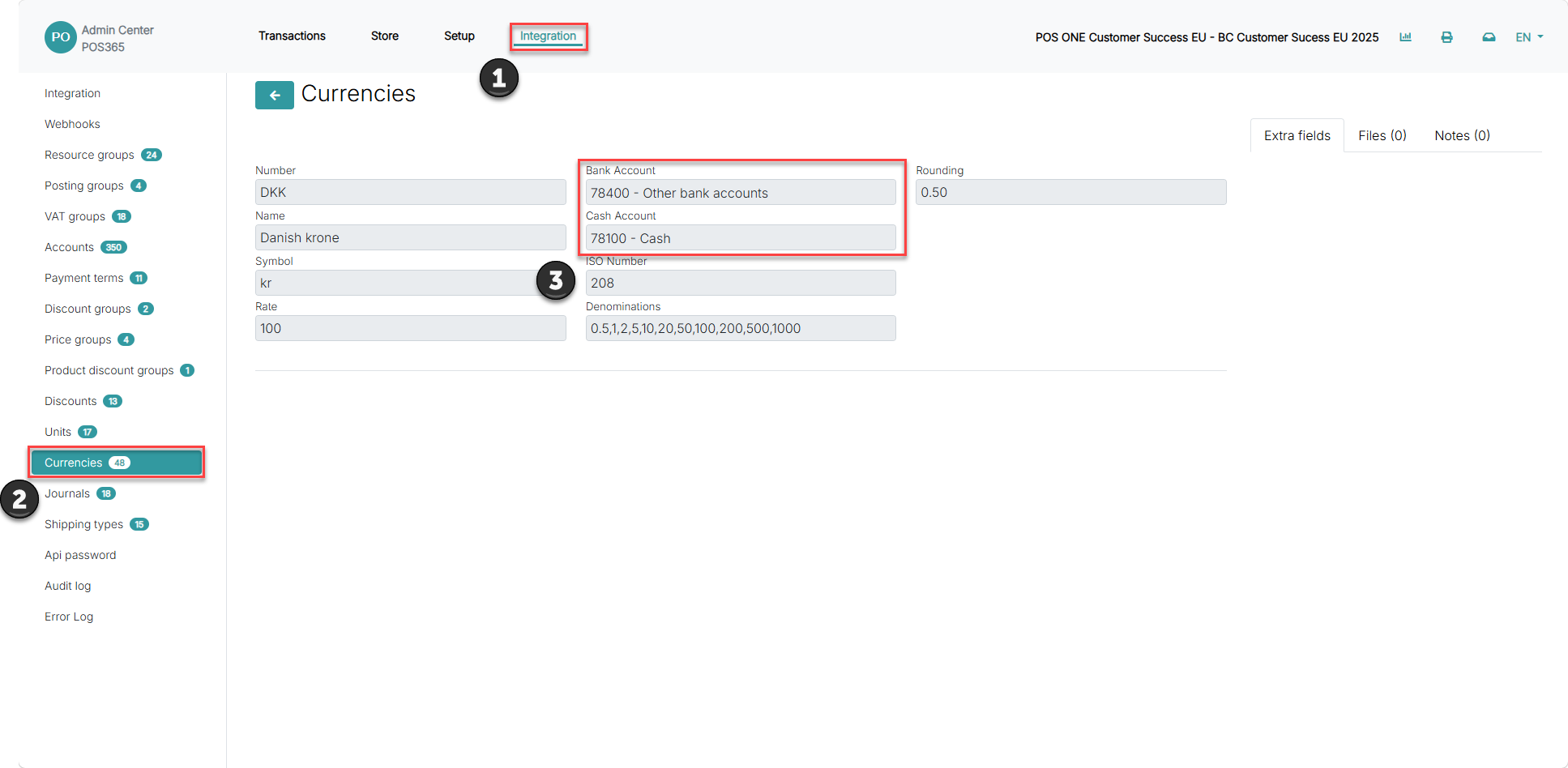
1) Go to integration
2) Click currencies
3) 'Cash Account' is used for all cash transactions and represents the balance in the cash register. 'Bank Account' is used when cash is transferred from the register to the bank
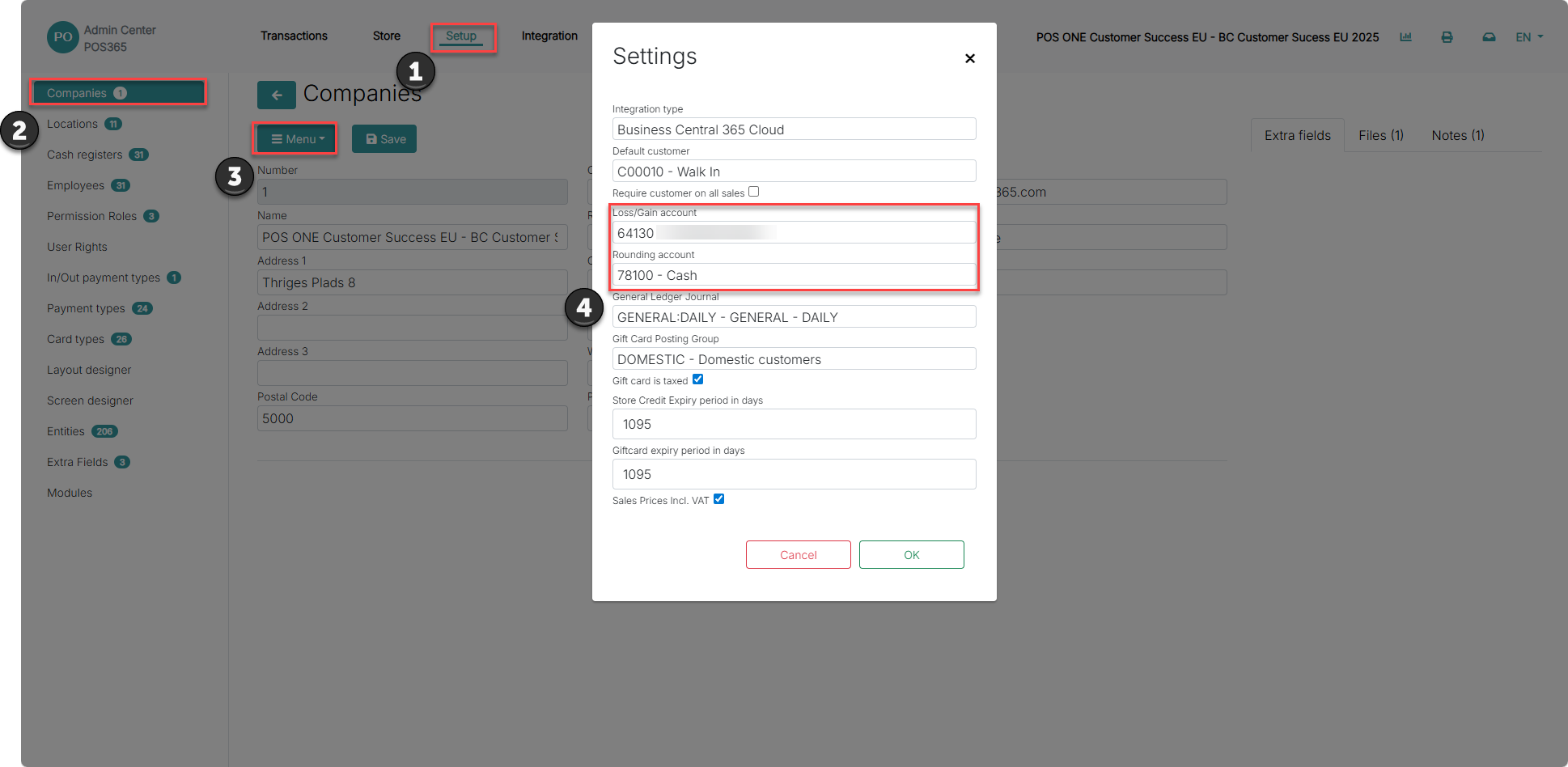
1) Go to setup
2) Click companies
3) Select you company and press "menu" and "Settings"
4) 'Loss/gain account' is the account where losses and gains are posted. 'Rounding account' is used to post any rounding differences from cash payments
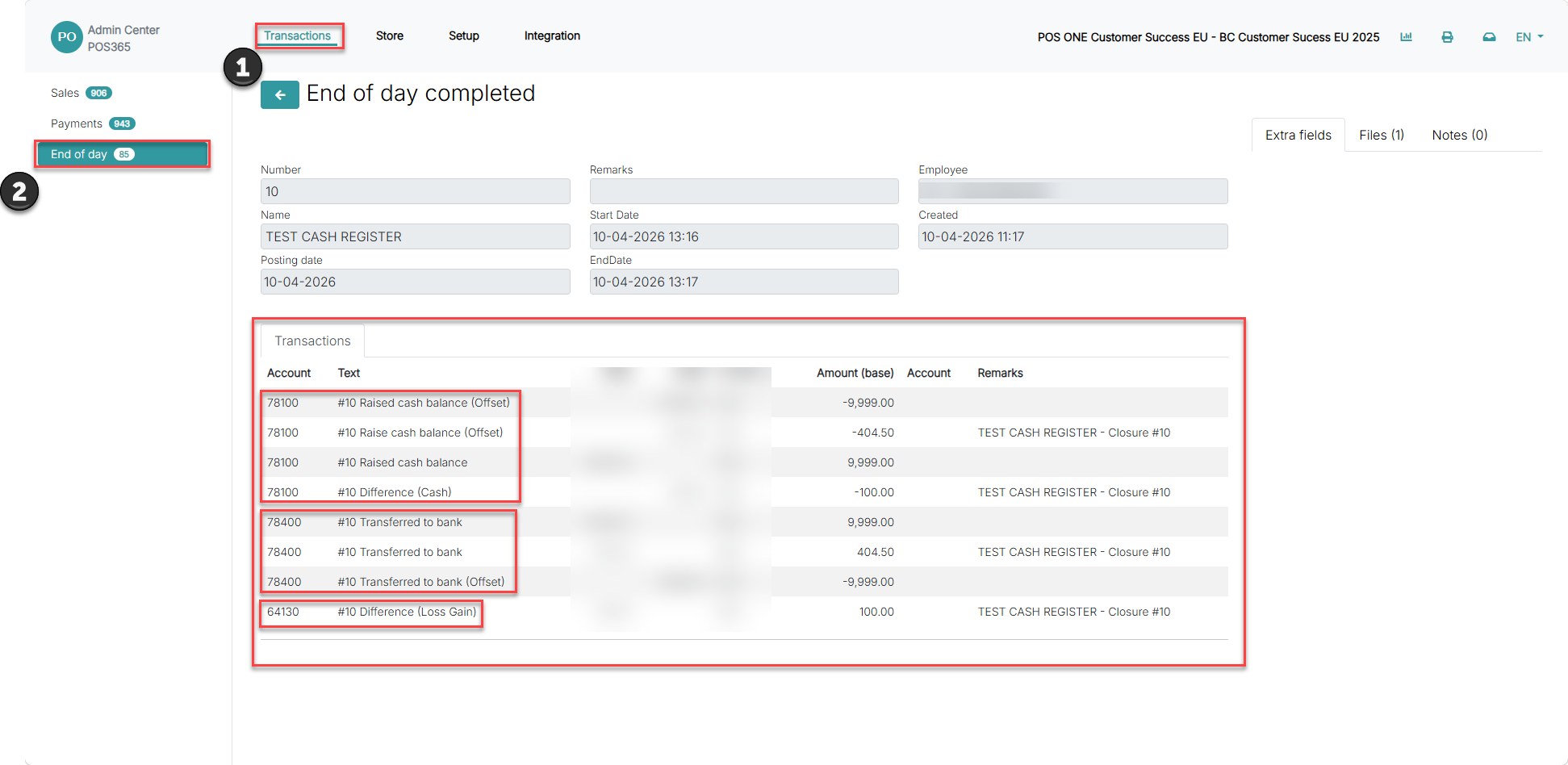
1) Go to Transactions
2) Click on "End of day)
In this example:
All transactions related to the cash balance are posted to account 78100
All transactions related to bank transfers are posted to account 78400
All transactions related to differences (loss/gain) are posted to account 64130
Note:
These accounts define how transactions are posted in Business Central and ensure correct financial tracking of cash, transfers and differences.