This guide explains how to create and use a card or chip to sign in on POS365. Both magnet cards and NFC chips are supported.
The set up must be performed in the Admin Center.
Step 1:
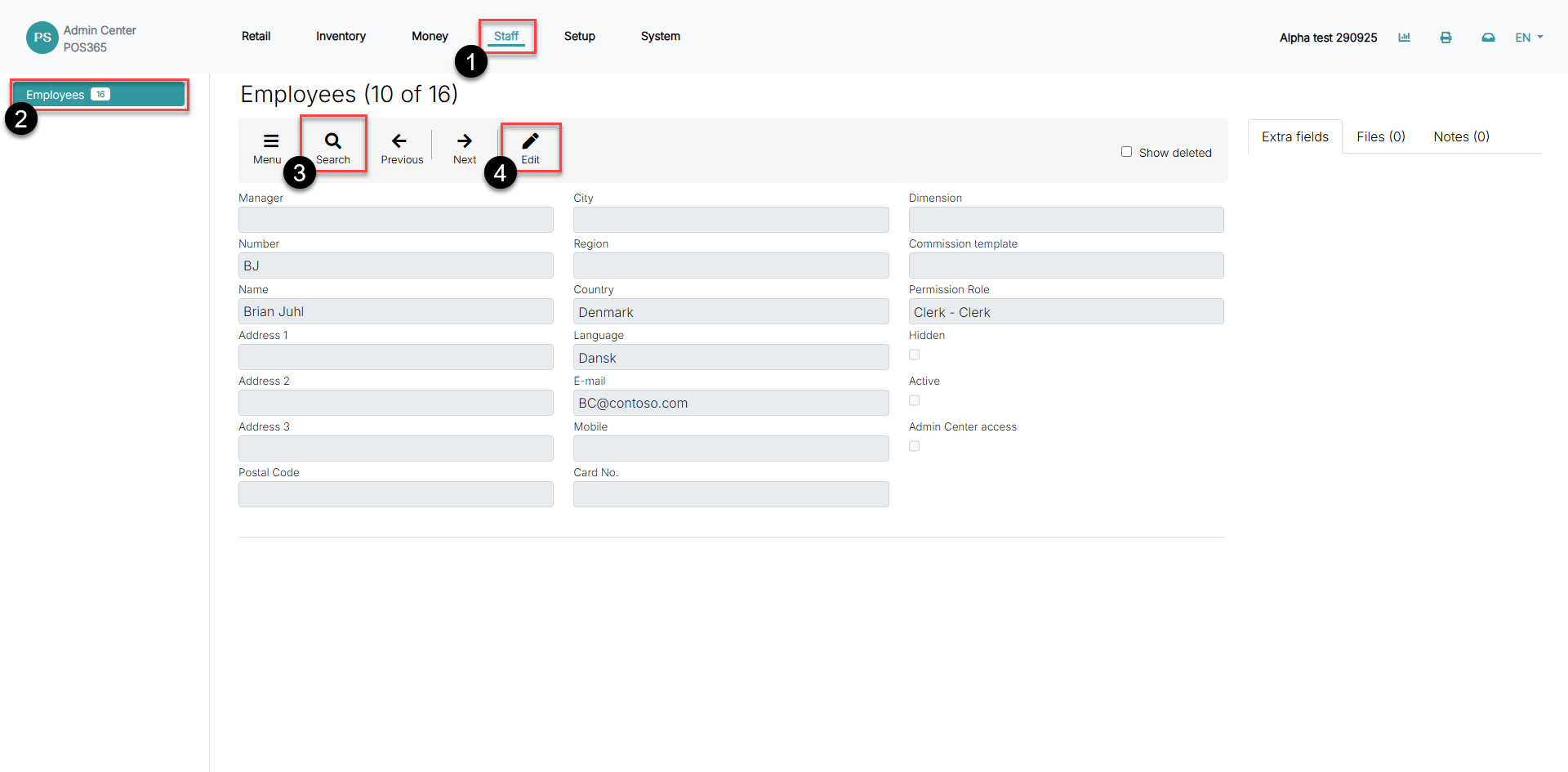
1) Go to 'Staff'
2) Click on 'Employees'
3) Click 'Search' and find the desired employee
4) Click 'Edit'
Step 2:
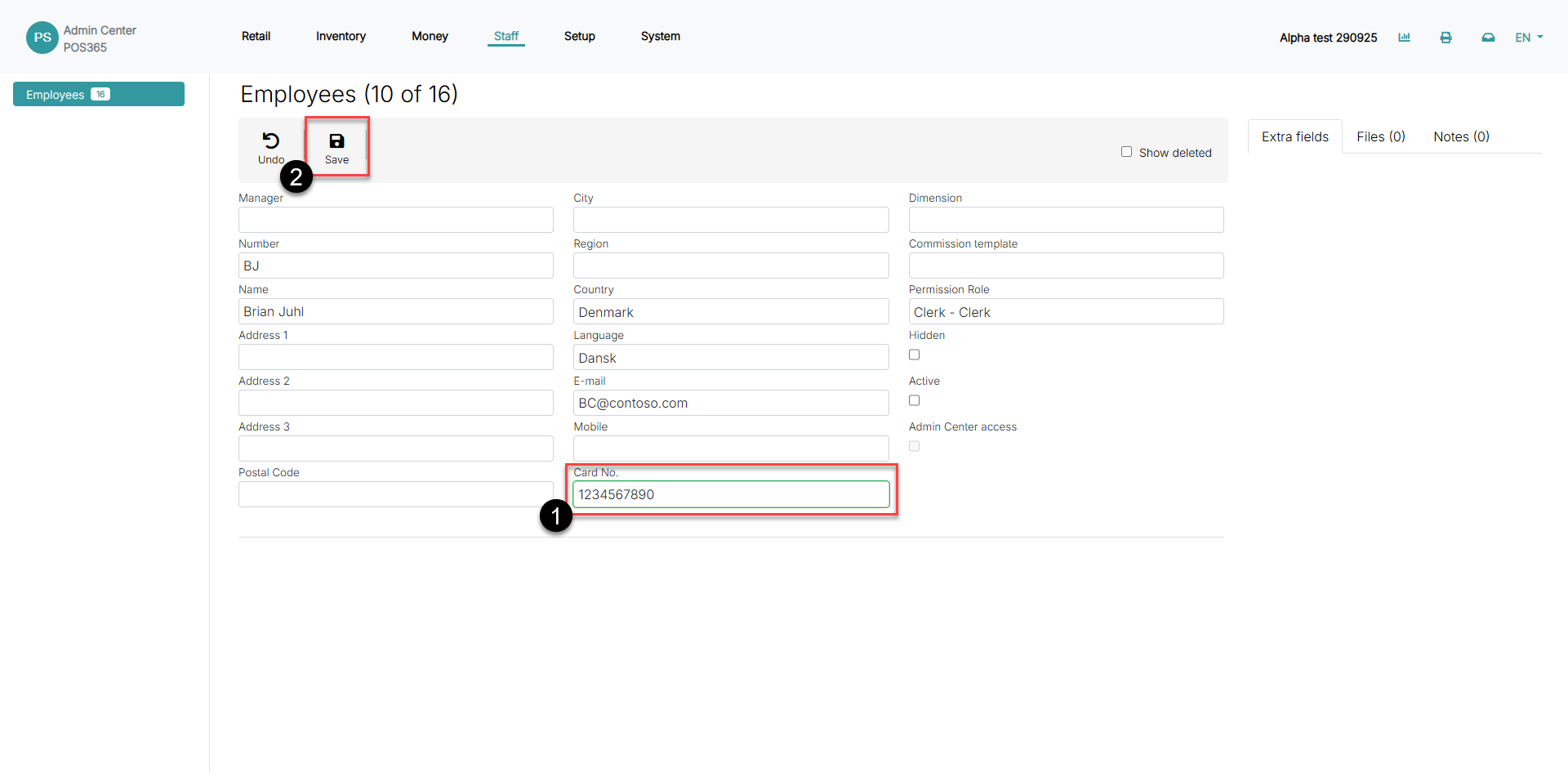
1) Enter the card/chip information in the 'Card No.' field
2) Click 'Save'
Step 3:
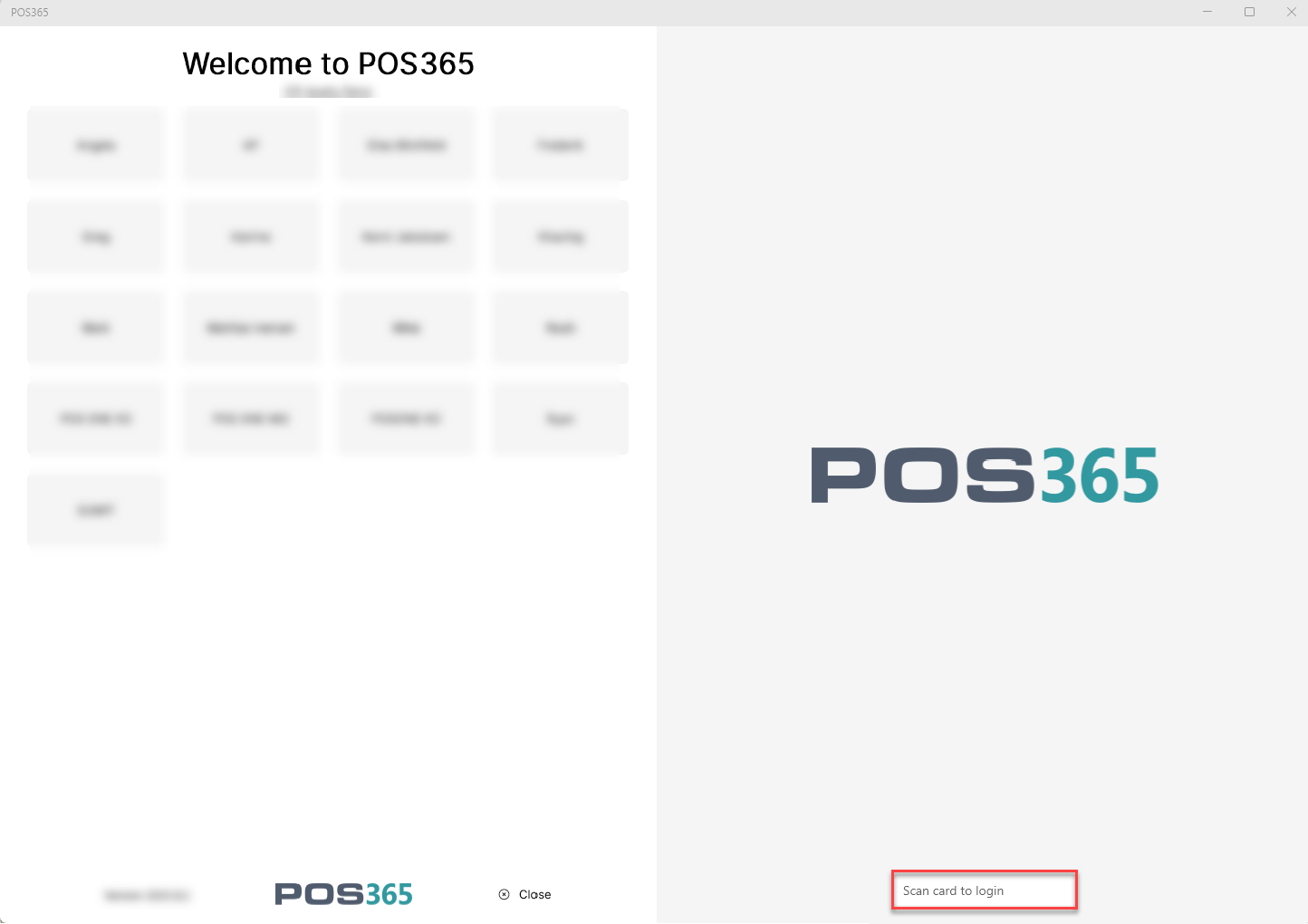
Once the setup in the Admin Center has been made, you can sign in to POS365 by scanning the card on the login page or typing in the ID manually at the bottom, right corner