This guide explains how to set up an integration between Business Central and POS365 through the Admin Center
Step 1:
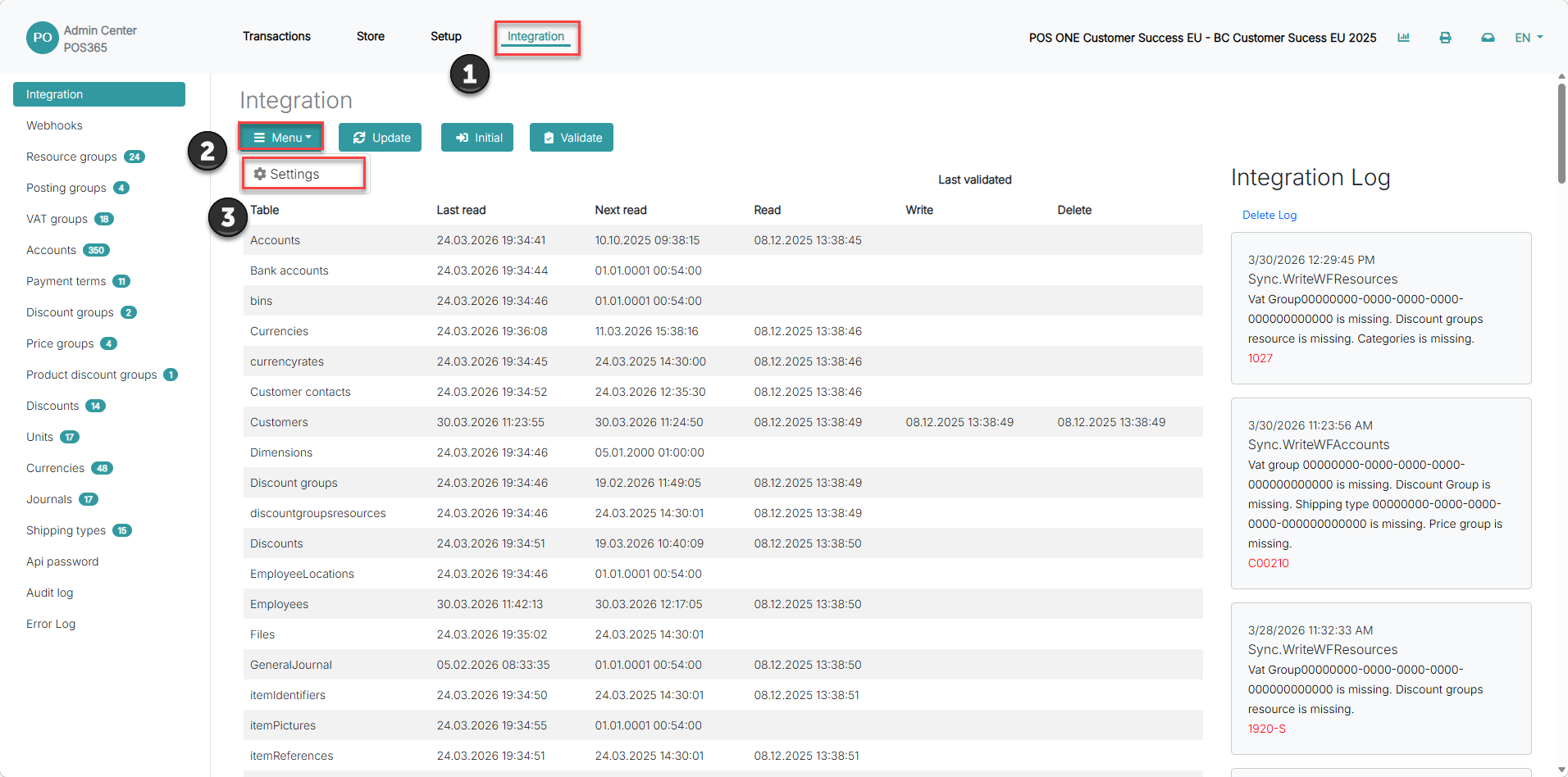
1) Click on 'Integration'
2) Open 'Menu'
3) Go to 'Settings'
Step 2:
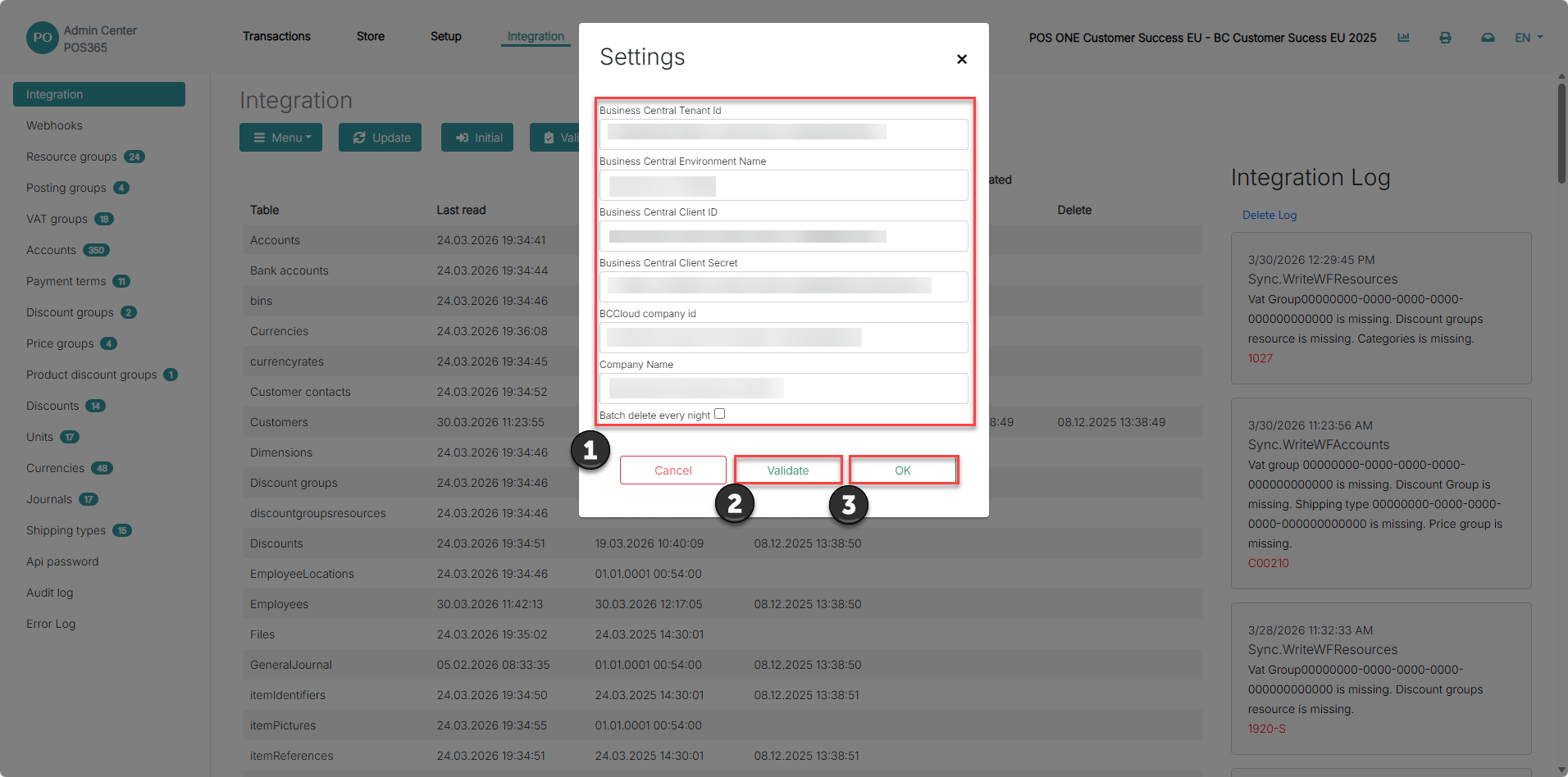
1) Fill in the Business Central credentials (obtained here)
- BC Tenant ID (can be found in BC URL after login)
- BC Environment Name
- BC Client ID (from Azure user)
- Client Secret (from Azure user)
- BC Cloud company ID (BC Companies -> select company Press "Ctrl+Alt+F1" copy field ID)
- BC Cloud Company Name
2) Click 'Validate' to check whether the information is correct. Wait a few seconds.
3) If validation is successful, click 'OK'