Skip to content
English
  • There are no suggestions because the search field is empty.

How to - Manage modules in POS365

This guide explains how to manage different modules used in POS365 through the Admin Center Step 1: 1) Go to 'Setup' 2) Click on 'Modules' 3) Select/deselect...
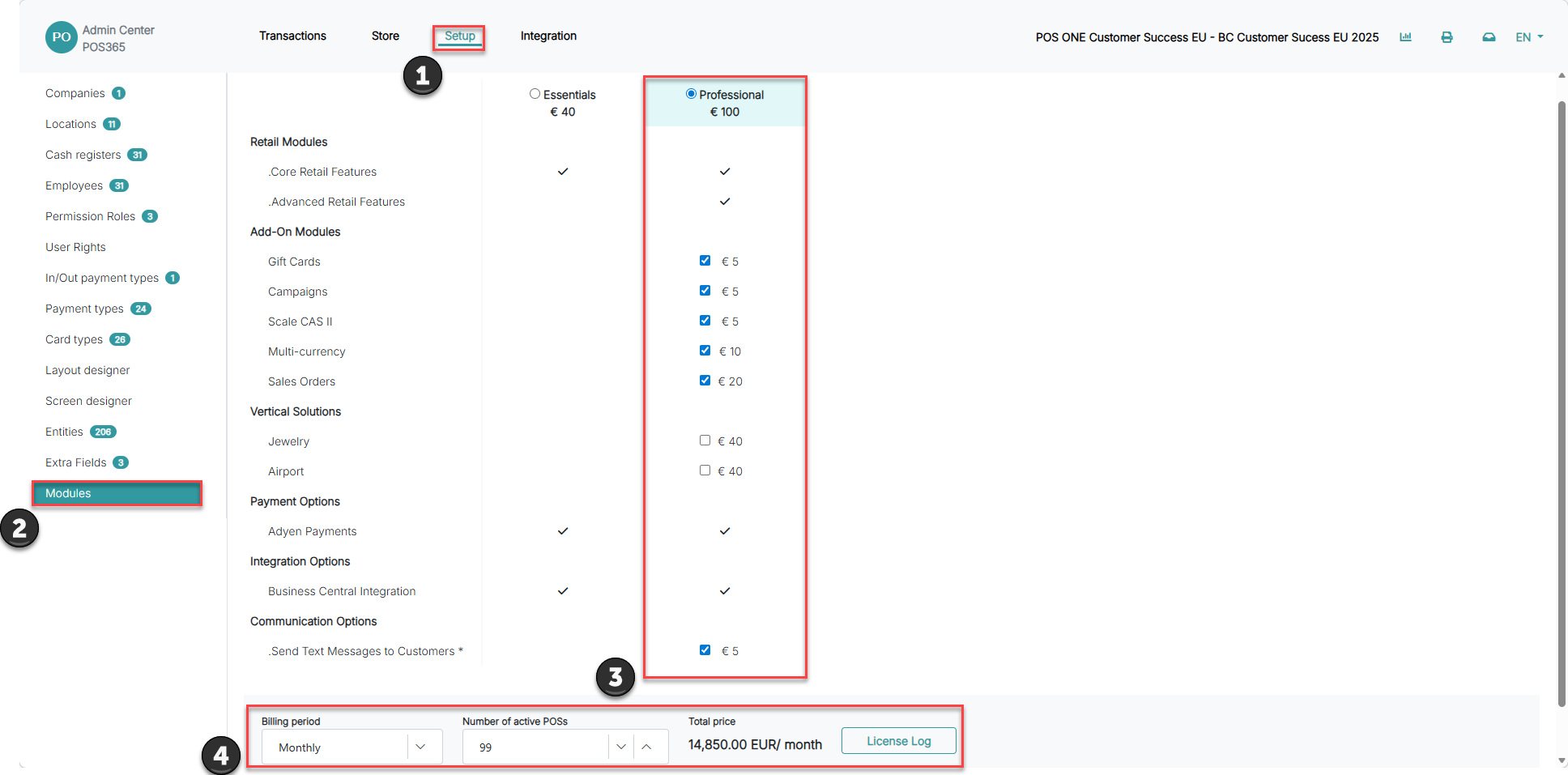
This guide explains how to manage different modules used in POS365 through the Admin Center

Step 1:

how to manage modules in pos365

1) Go to 'Setup'

2) Click on 'Modules'

3) Select/deselect the modules you want to be active

4) Select the number of POS'es you want to be active and how often you want to be billed