Skip to content
English
  • There are no suggestions because the search field is empty.

How to - Make a refund using a return label

This guide shows how to use a printed return label to refund an item.

This guide shows how to use a printed return label to refund an item.

If you are looking for a guide to create a return label, please use this link:

How to - Create a return label

Step 1:
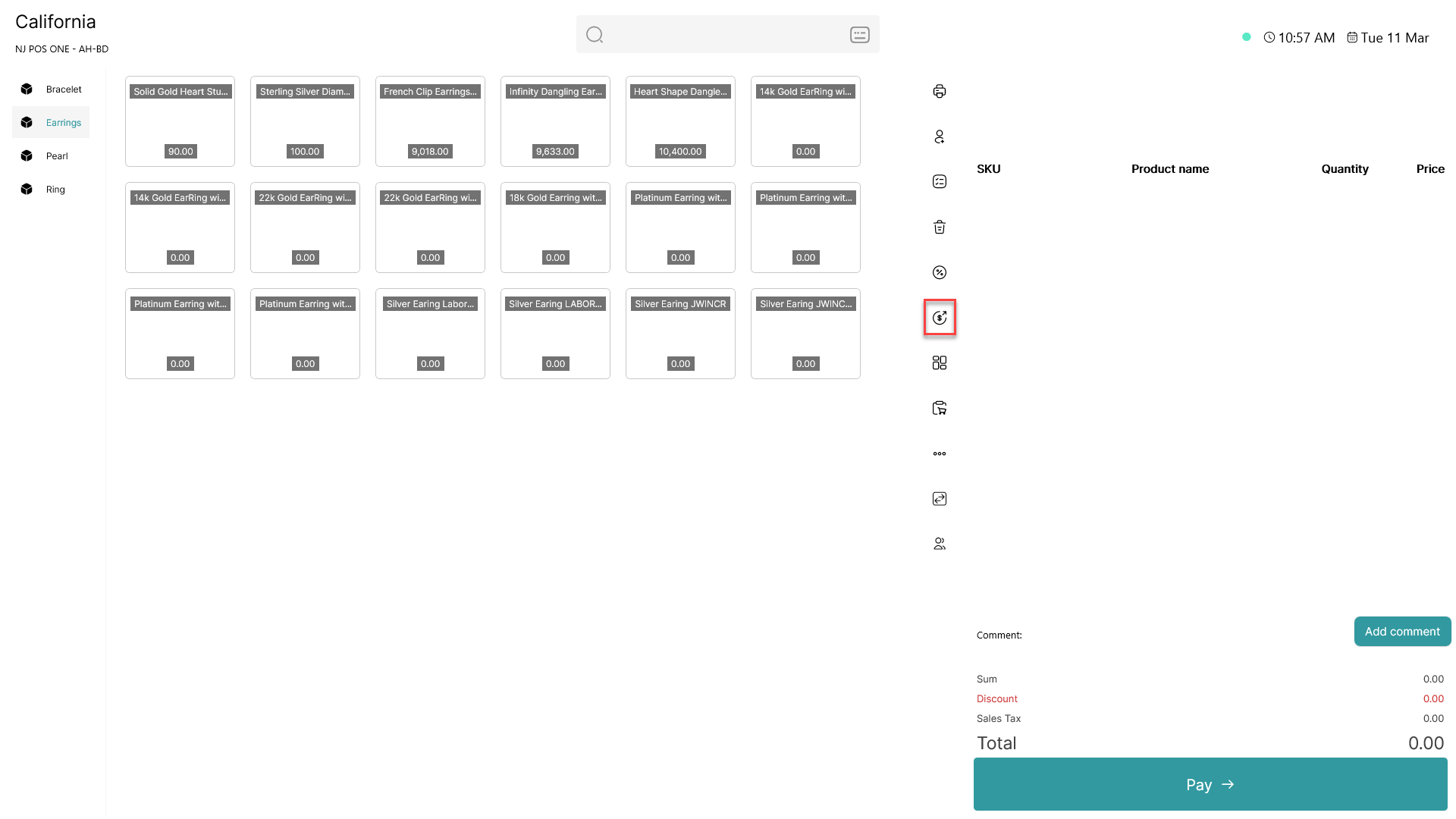
how to make a refund using a return label

Open the refund tab marked with  how to make a refund using a return label

Step 2:

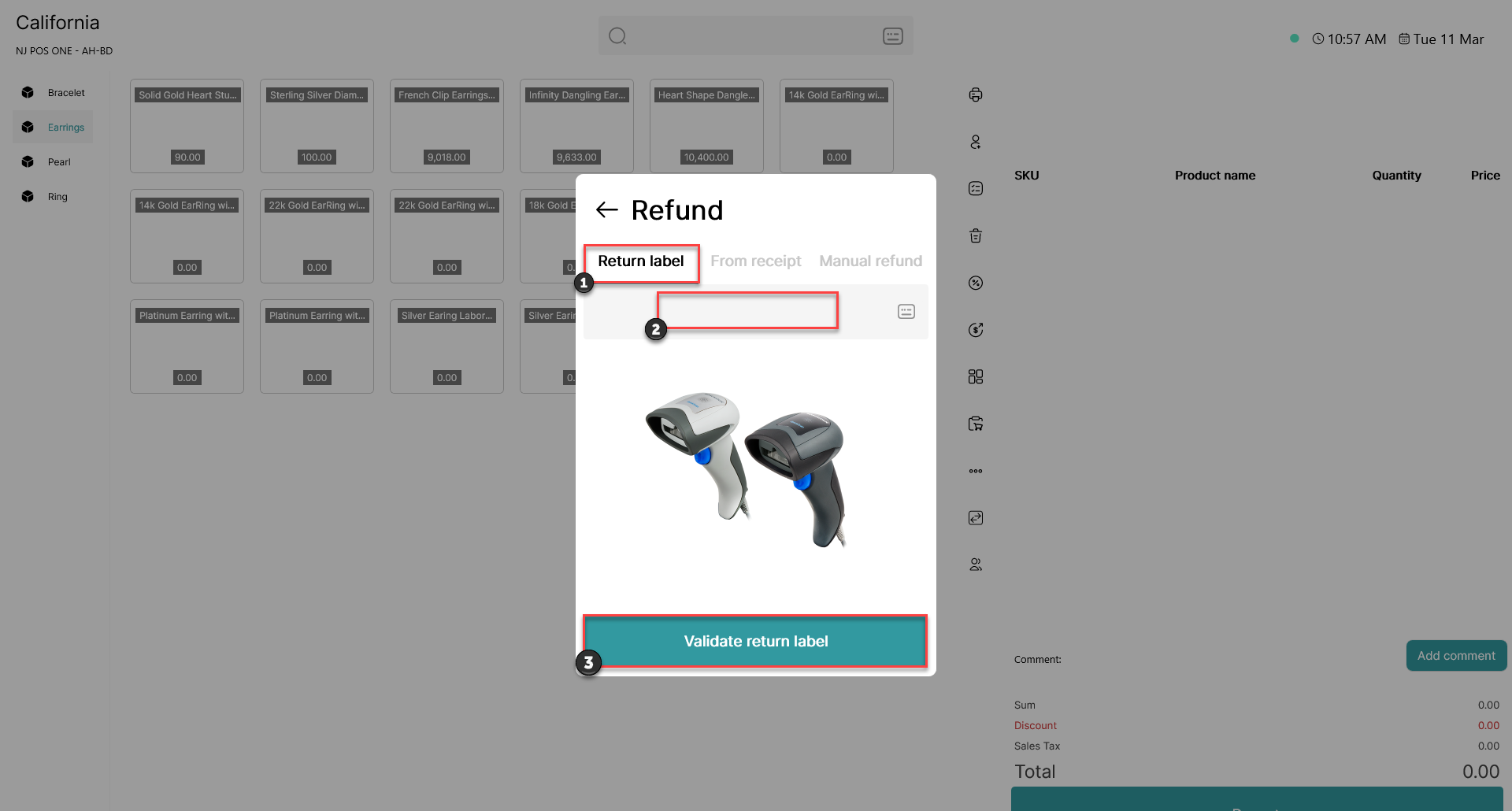
how to make a refund using a return label

1) Click on 'Return label' 

2) Scan the printed return label

3) Click 'Validate return label'