This guide shows how to add a specific cash amount discount to an order.
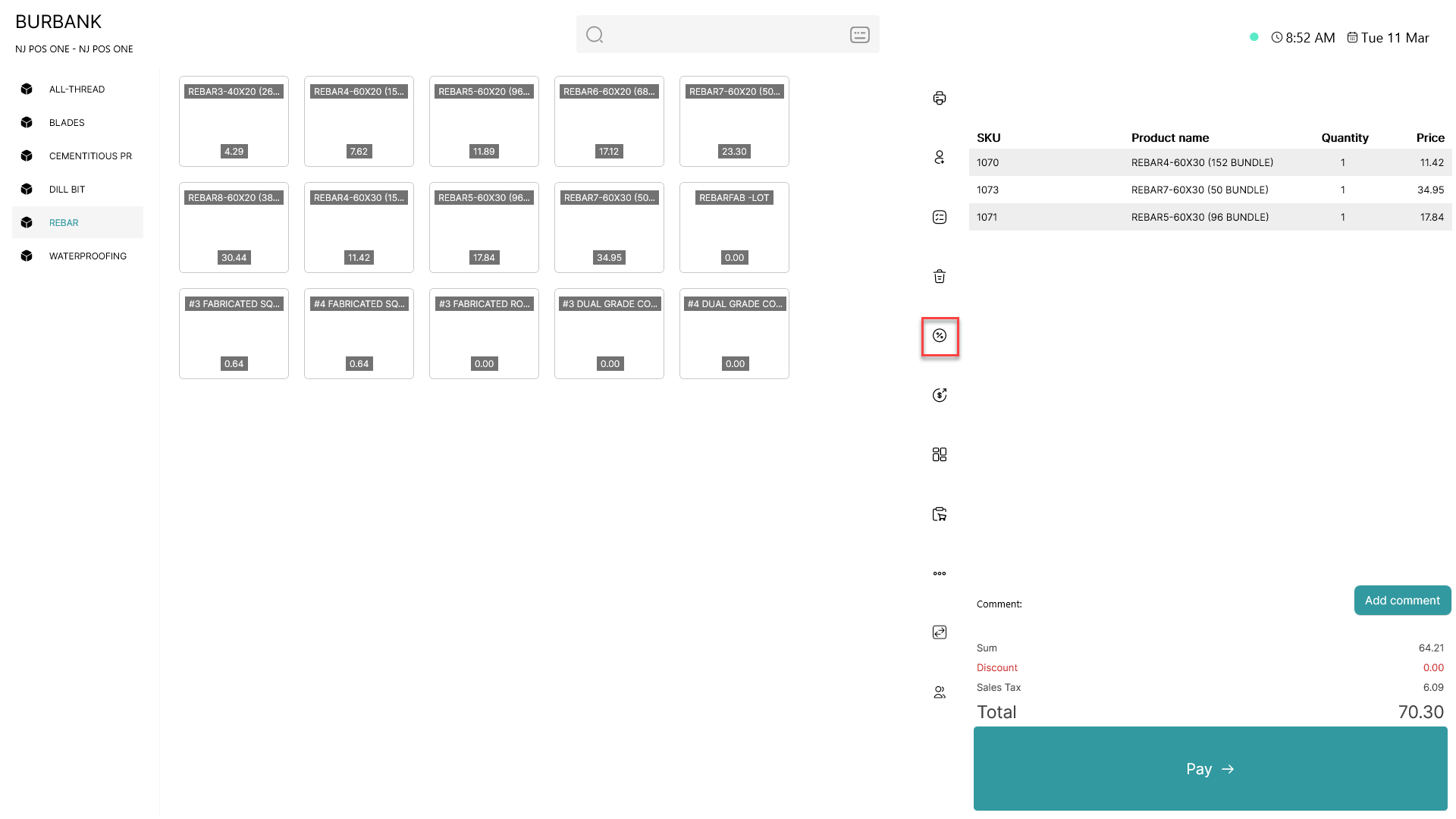
To open the order discount tab, press the  button
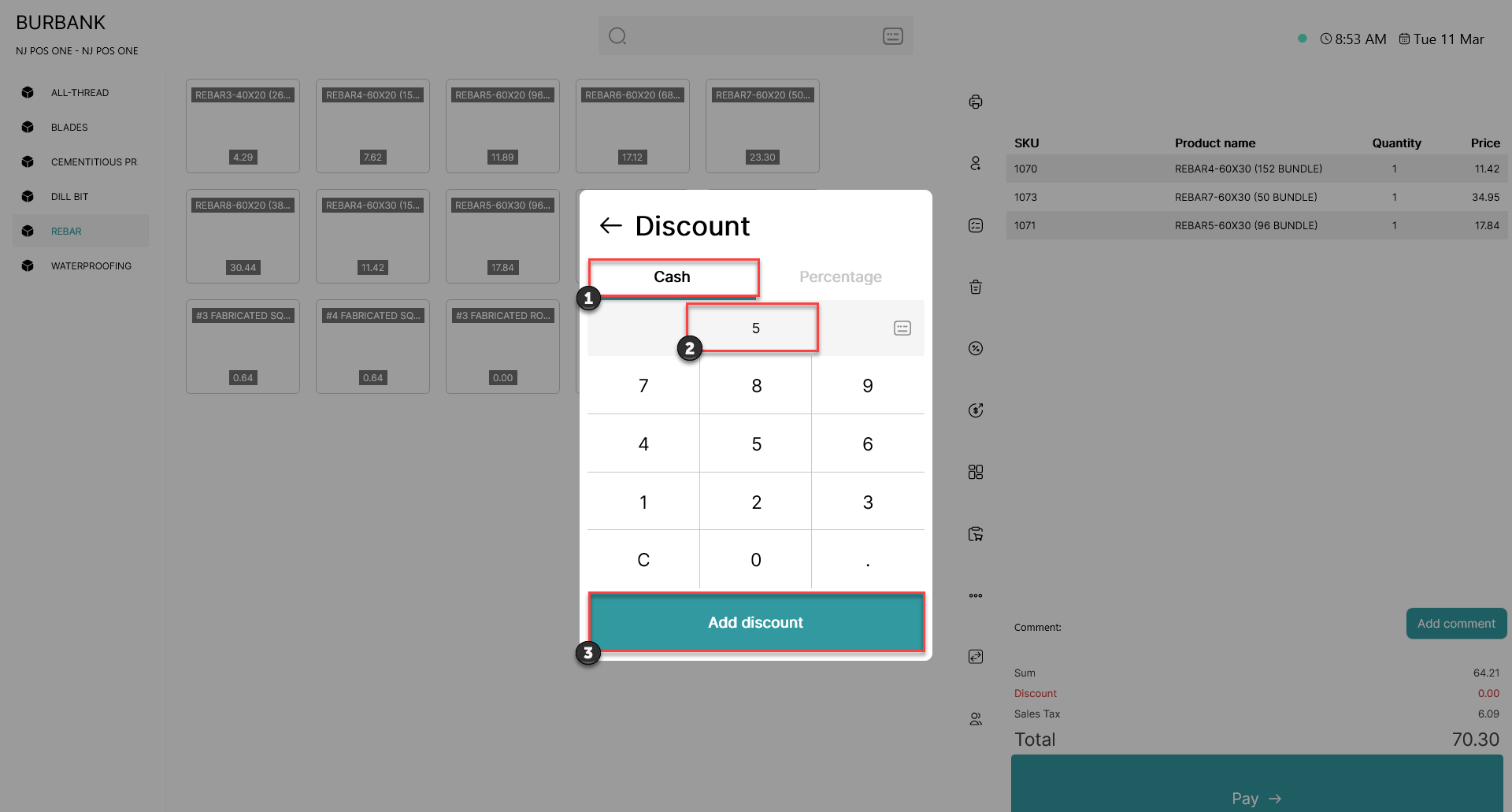
1) Click on 'Cash'
2) Using a keyboard or the integrated numeral system, type in the desired cash discount
3) Press 'Add discount'
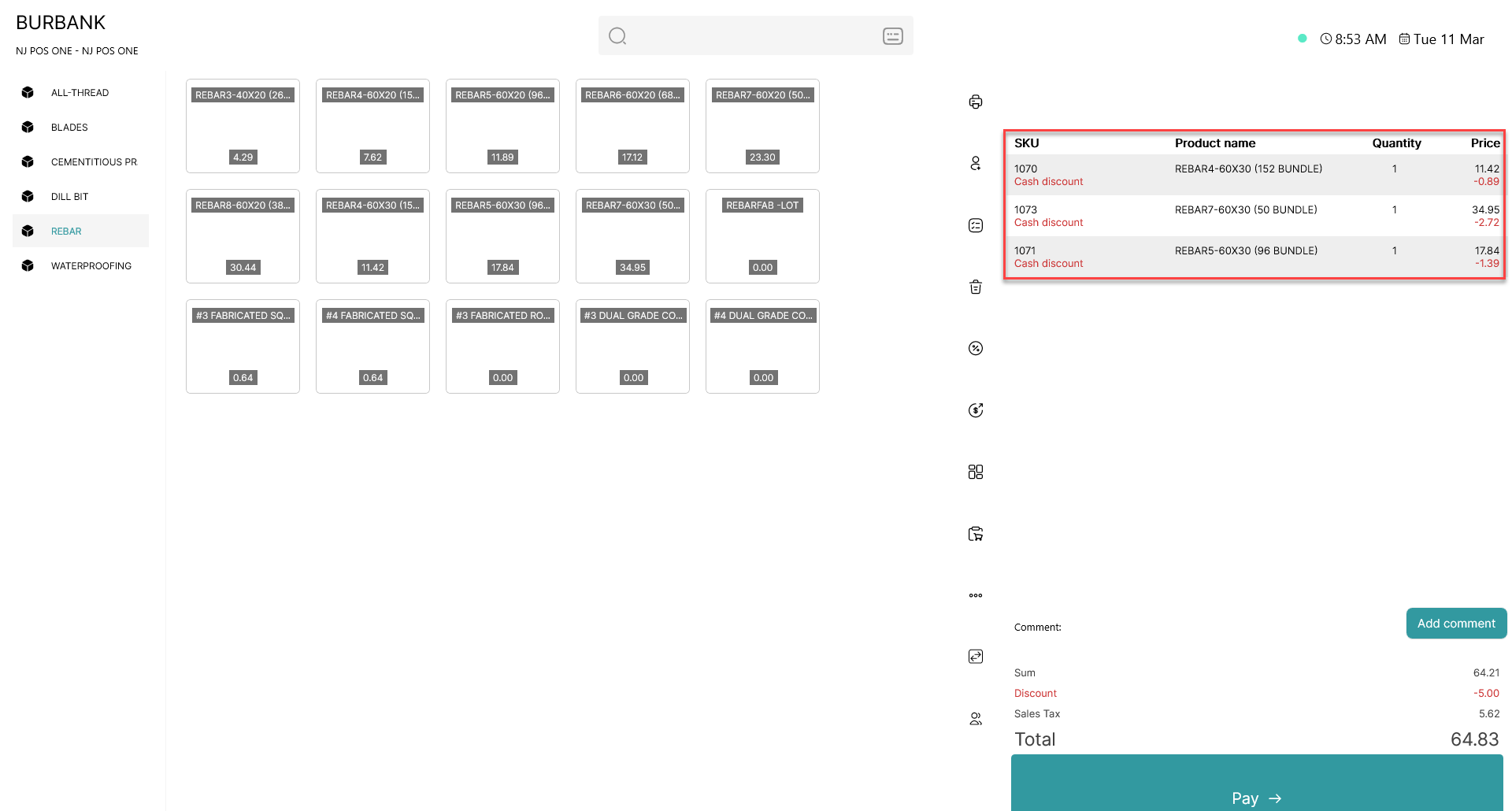
The cash discount you have typed in will be spread equally across all items in the basket as shown above