This guide explains how to make a full synchronization between POS365 and the Admin Center. The feature is used to ensure that the data from the Admin Center is also appearing in the POS. Note that you have to wait 1-6 minutes for changes made in Business Central to appear in the Admin Center.
Step 1:
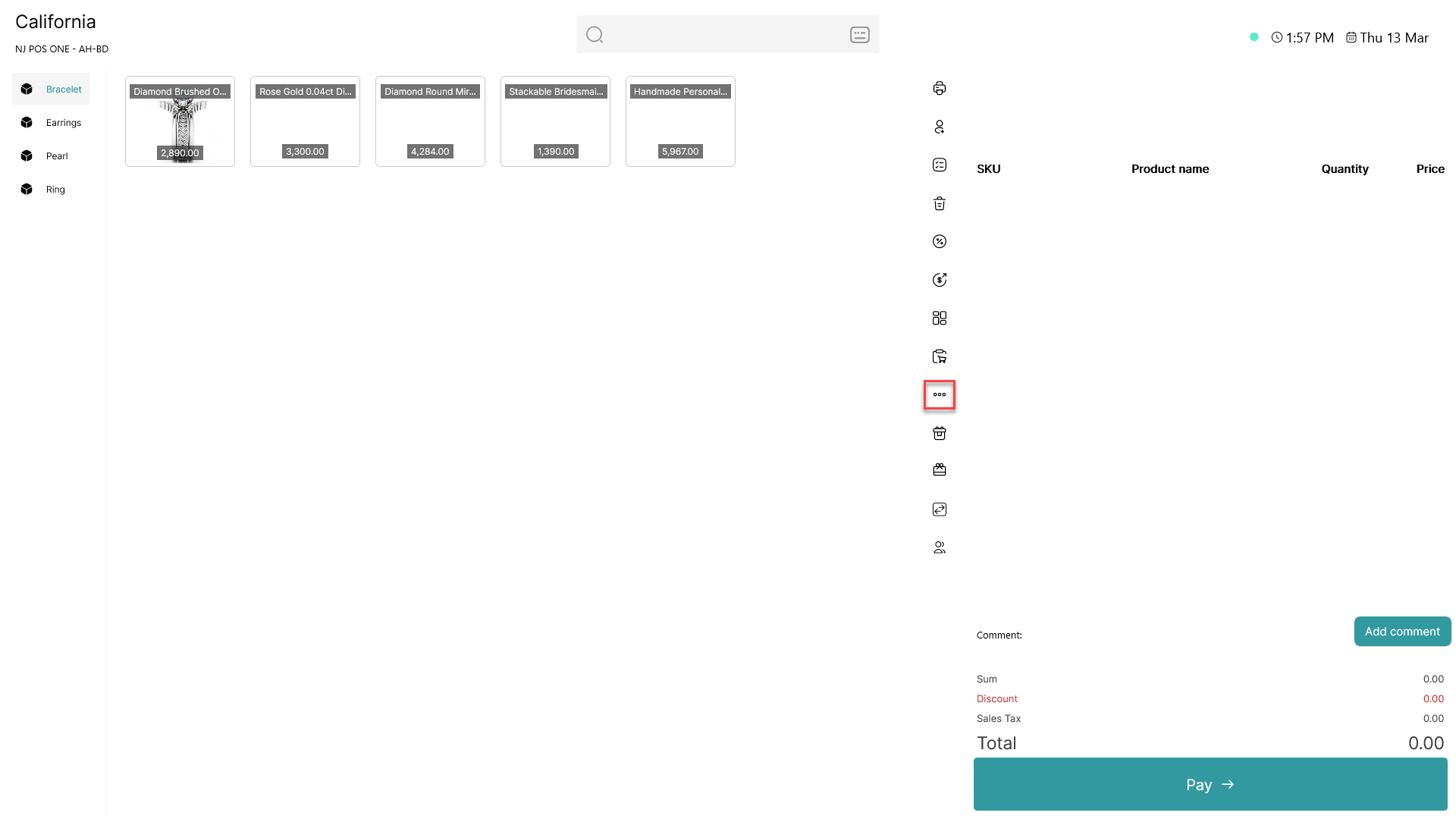
Click on the three dots ( - button) to access more options
Step 2:
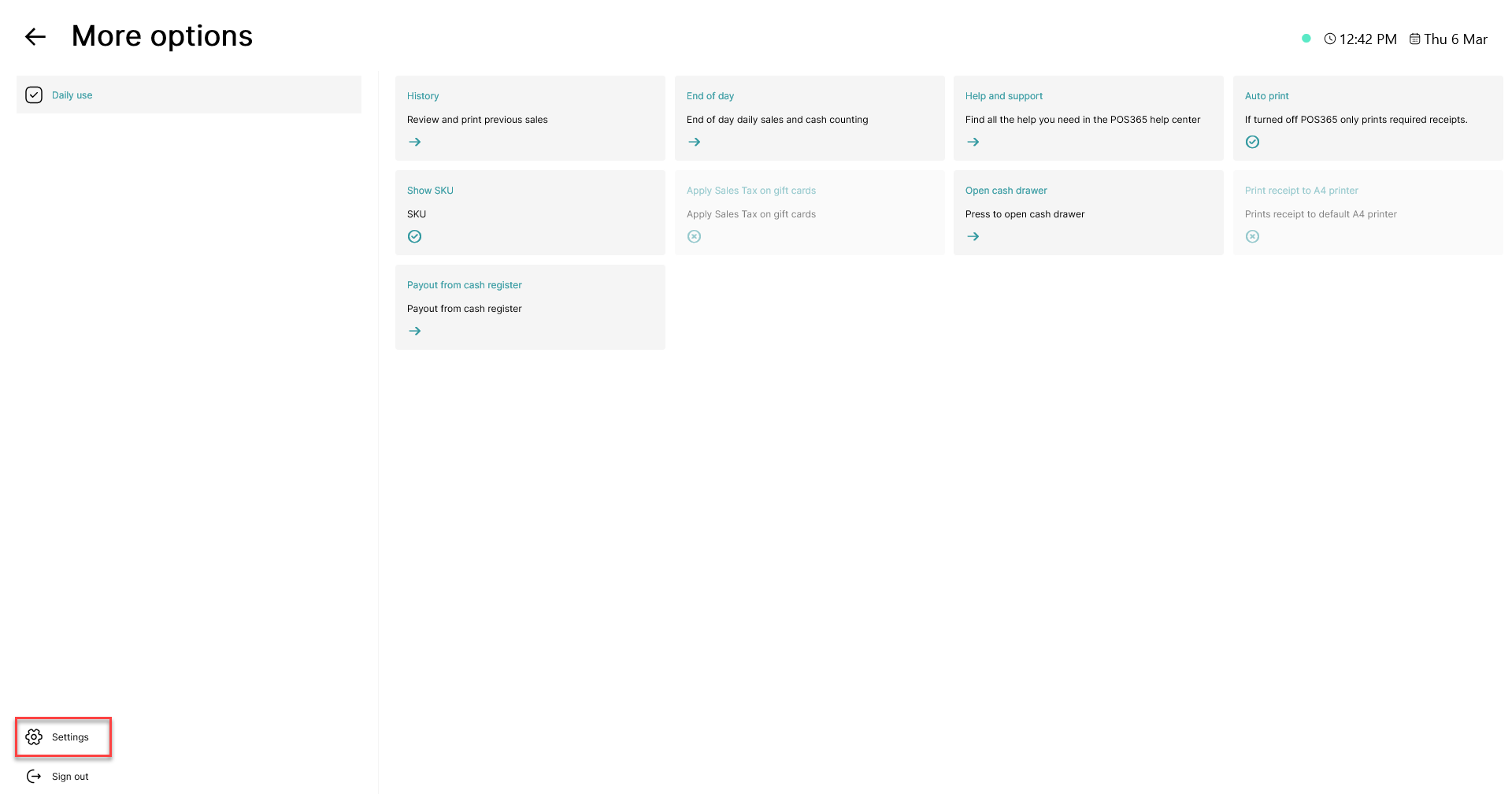
Click on the 'Settings' button in the bottom, left corner
Step 3:
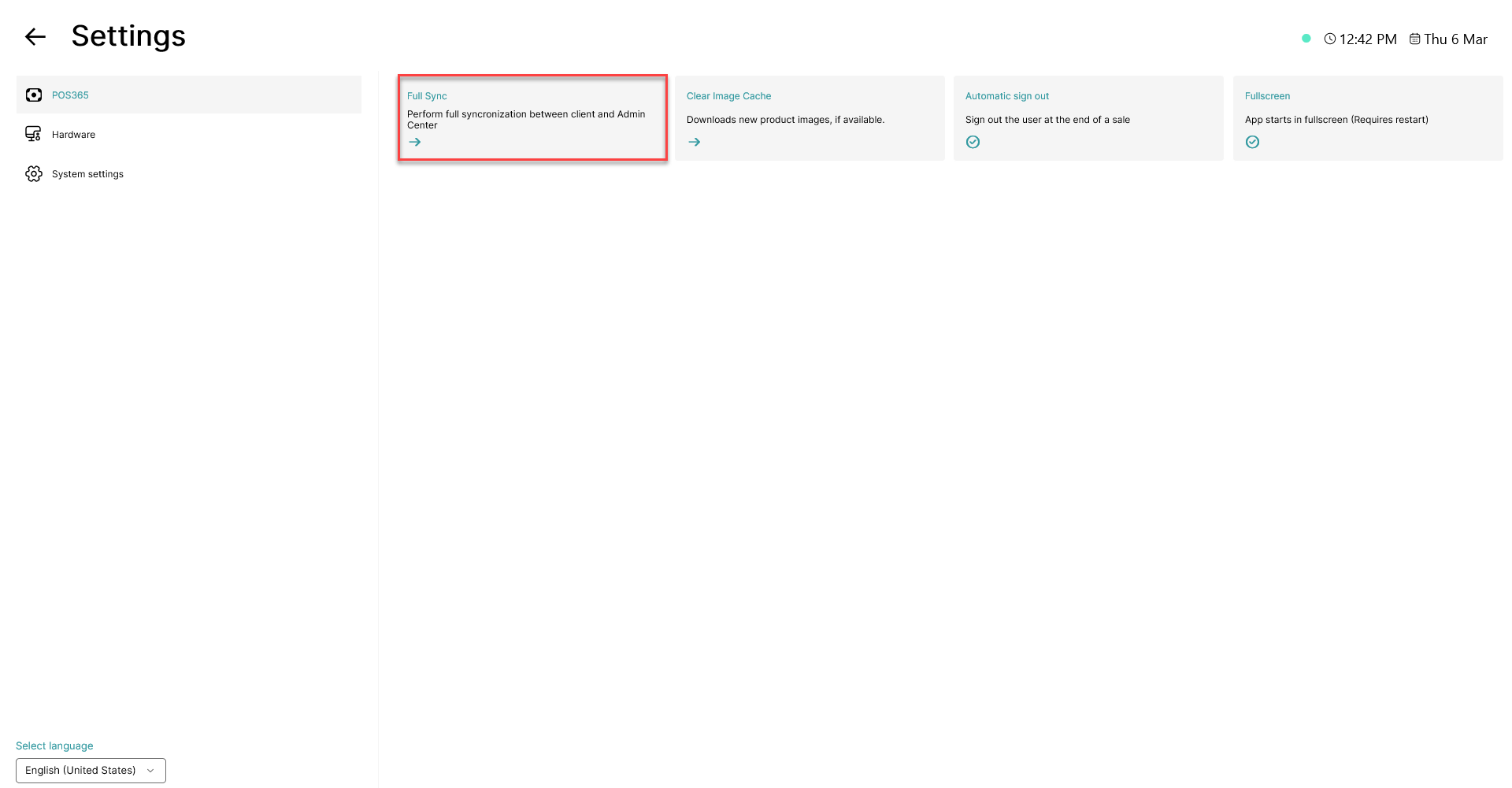
Click the 'Full Sync' button