No internet connection - no problem.
The POS365 app can still operate in offline mode!
Every 2 minutes, the system will try to upload the data received in offline mode
If the system does not automatically upload the data, a full sync can be made by following this guide:
How to - Full sync POS365 with Admin Center
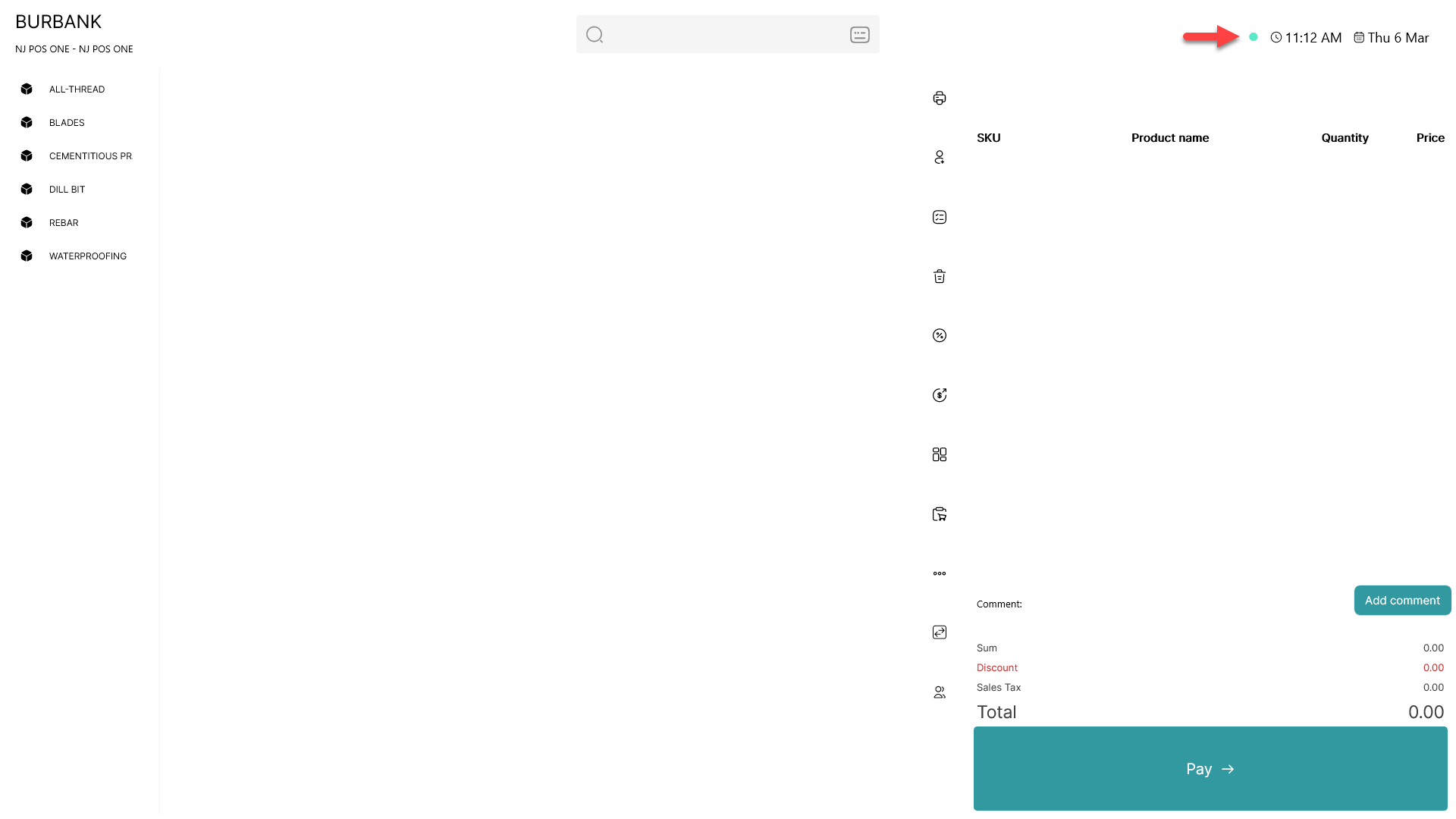
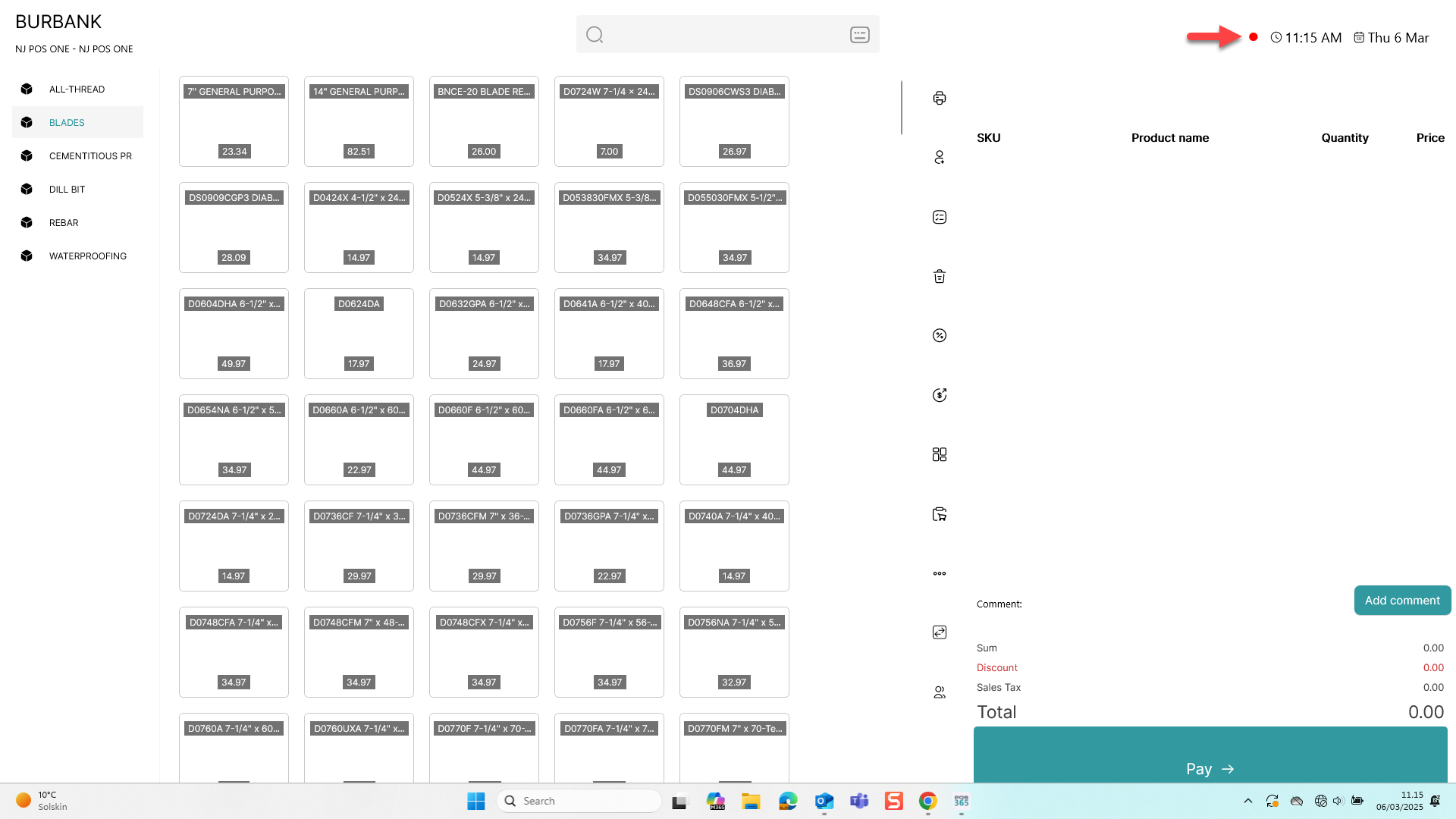
Identify if you are working offline:
A POS365 with internet connection is marked with a green circle
A POS365 without internet connection is marked with a red circle
Make sales in offline mode:
It is possible to make sales even though you have no internet connection. The sales made without internet connection will be marked with an upwards pointing arrow as shown below
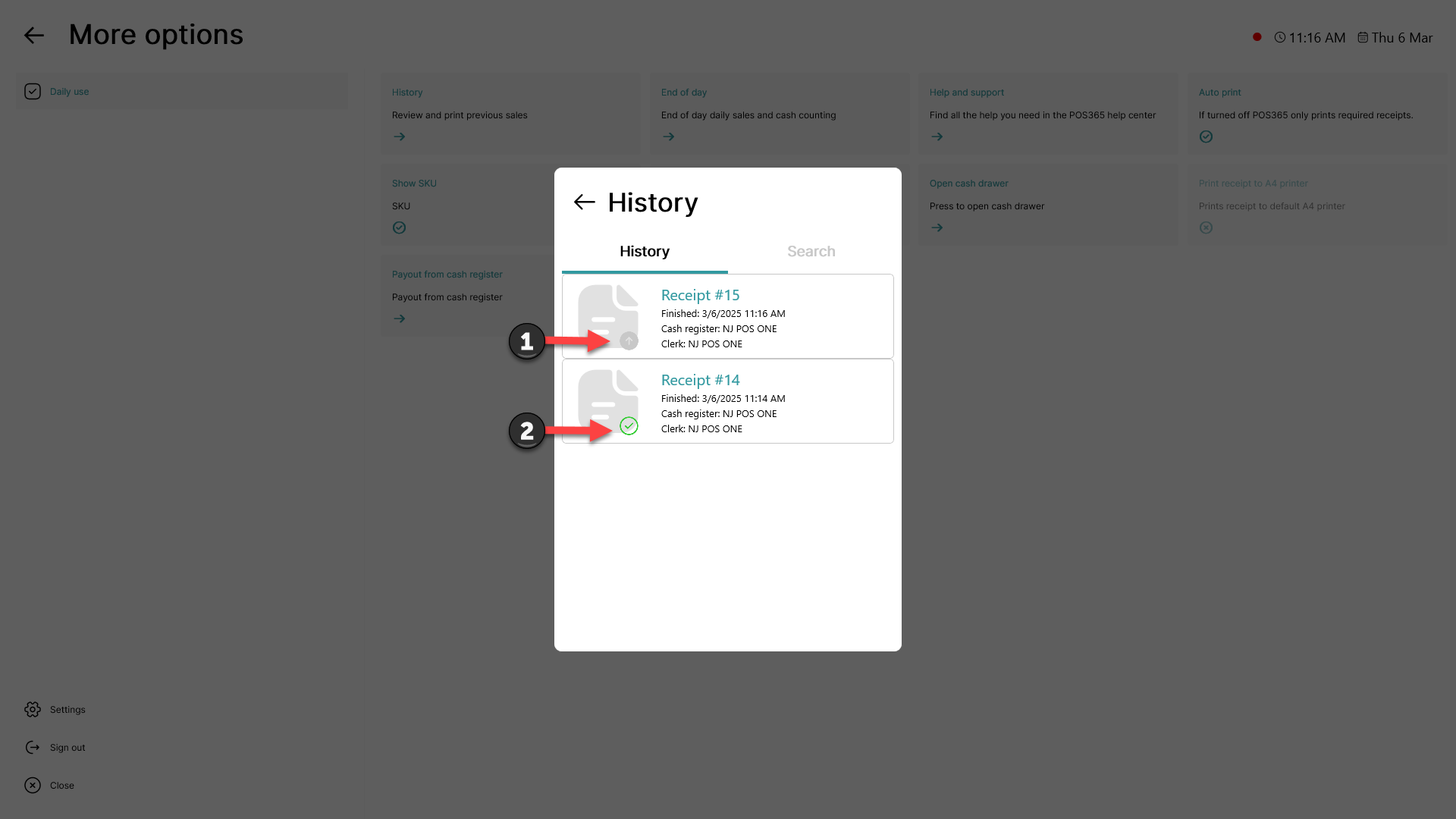
1) Shows a sale made without internet connection
2) Shows a sale made with internet connection
Notes:
It is possible to close the cash register in offline mode
Some functions do not work in offline mode, as they use data from Business Central to operate.
This includes (but is not limited to) customer related functions and gift card related functions.