Sales tax
This guide explains how to set up sales tax for POS365.
This guide explains how to set up sales tax for POS365. Only fixed percentages can be applied as sales tax. Please note that the location of the company has to be set to United States for this to be applicable.
Step 1:
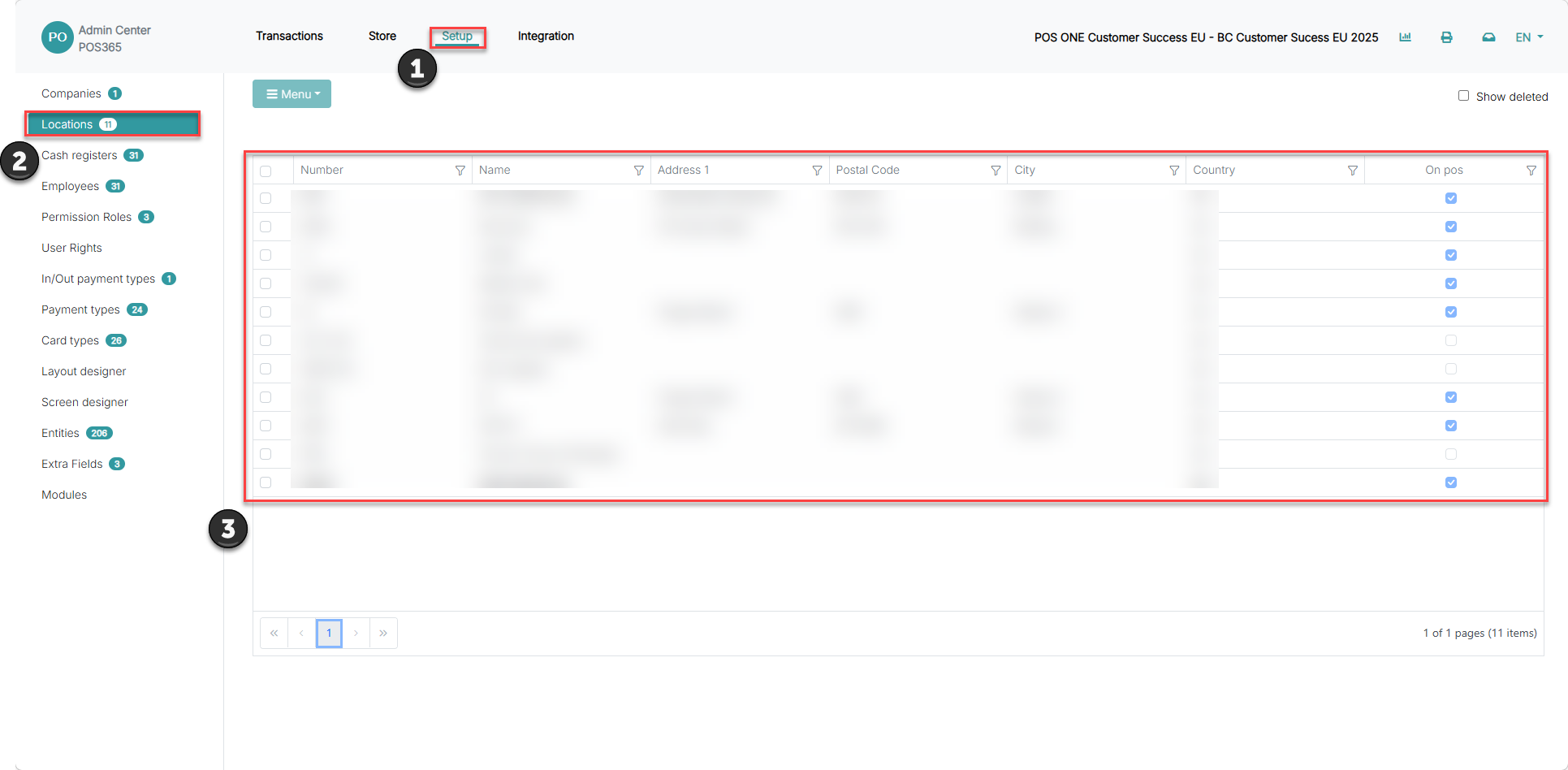
1) Go to 'Setup'
2) Go to 'Locations'
3) Locate the specific location, and click on it
Step 2:
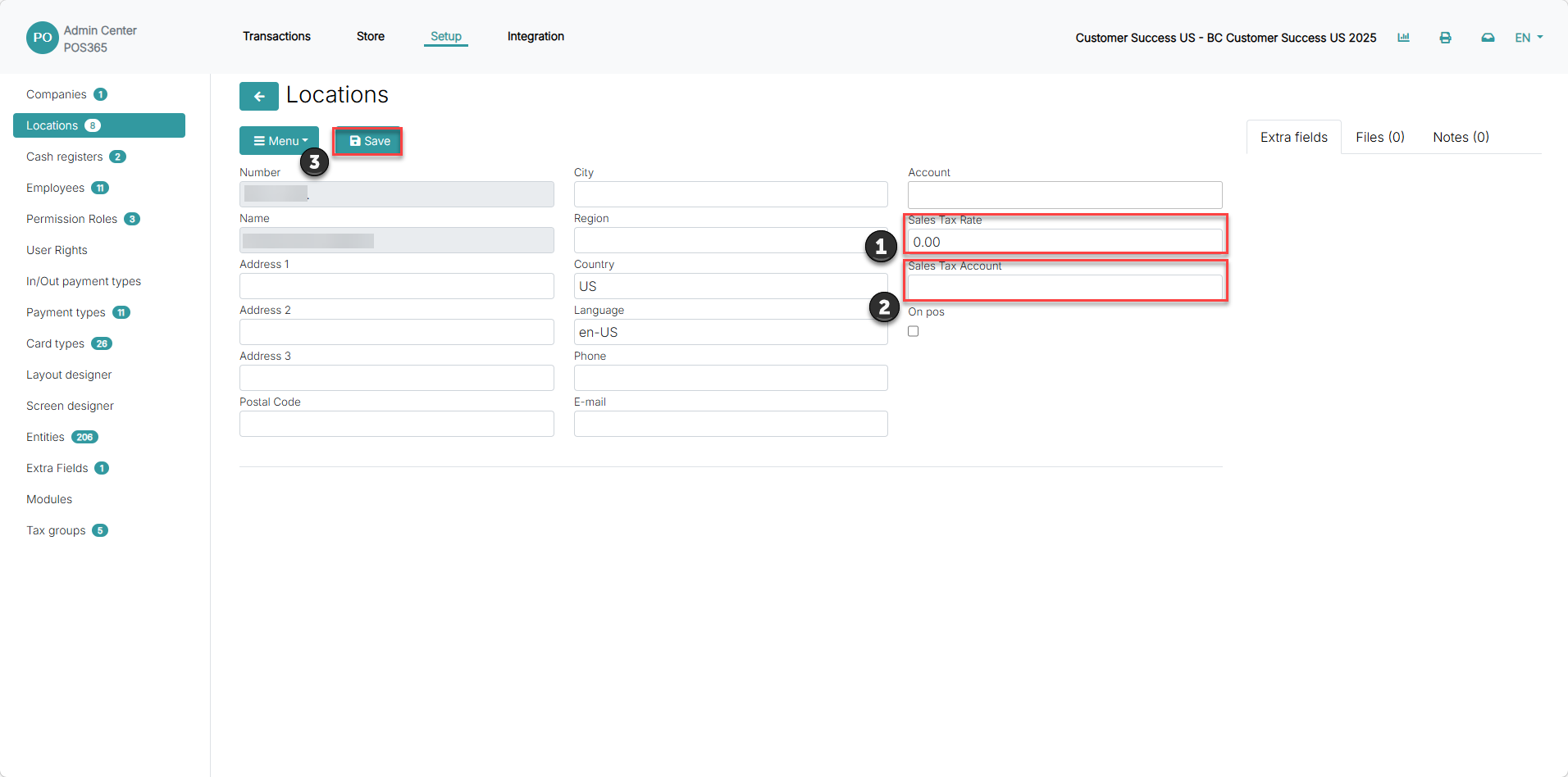
1) Fill in "Sales Tax Rate" in the field
2) Add the 'Sales Tax Account' from the account number used for tax posting
3) Click 'Save'
Note:
Sales tax rate: A fixed percentage of sales tax applied at the selected location
Sales tax account: The account which the sales tax should be bookkept on
If the Tax rate is changed, the POS365 application must be restarted or a full synchronization must be performed.