This guide details the steps to fix 'Login error : invalid token' on POS365, allowing you to repair a damaged database or transfer the POS365 license to a different computer and unlock the new cash register.
The setup must be performed in the admin center.
Step 1:
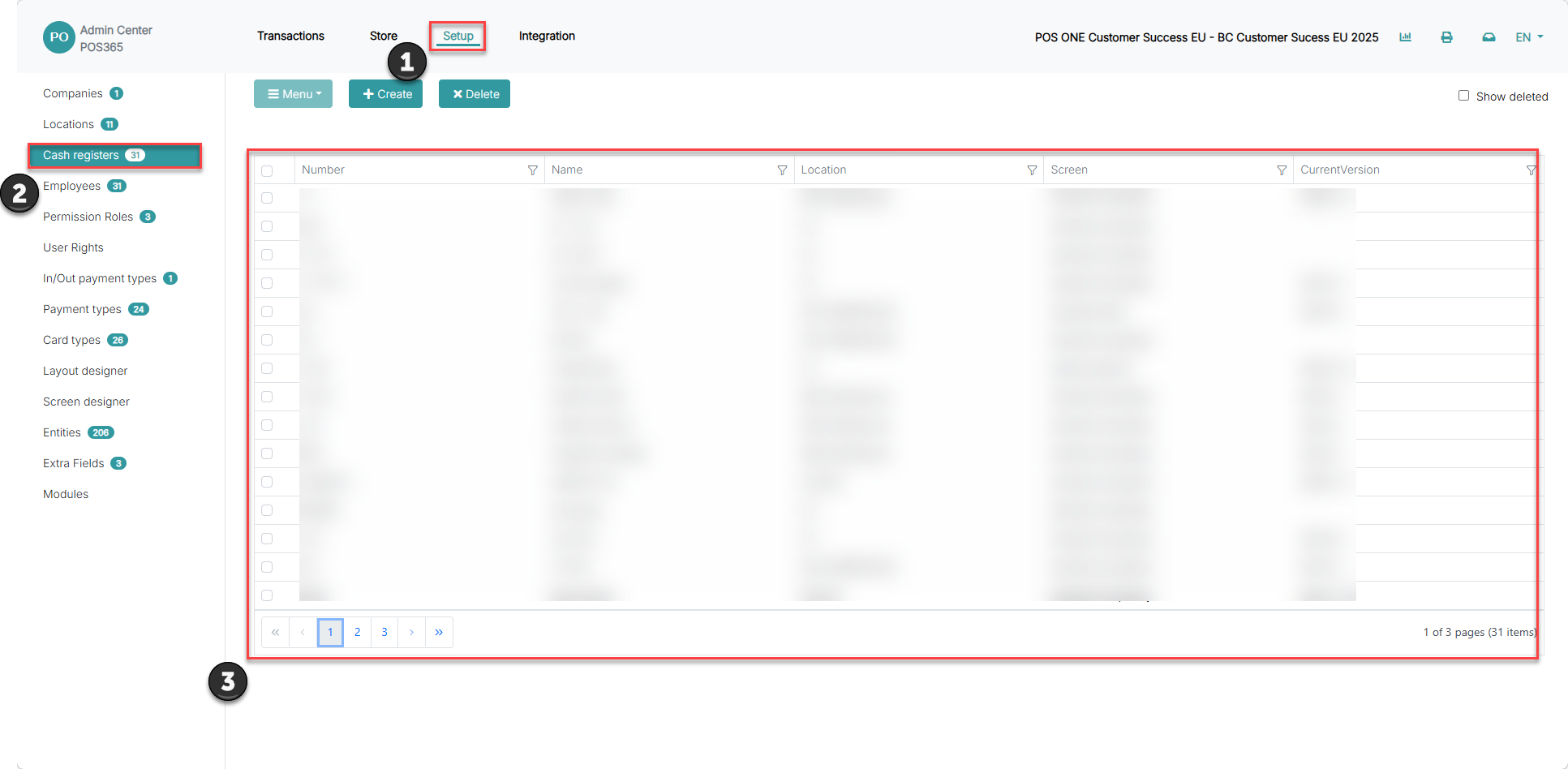
1) Go to 'Setup'
2) Click on 'Cash registers'
3) Click on the relevant cash register
Step 2:
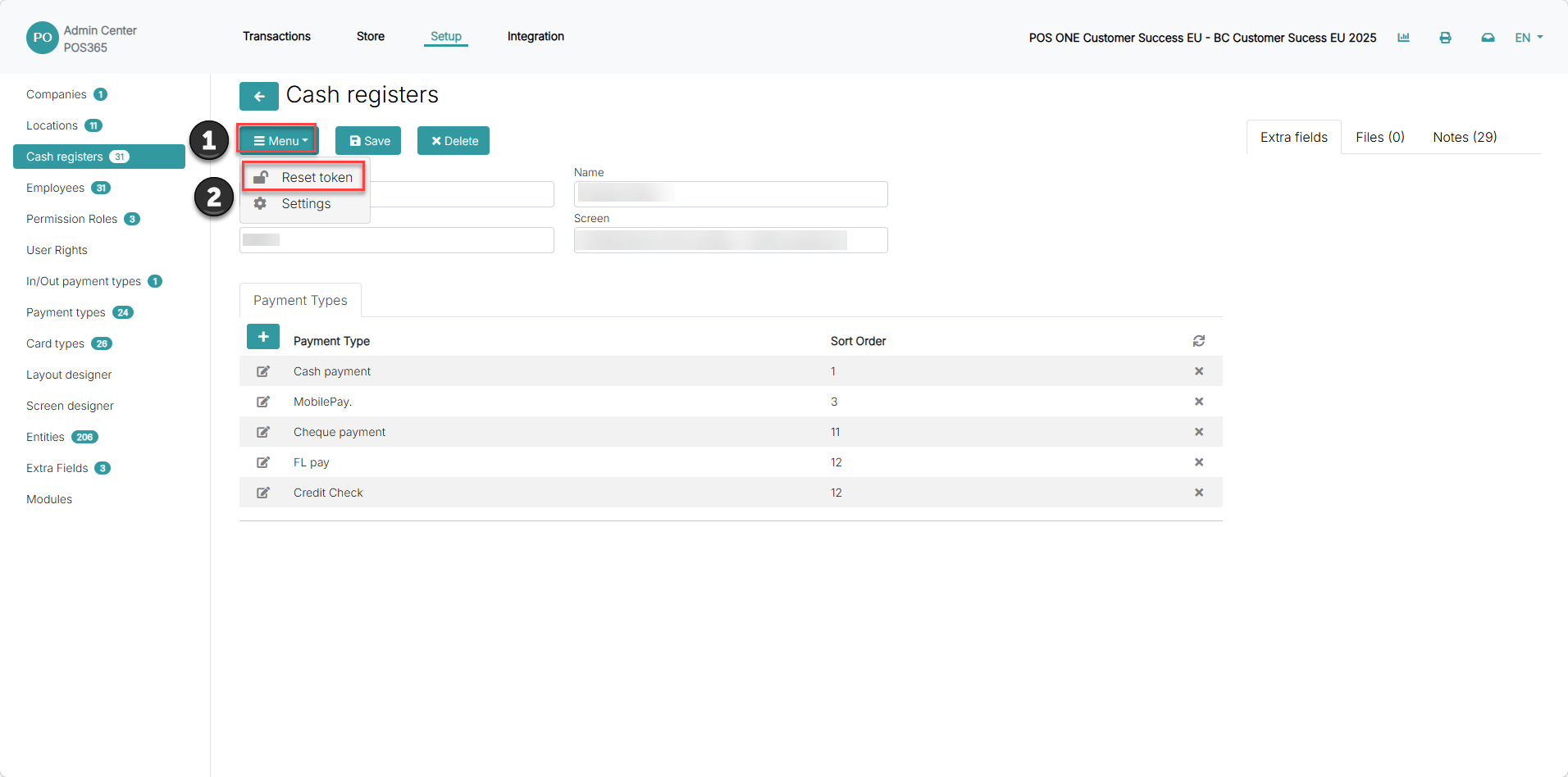
1) Click "Menu"
2) Click "Reset token"
Step 2:
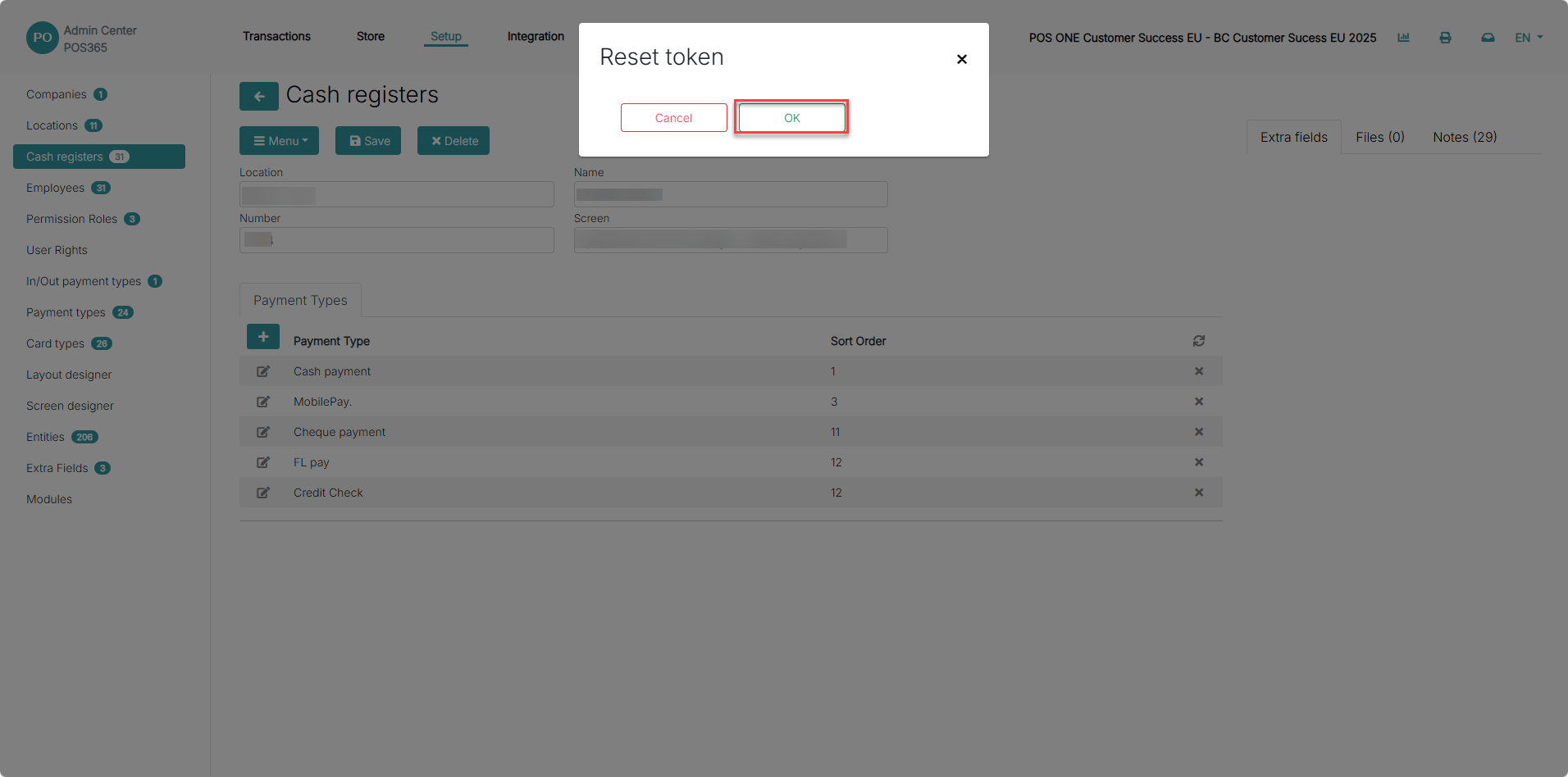
A pop-up window with the text "reset token" will appear. Press the green 'OK' button.
Now the cash register token has been reset and you can sign in to POS365.