In this guide, we explain how to delete a order in POS365. This action will also delete the order directly in Business Central.
Step 1.
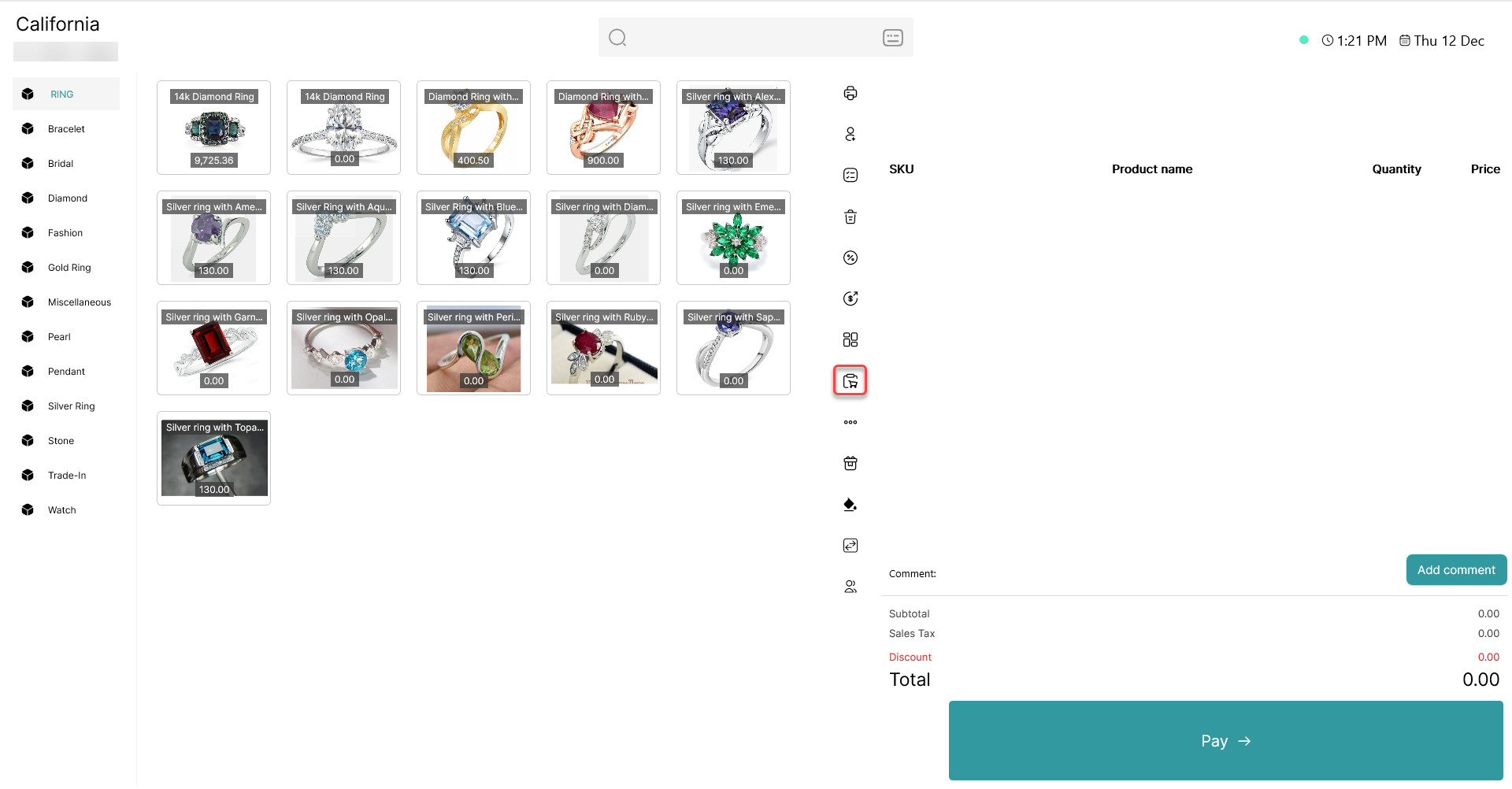
Go to "Order Manager".
Step 2.
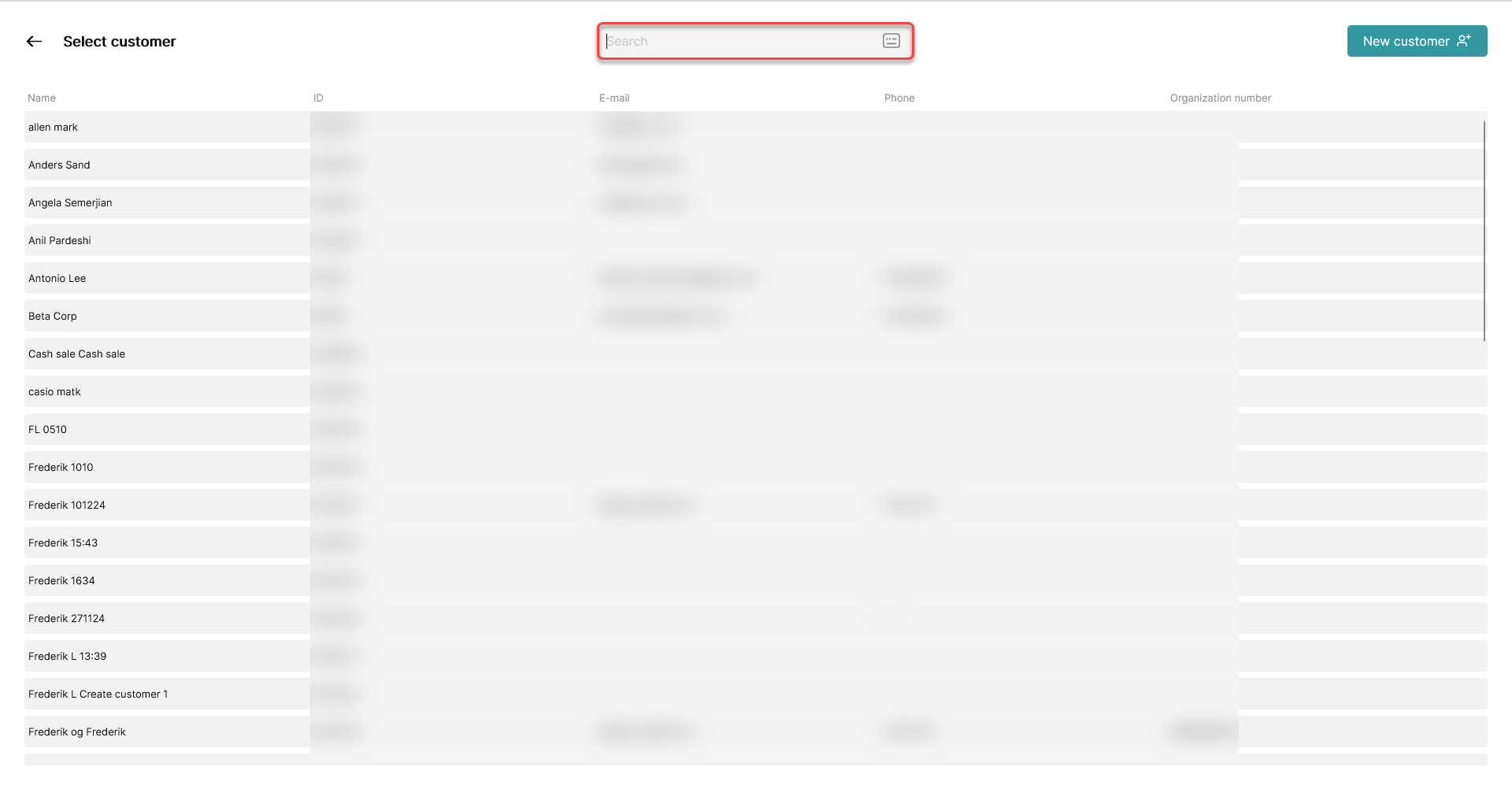
Locate the customer associated with the order. You can find the customer in the list, or by using the search bar.
Step 3.
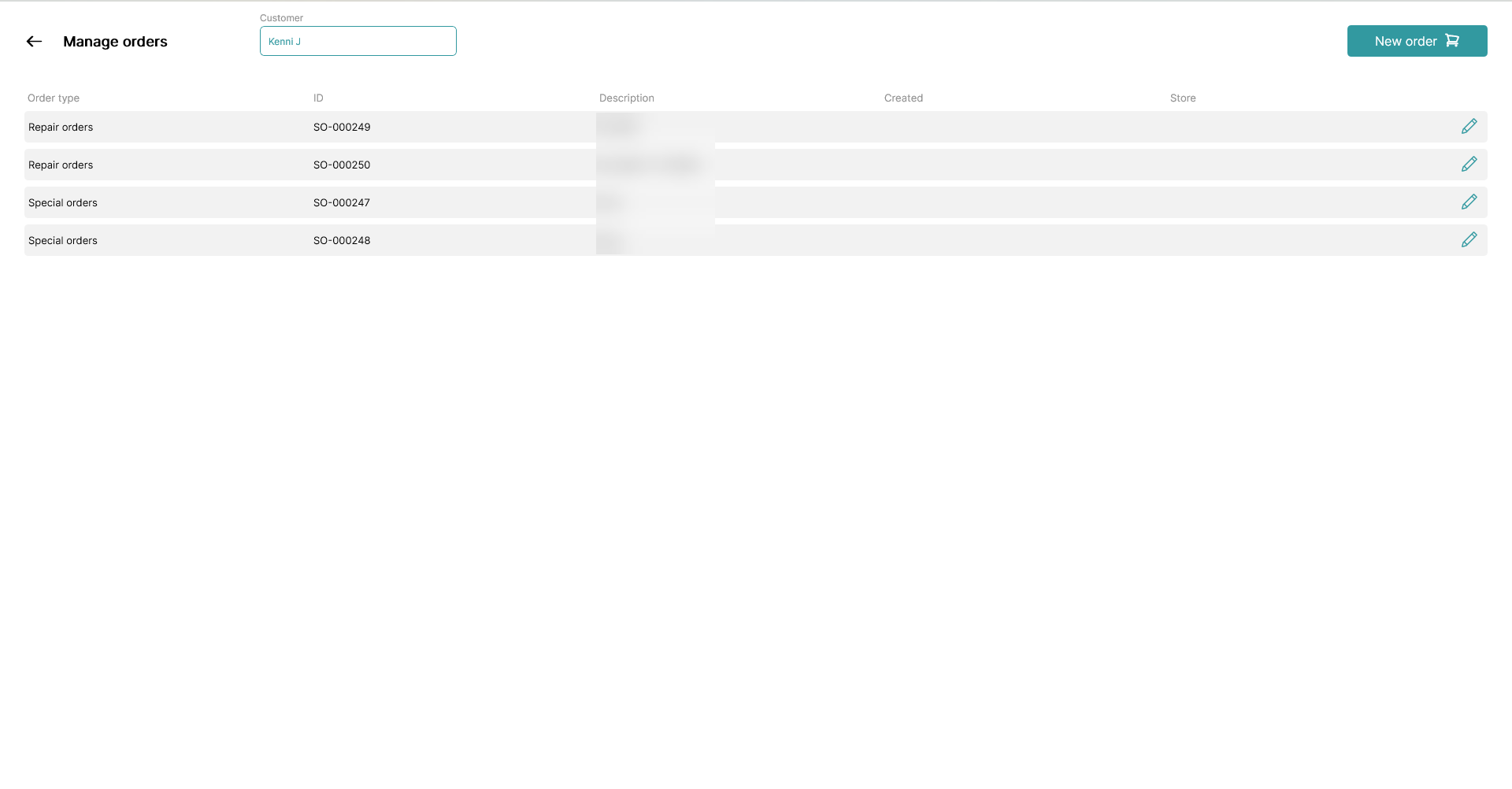
Once the correct customer is located, select the order you wish to delete by clicking the line or the pen icon to edit it.
Step 4.
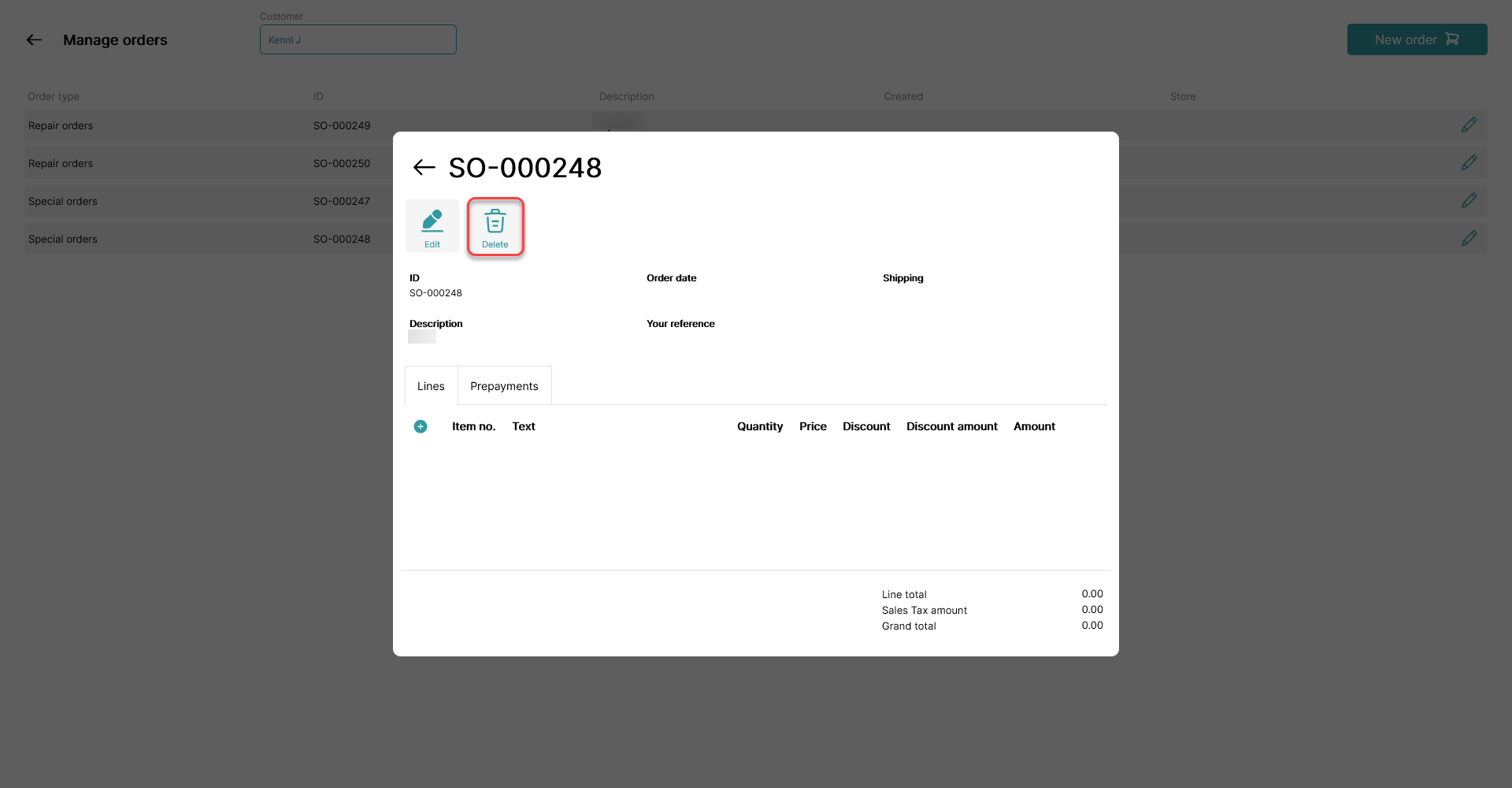
Delete the order by clicking the trash can icon.
Step 5.
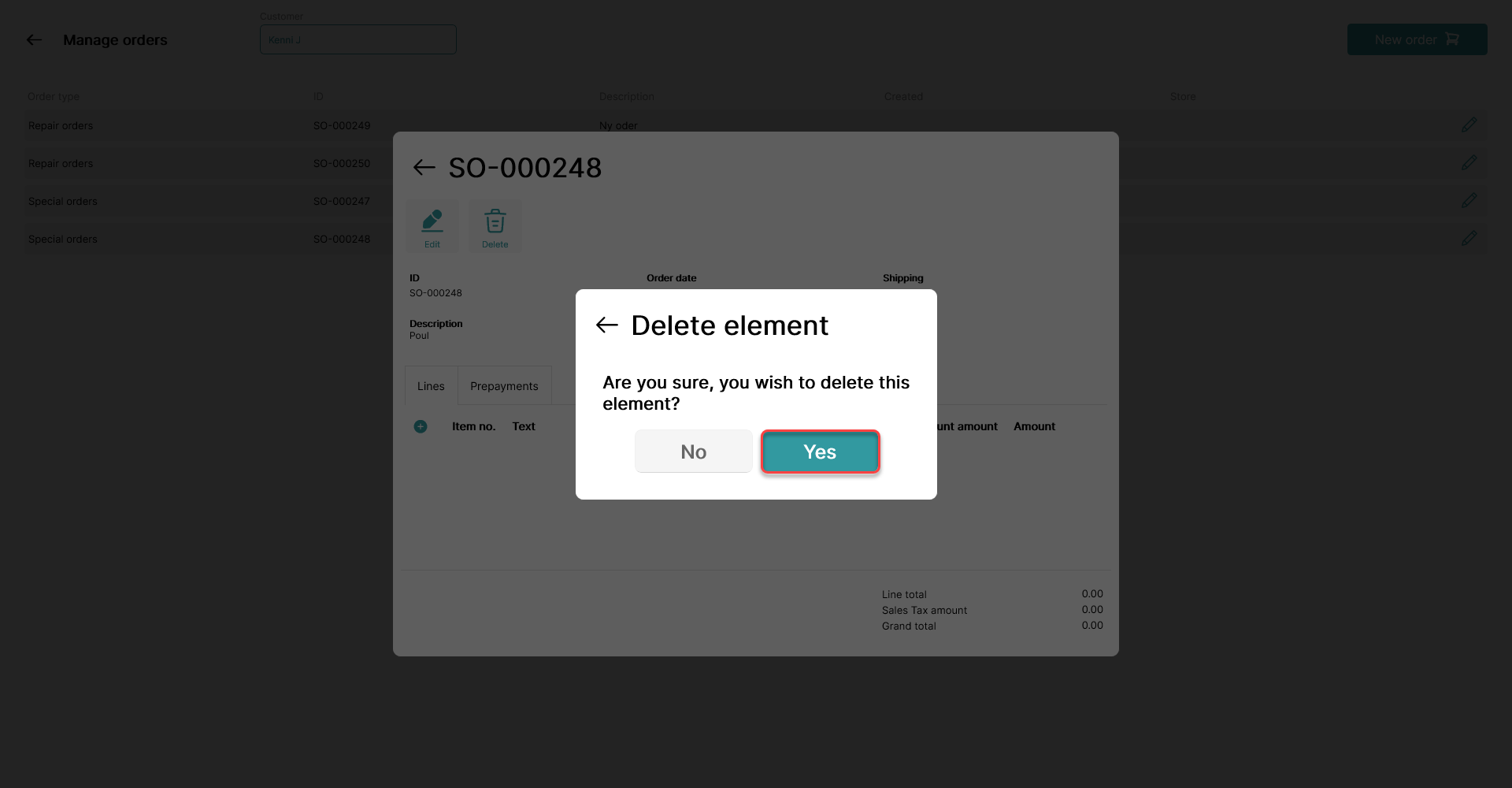
Click yes, and the order is now deleted.
Note!
Once the order is deleted in POS365, it will be deleted directly in Business Central as well.