POS365 can be set up to require a customer on receipts for billing purposes. This guide shows you how to enable this feature, commonly used in B2B settings to ensure clerks select a customer before completing a sale.
Step 1:
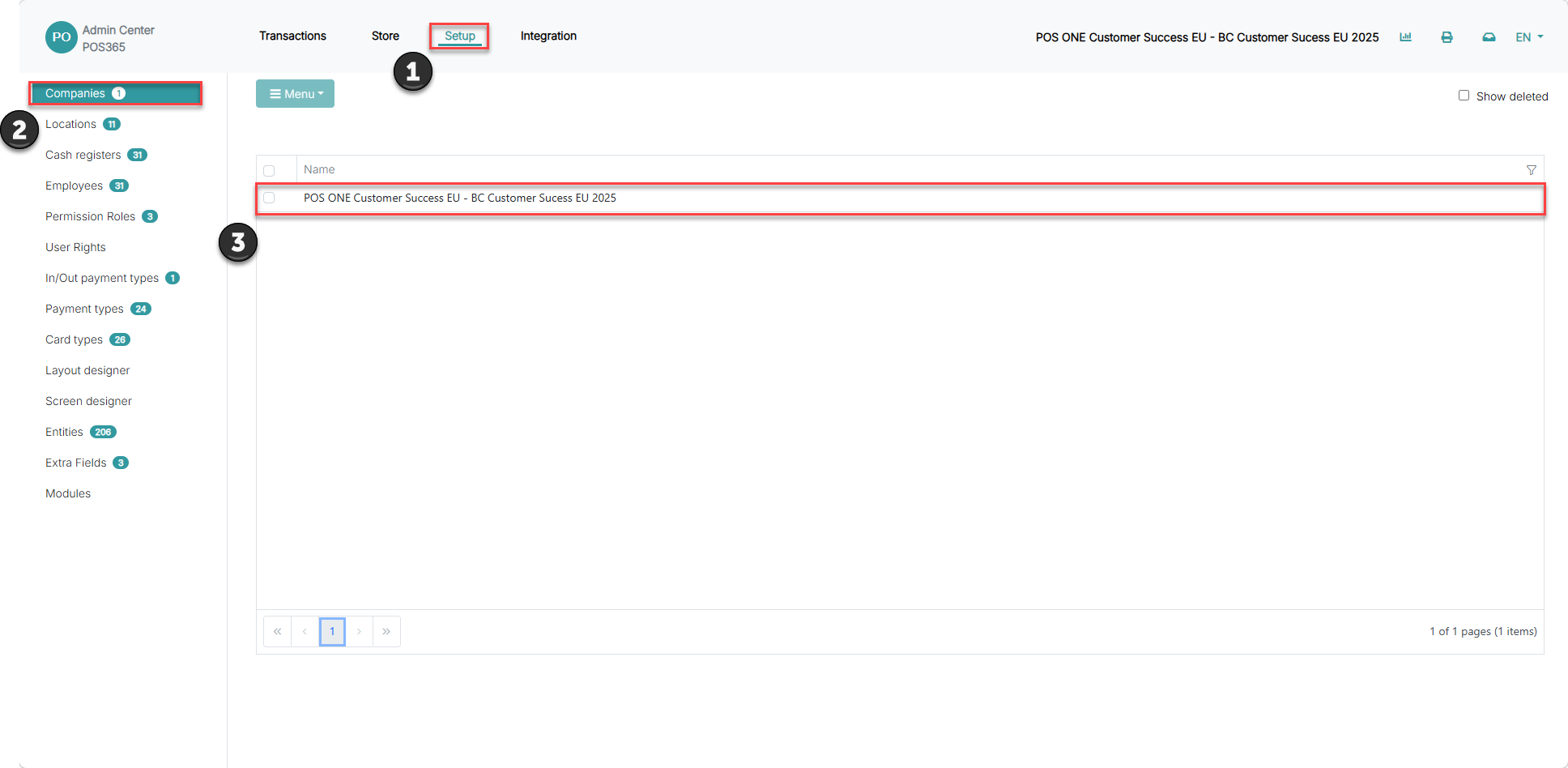
1) Go to 'Setup'
2) Open 'Companies'
3) Click on your company
4) Choose 'Settings'
Step 2:
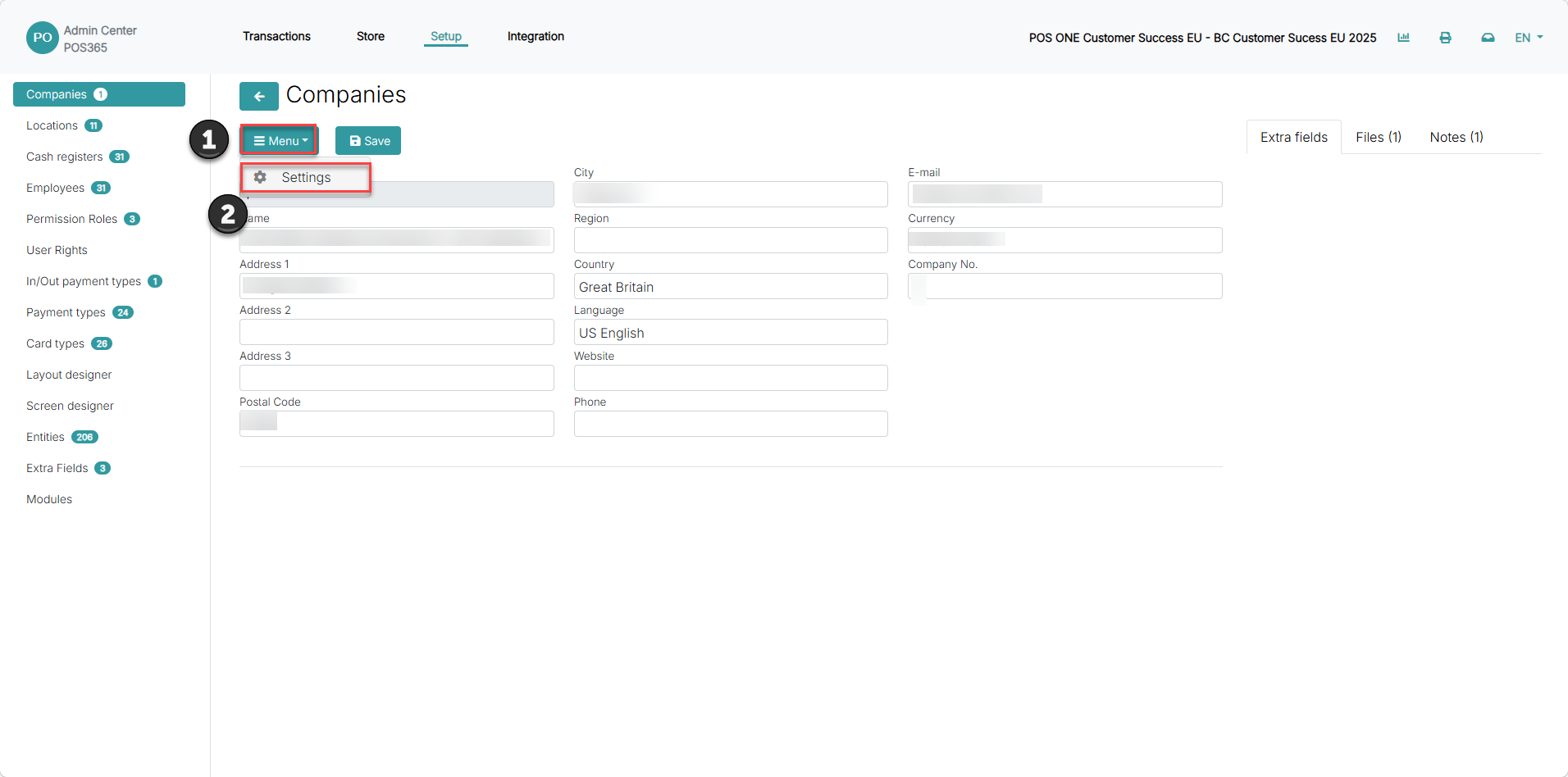
1) Go to "Menu"
2) Open settings
Step 3:
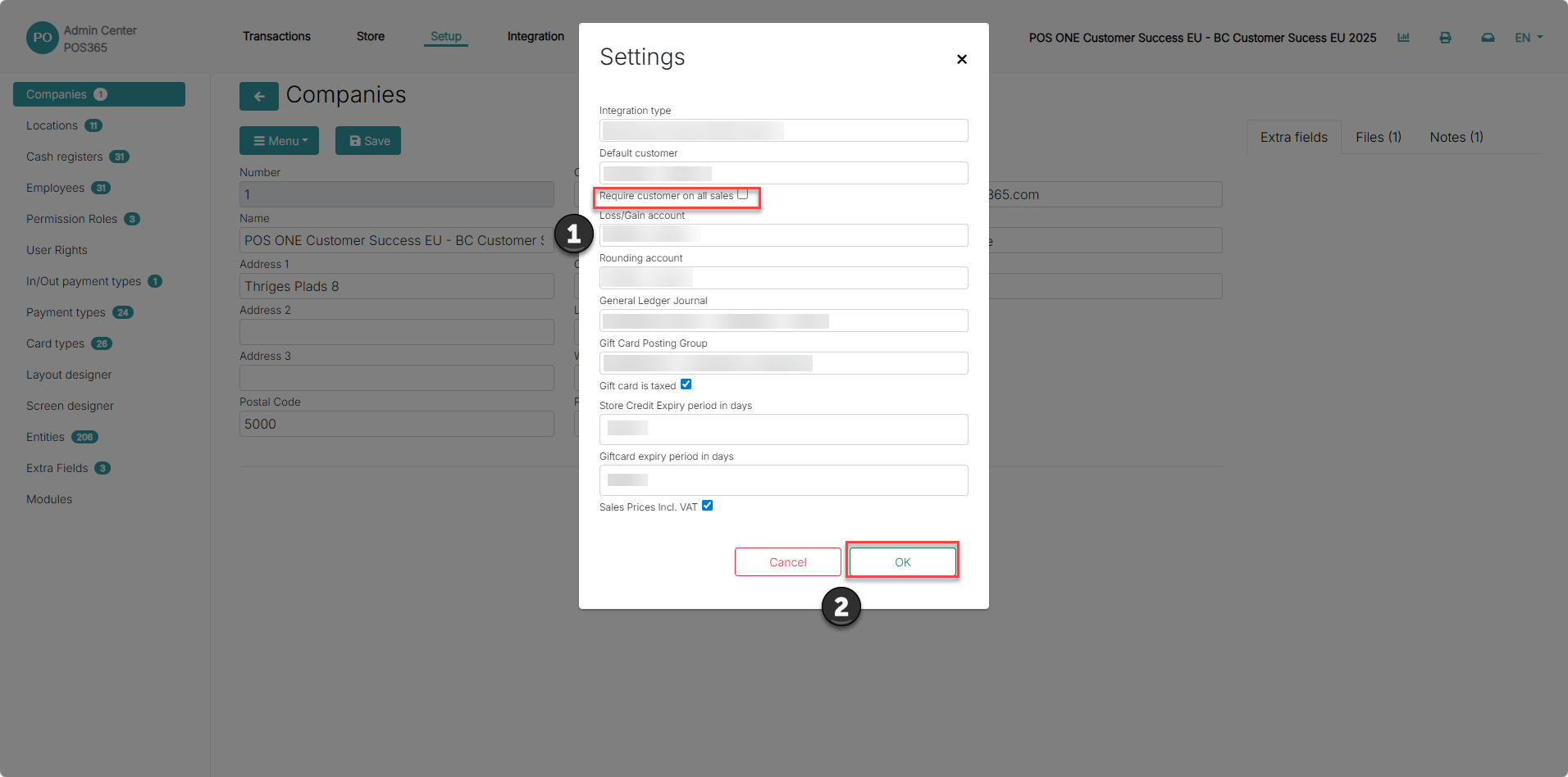
1) Check the 'Require customer on all sales' checkbox to enable the function
2) Click 'OK'
Note:
If you attempt to process a sale without selecting a customer, this setting in the system will prompt you to choose one before allowing you to proceed with payment.