This guide explains how to create a plastic gift card in POS365.
To enable gift cards in POS365, you will need to enable gift cards in the Admin Center by following this guide.
Step 1:
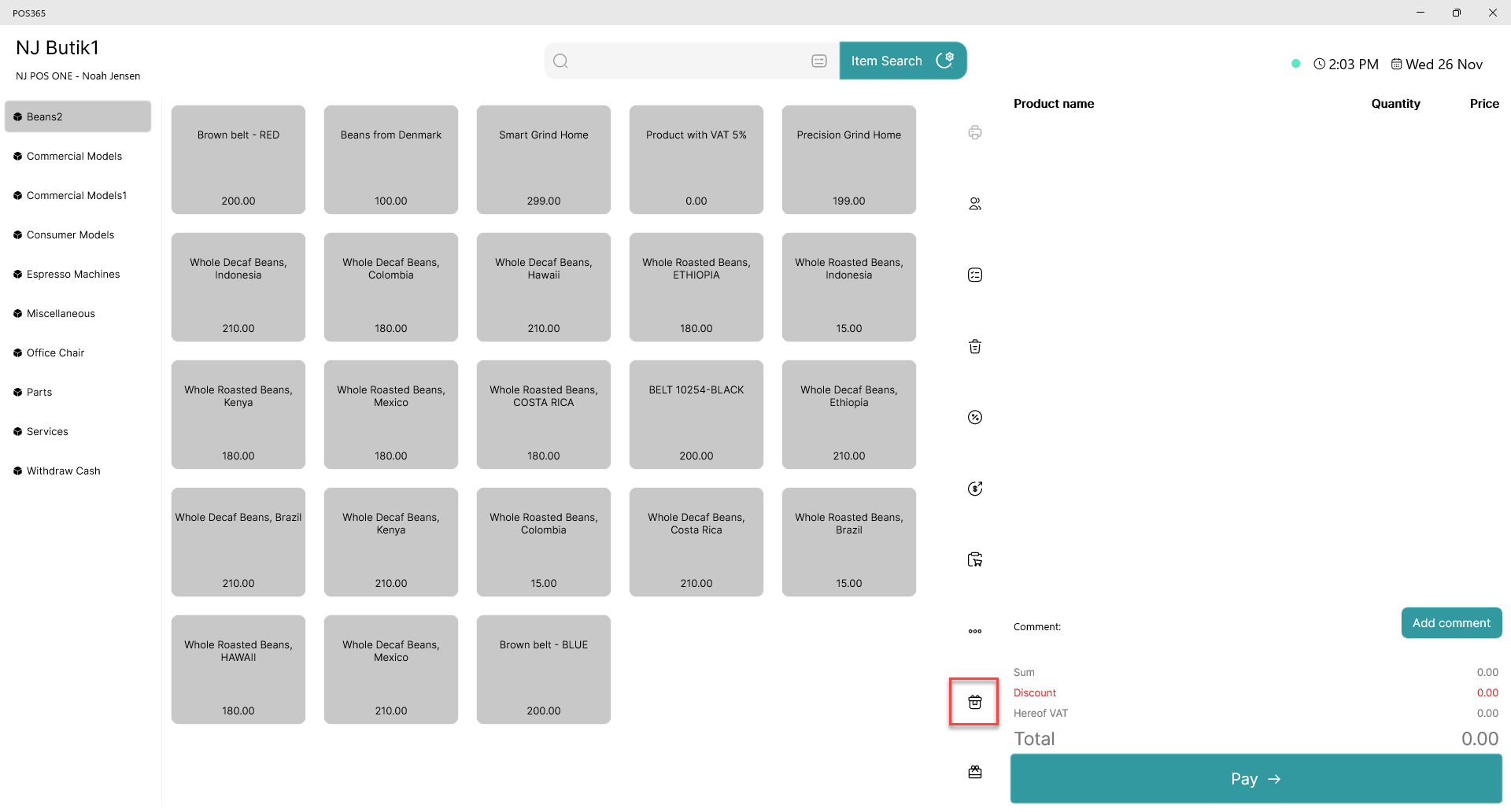
Click on the  - button
Step 2:
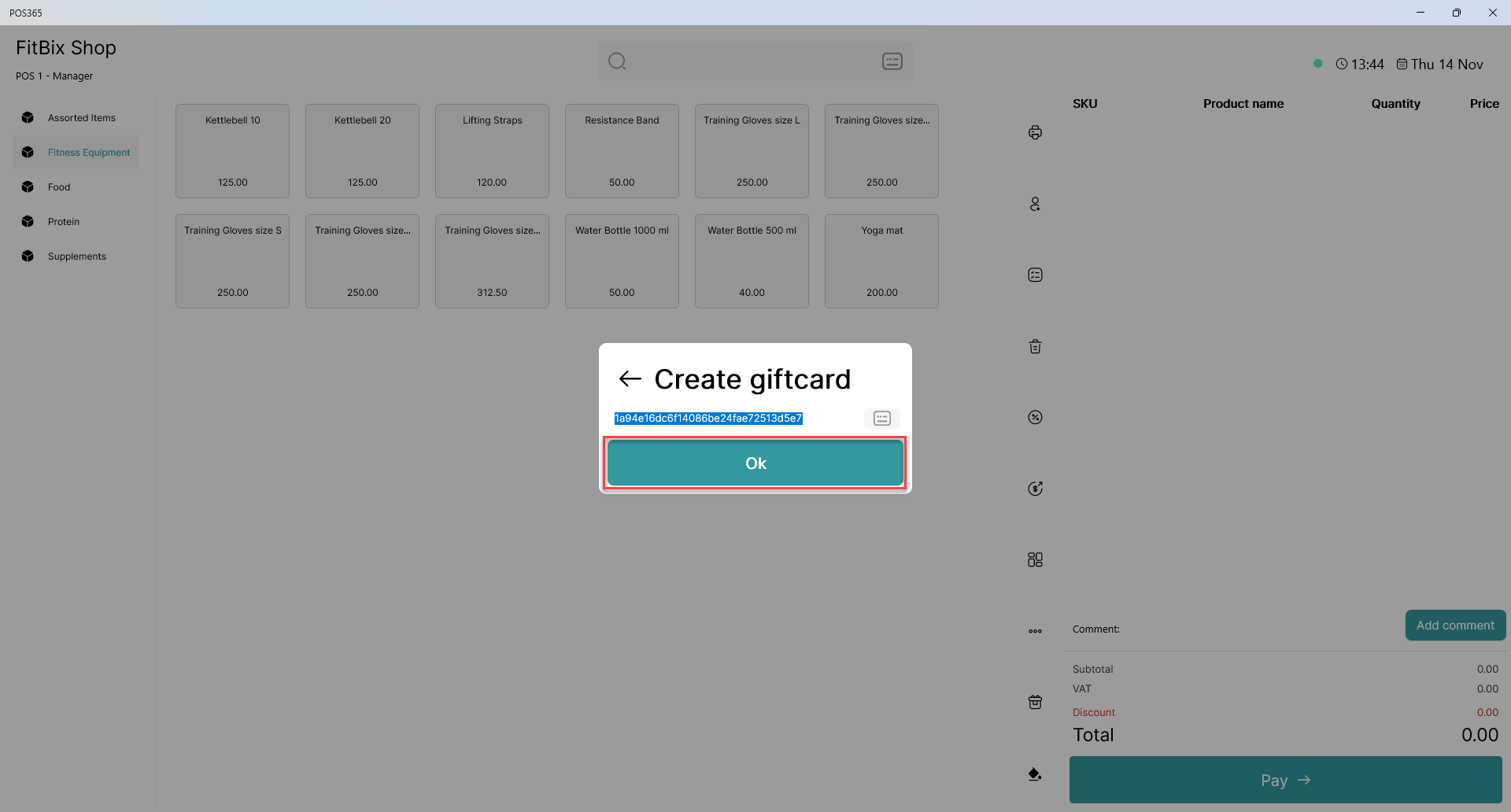
A box with an automatically generated code will appear.
1) Scan the specific card, which you would like to use as a gift card. The code from the card will overwrite the generated code.
2) Click 'OK'
Step 3:
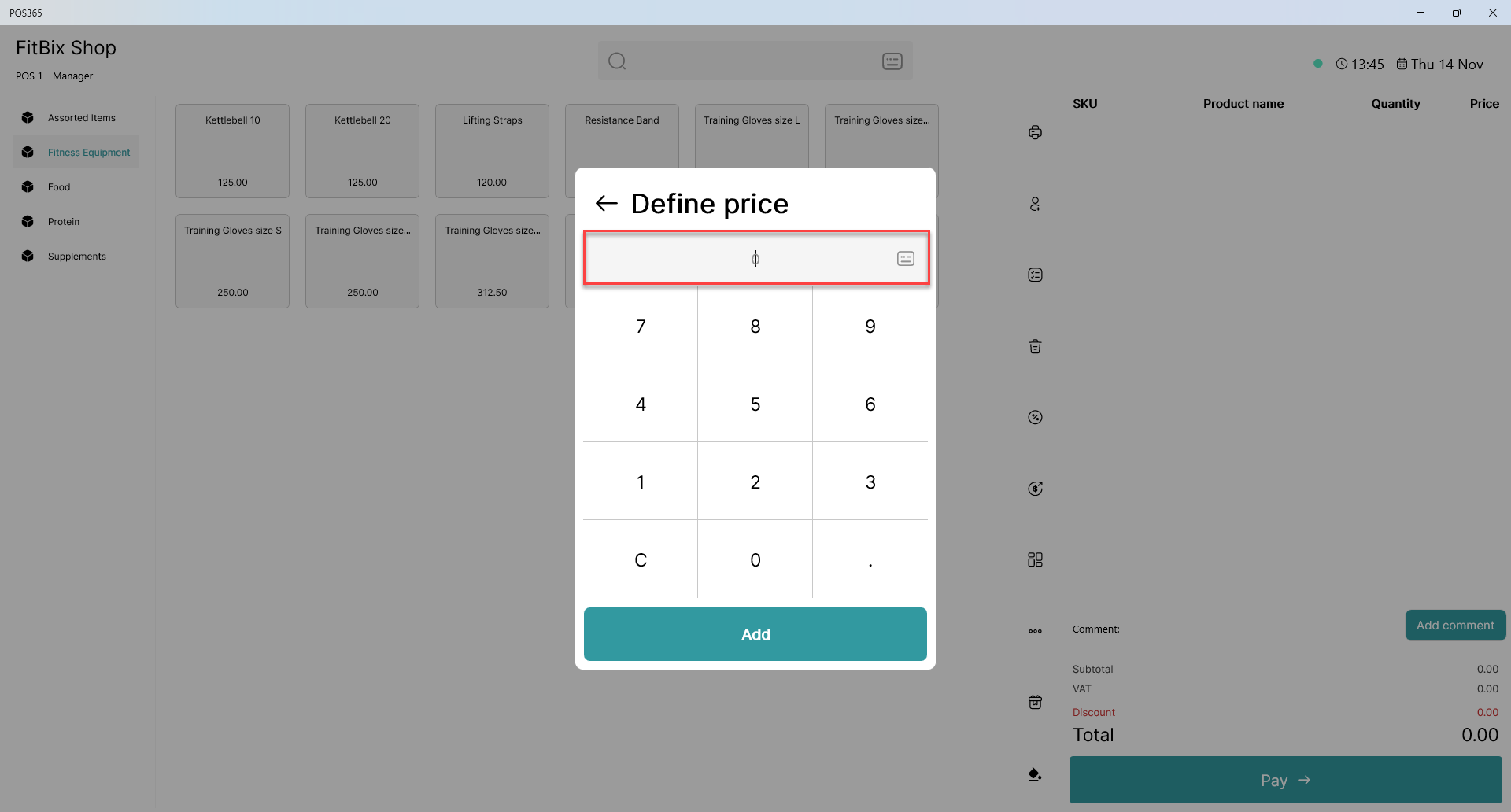
Now you can define the price of the gift card. Enter the amount and press "Add."
The gift card is added to the basket, and will be created once the payment has been received.