In this guide, we will walk you through the steps to change a product name during a sale in the POS365. This can be used for updating the product name, make an adjustment etc.
Step 1.
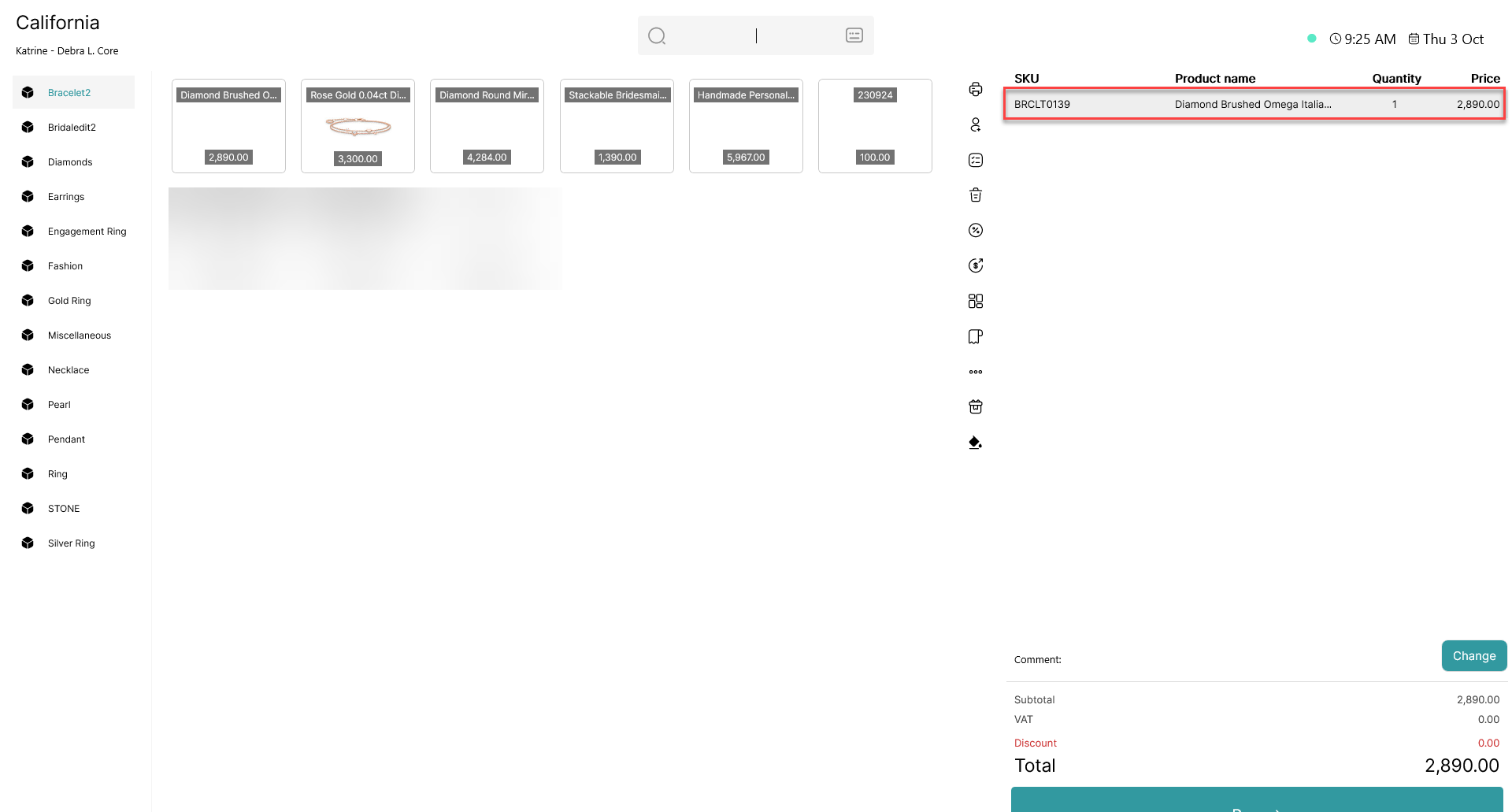
Press the product line.
Step 2.
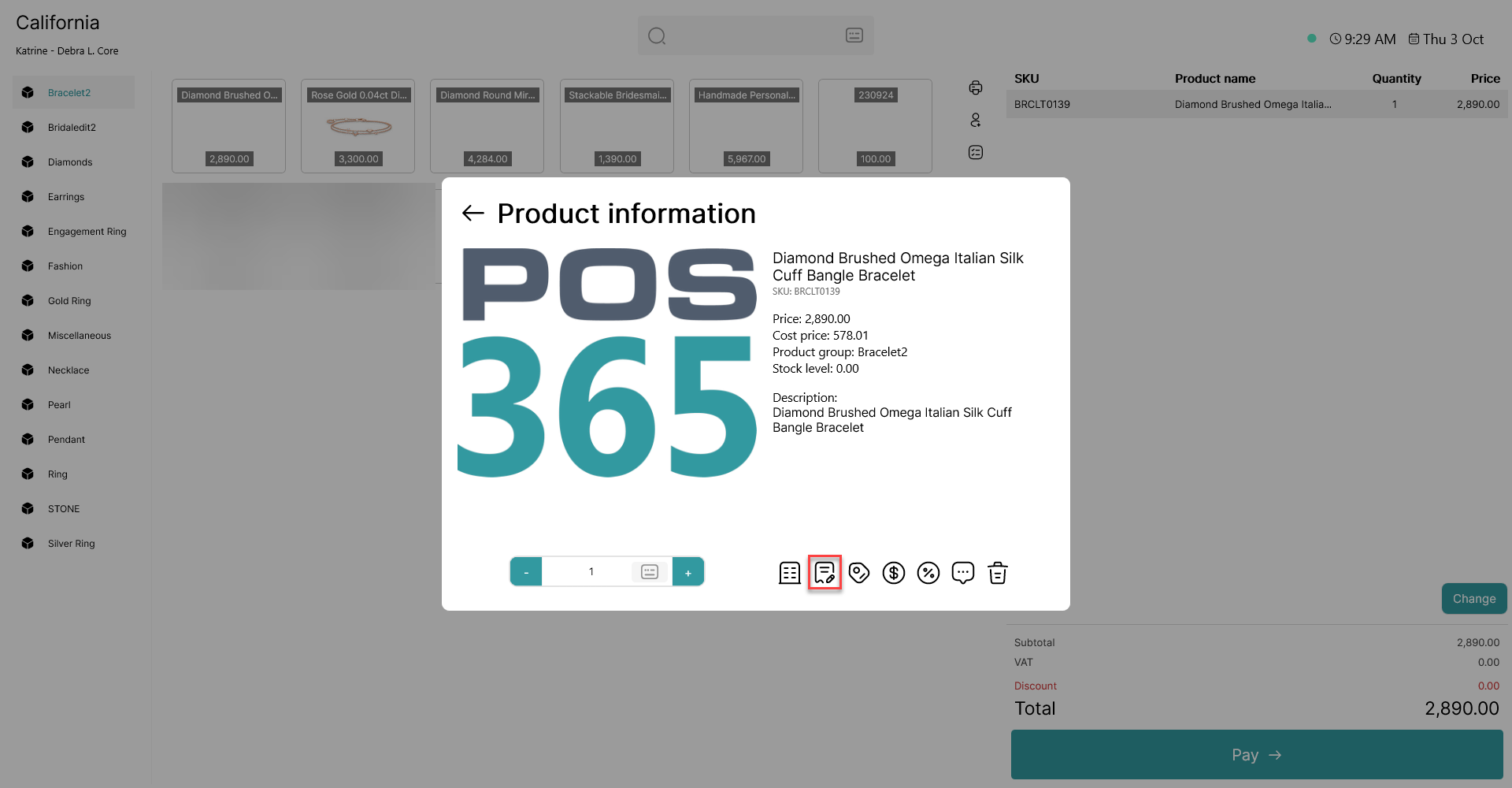
Press the icon pictured as a pen and paper - this is where you change the Product Name.
Step 3.
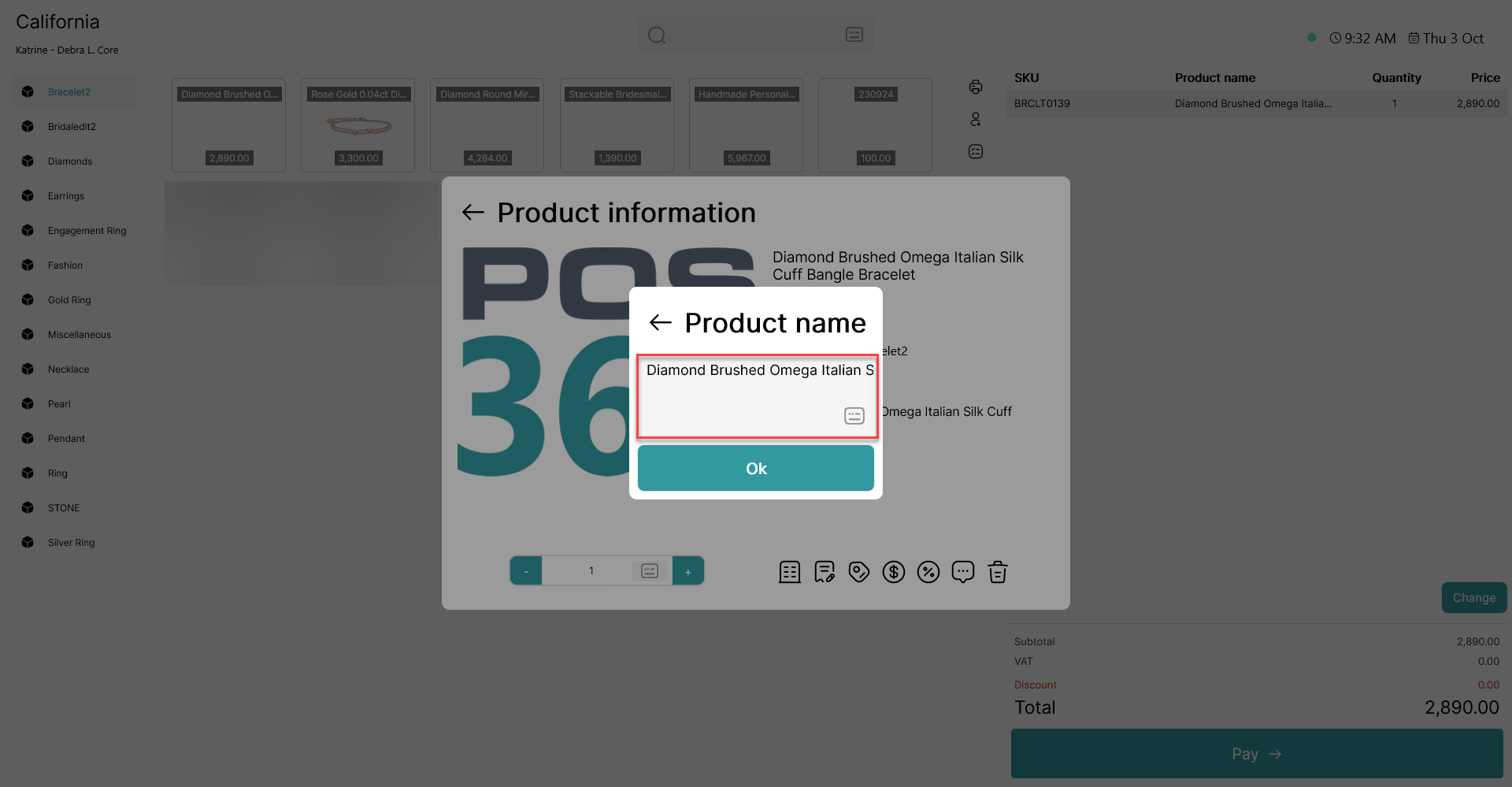
In this box, you are able to change the product name.