This guide explains how to increase the speed and performance of the POS365 app through Windows Defender.
Step 1:
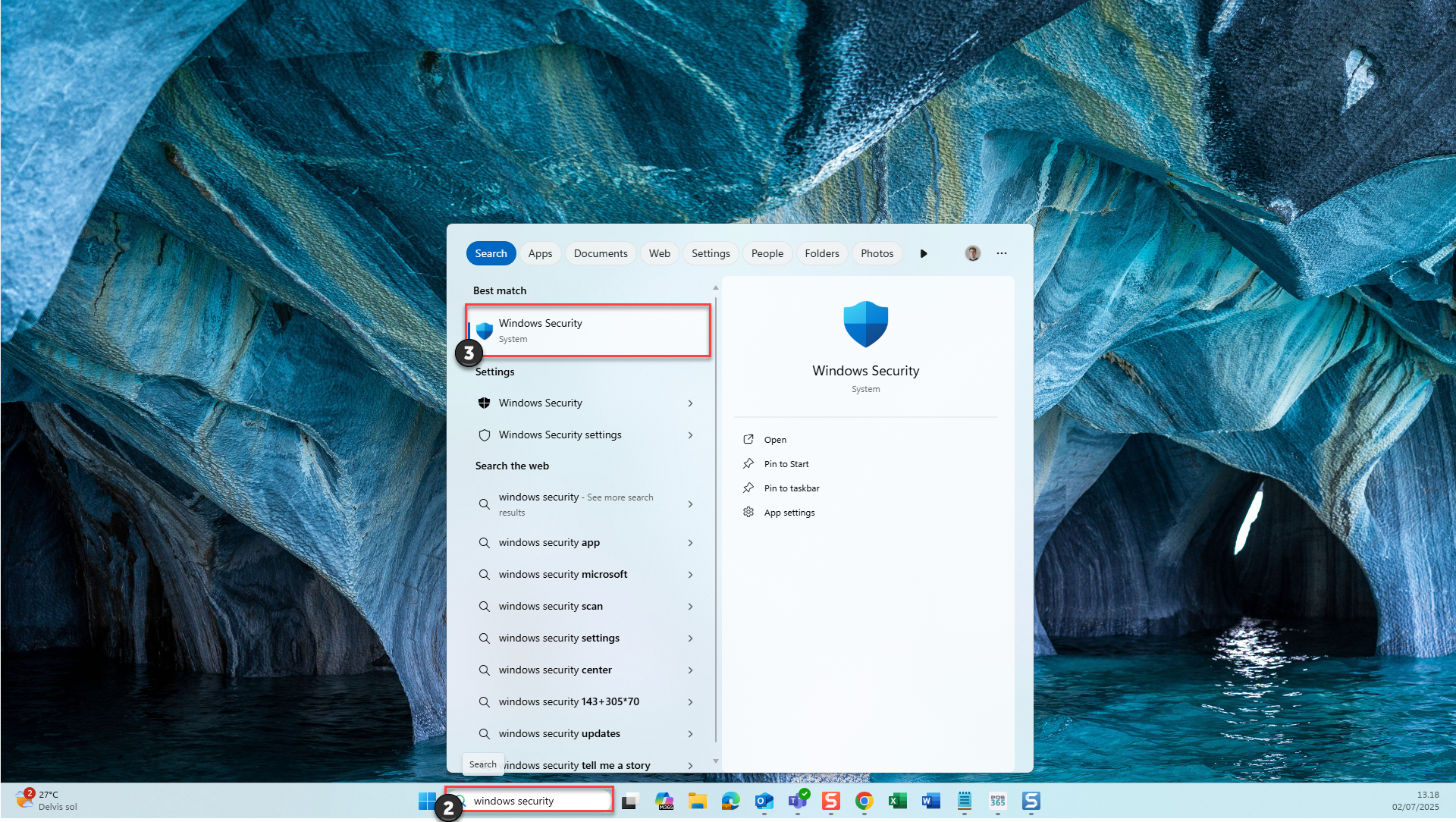
1) Click on the  - button
2) Search for 'Windows Security
3) Select the system app shown in the picture above
Step 2:
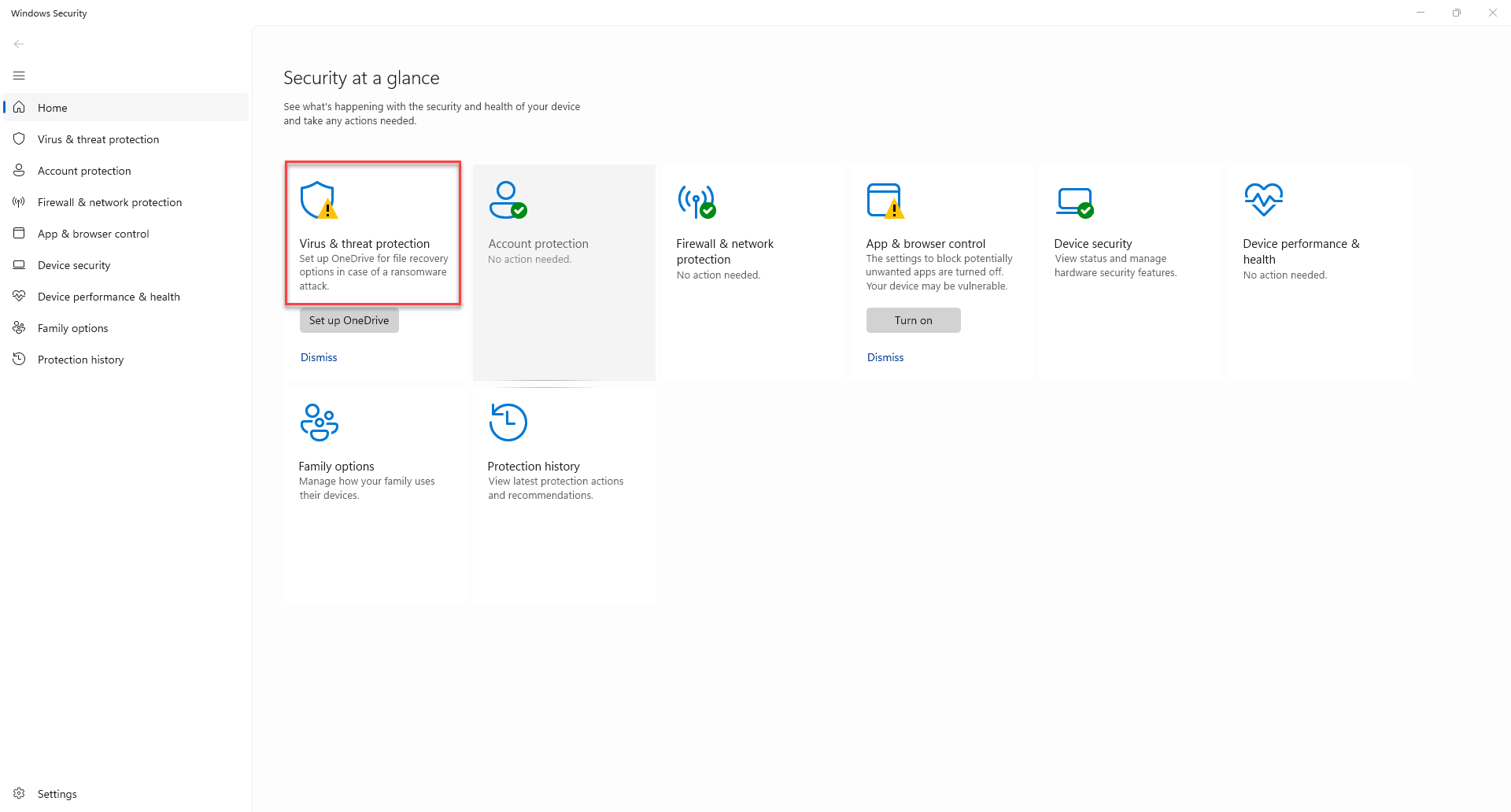
Click on 'Virus & Threat protection'
Step 3:
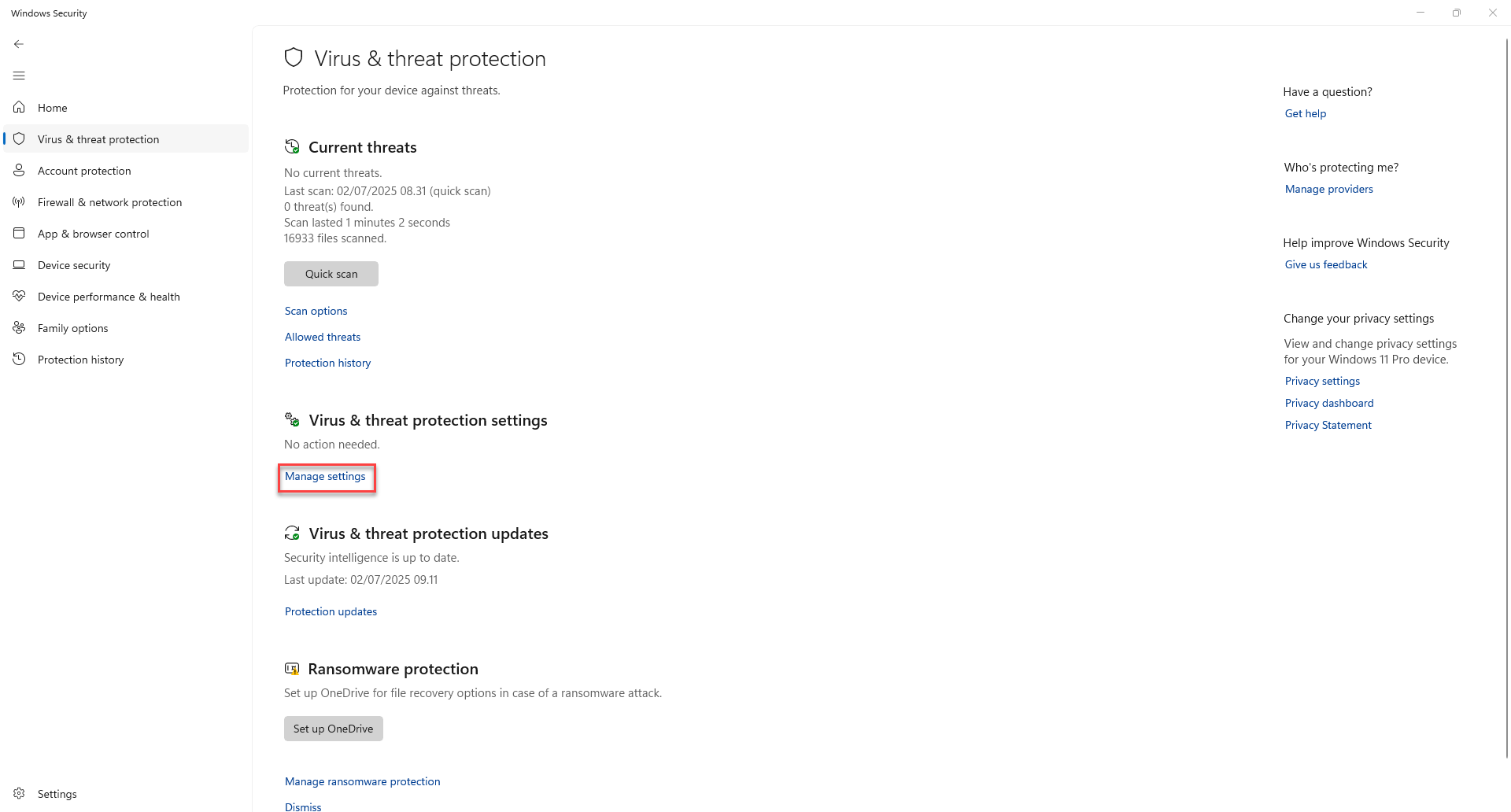
Click on 'Manage settings' under the header 'Virus & threat protection settings'
Step 4:
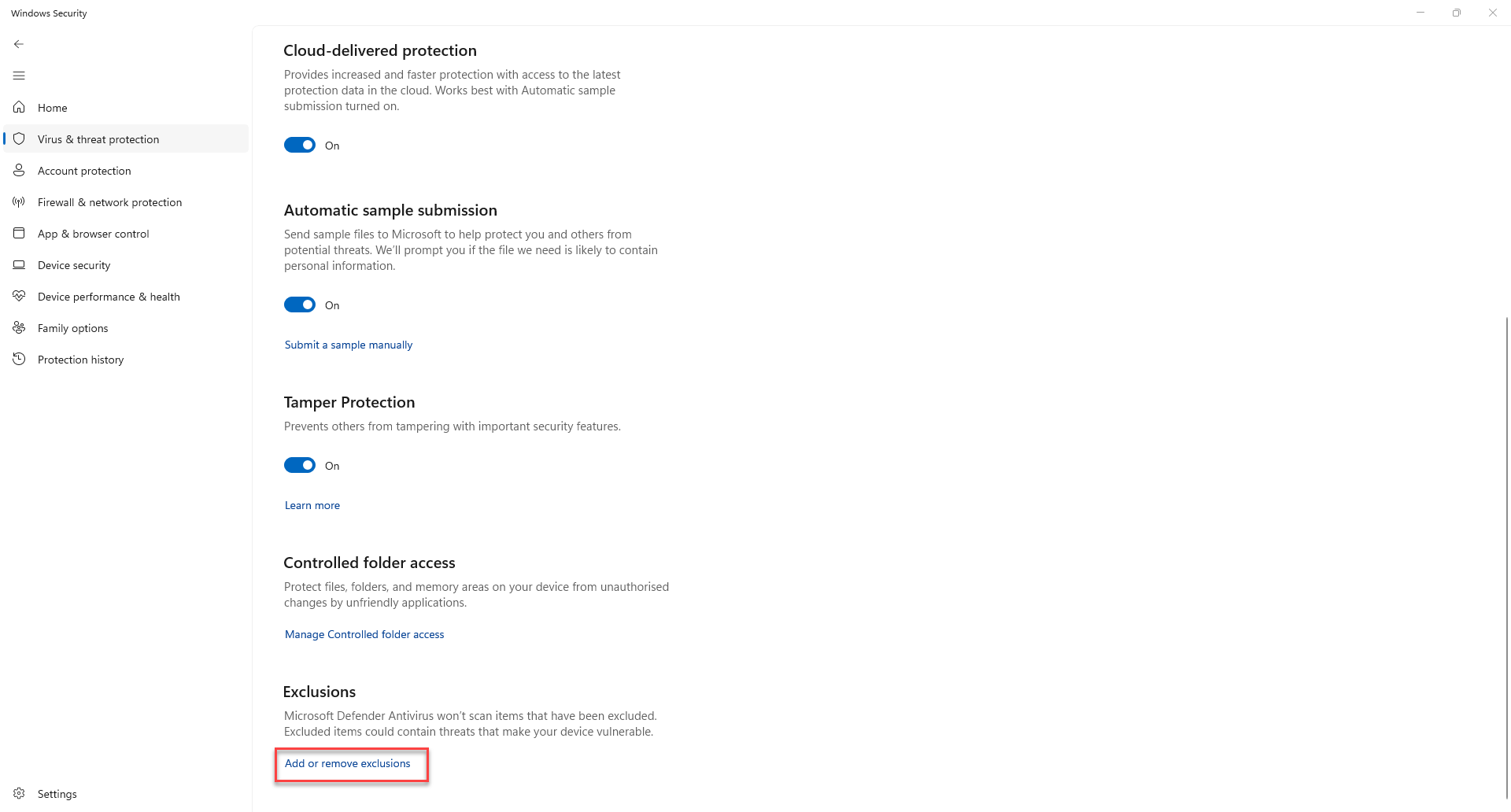
Scroll down to 'Exclusions' and click 'Add or remove exclusions'
Step 5:
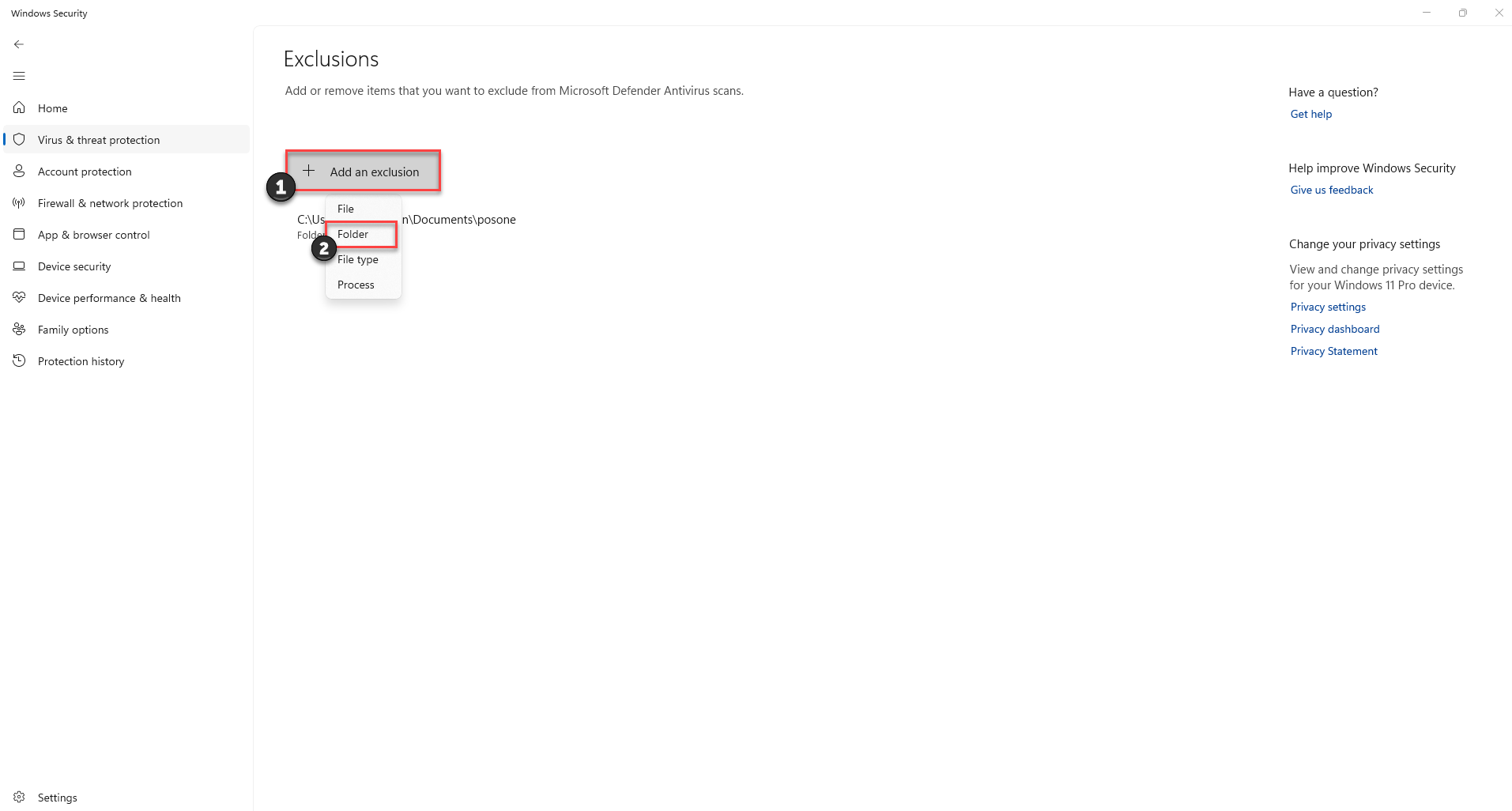
1) Click 'Add an exclusion'
2) Choose 'Folder'
Step 6:
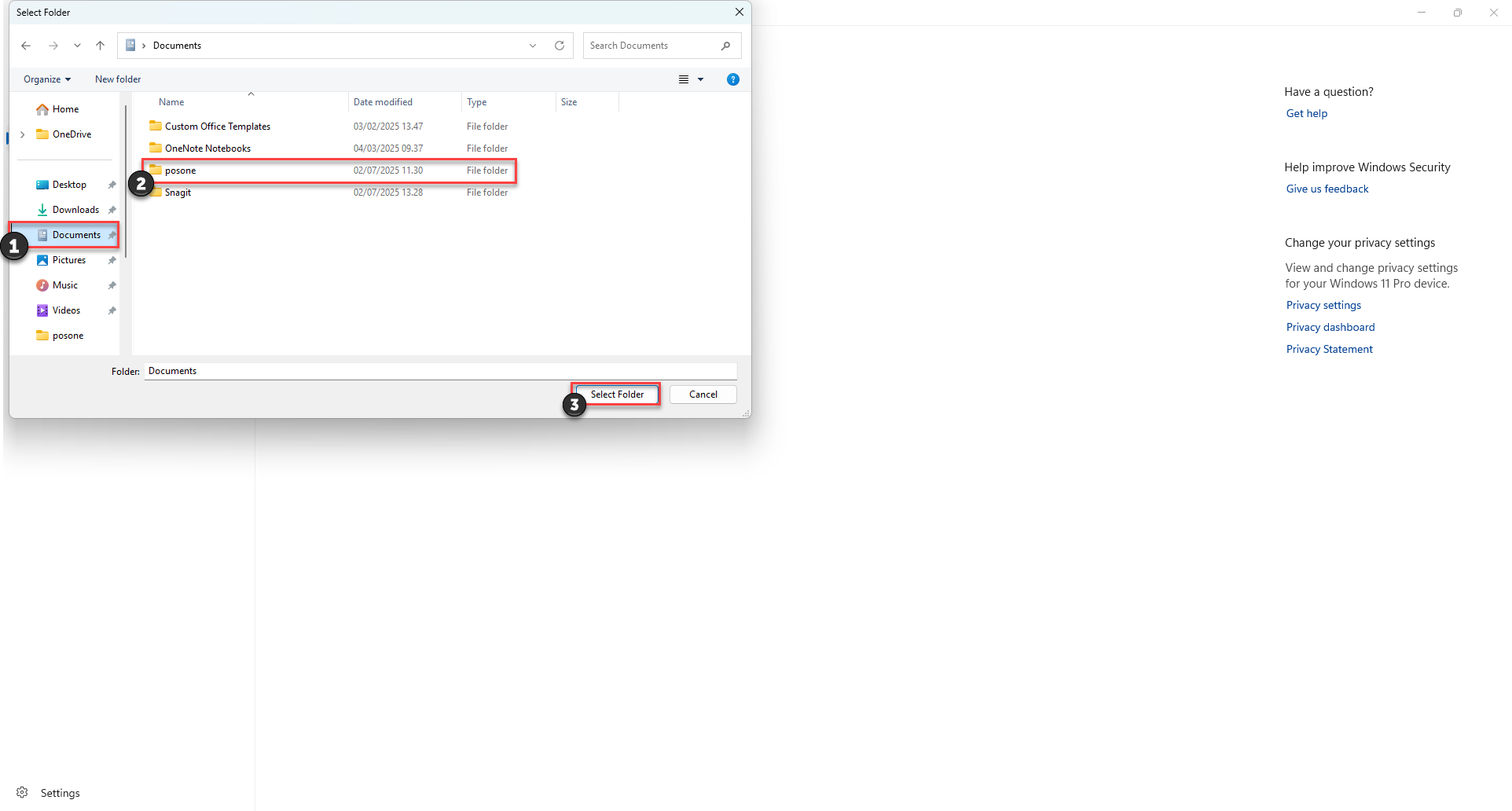
1) Click on 'documents'
2) Choose 'posone'
3) Click 'Select folder'
Keep in mind that adding a program exclusion may increase the risk to your systems and data. Only proceed with this for files you trust to be safe.
For more detailed information, see the official Microsoft guide on adding an exclusion to Windows Security.