This guide shows you how to set up locations using the POS365 Admin Center, e.g., a specific store in your company.
Step 1: Set up location(s) in Business Central.
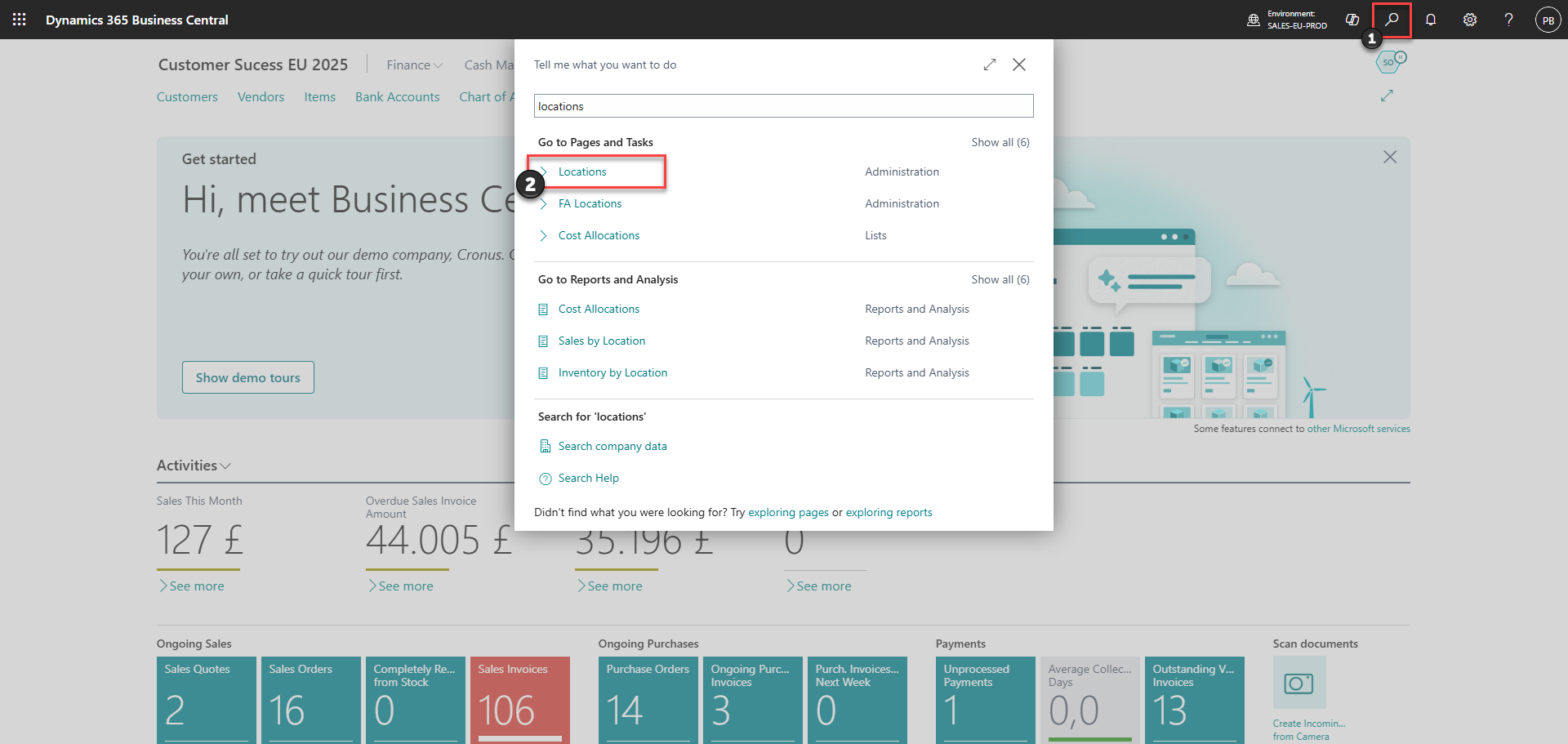
1) Click on the search icon
2) Find 'Locations'
Step 2:
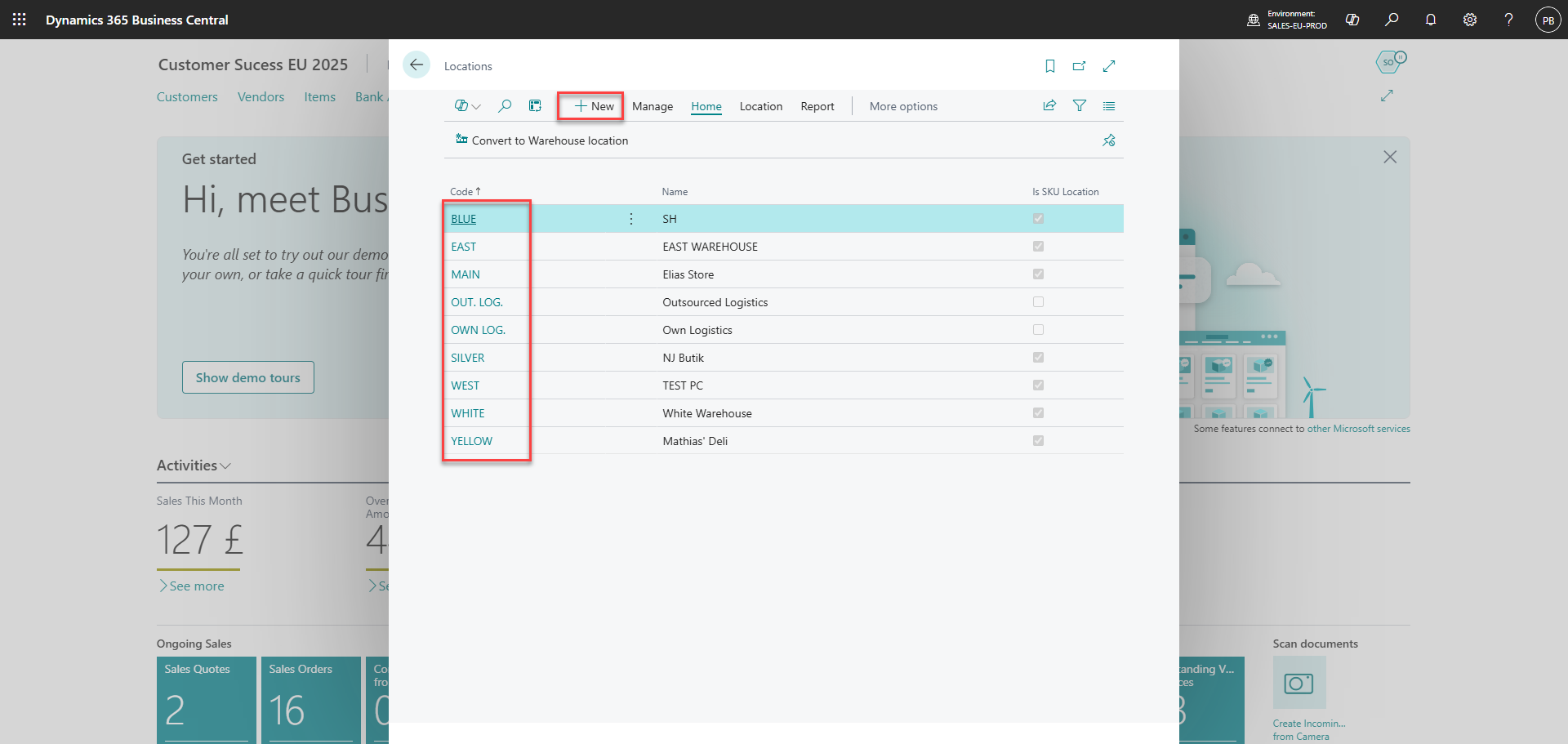
Click 'New' or edit one of the existing locations
Step 3:
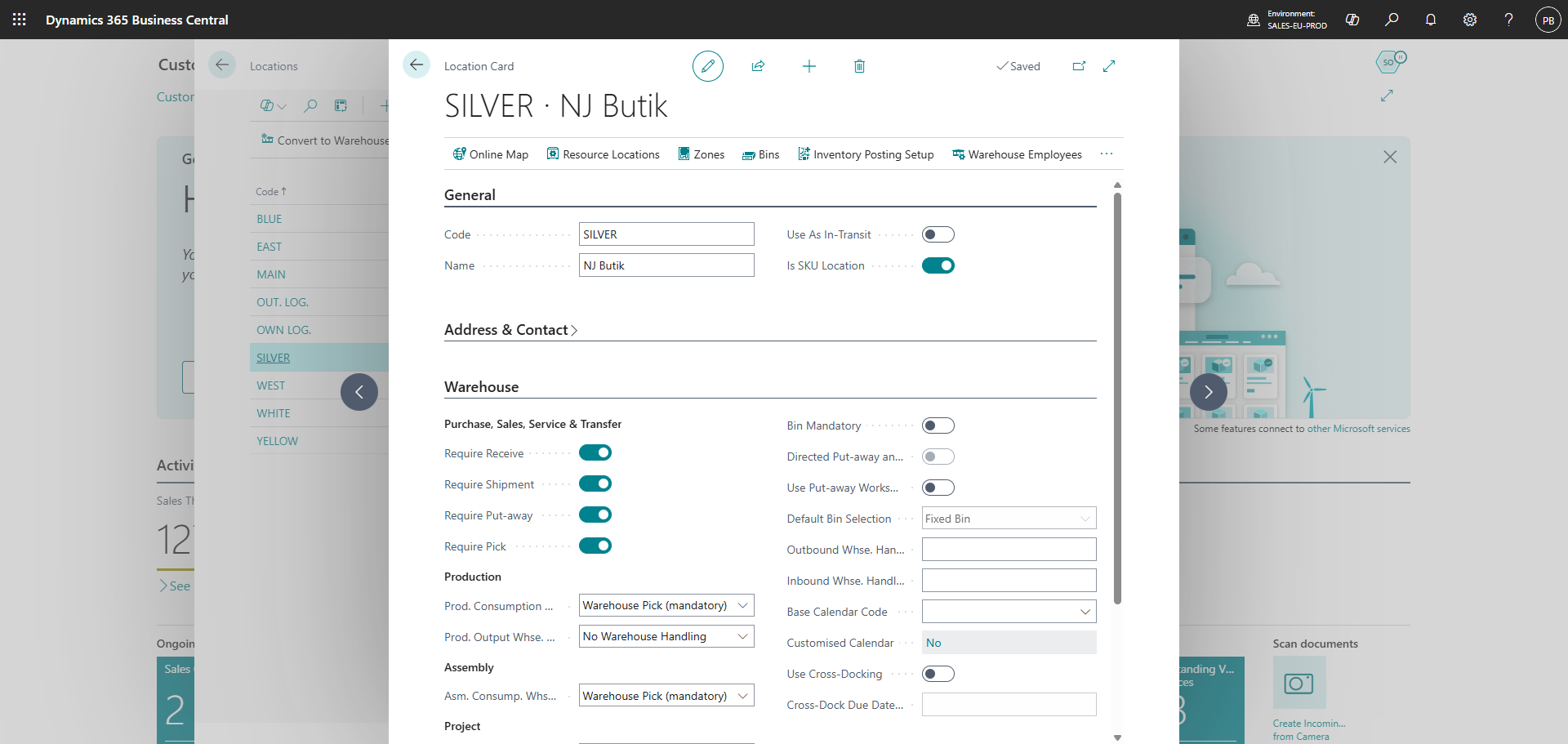
Set up the information regarding the location at the 'Location Card'
Step 4: Activate the location in the Admin Center
OBS! synchronization time from Business Central to the admin center can be up to 6 minutes
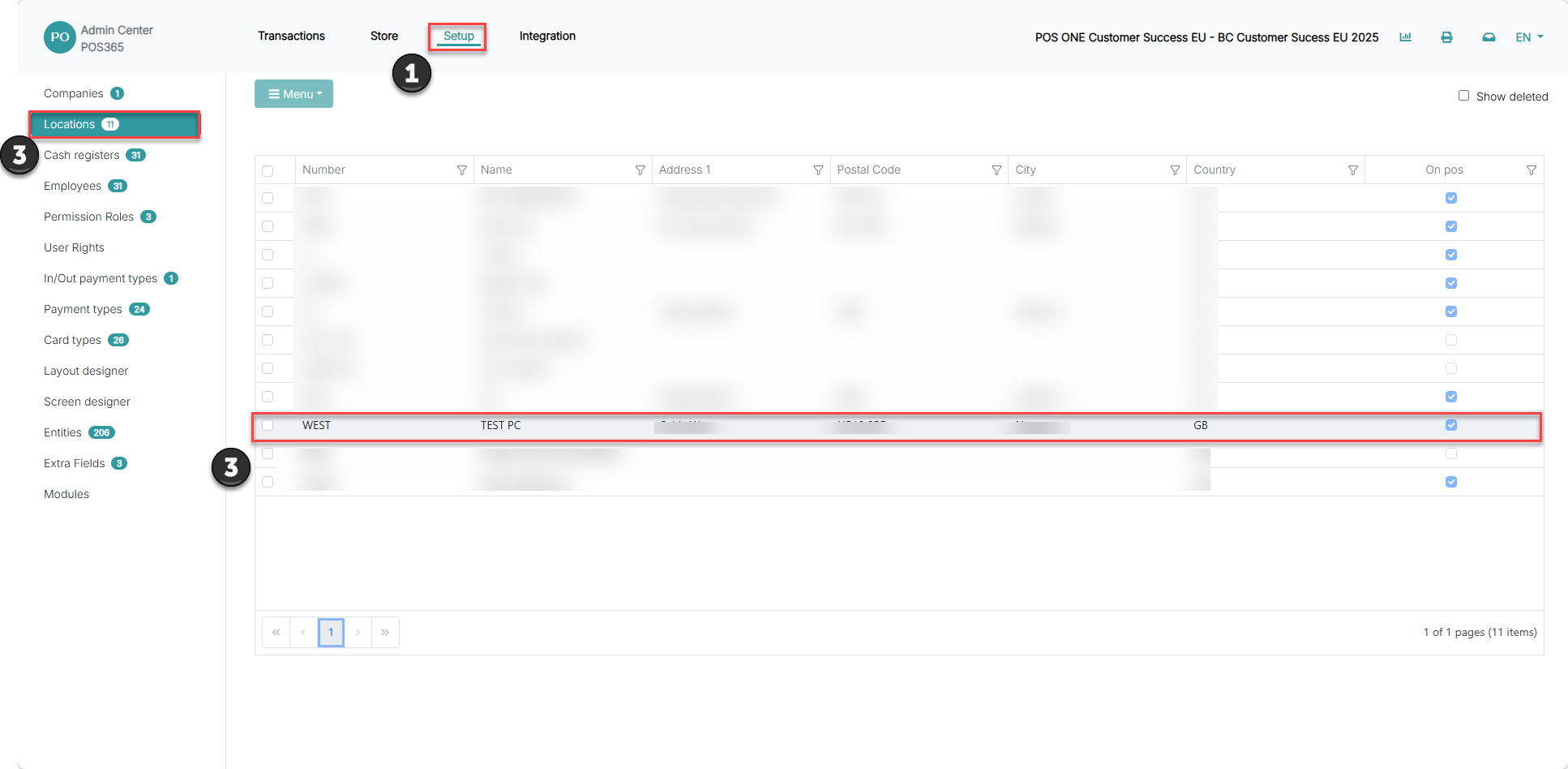
1) Go to 'Setup'
2) Go to 'Locations'
3) Select your new location
4) Click on you new location
Step 5:
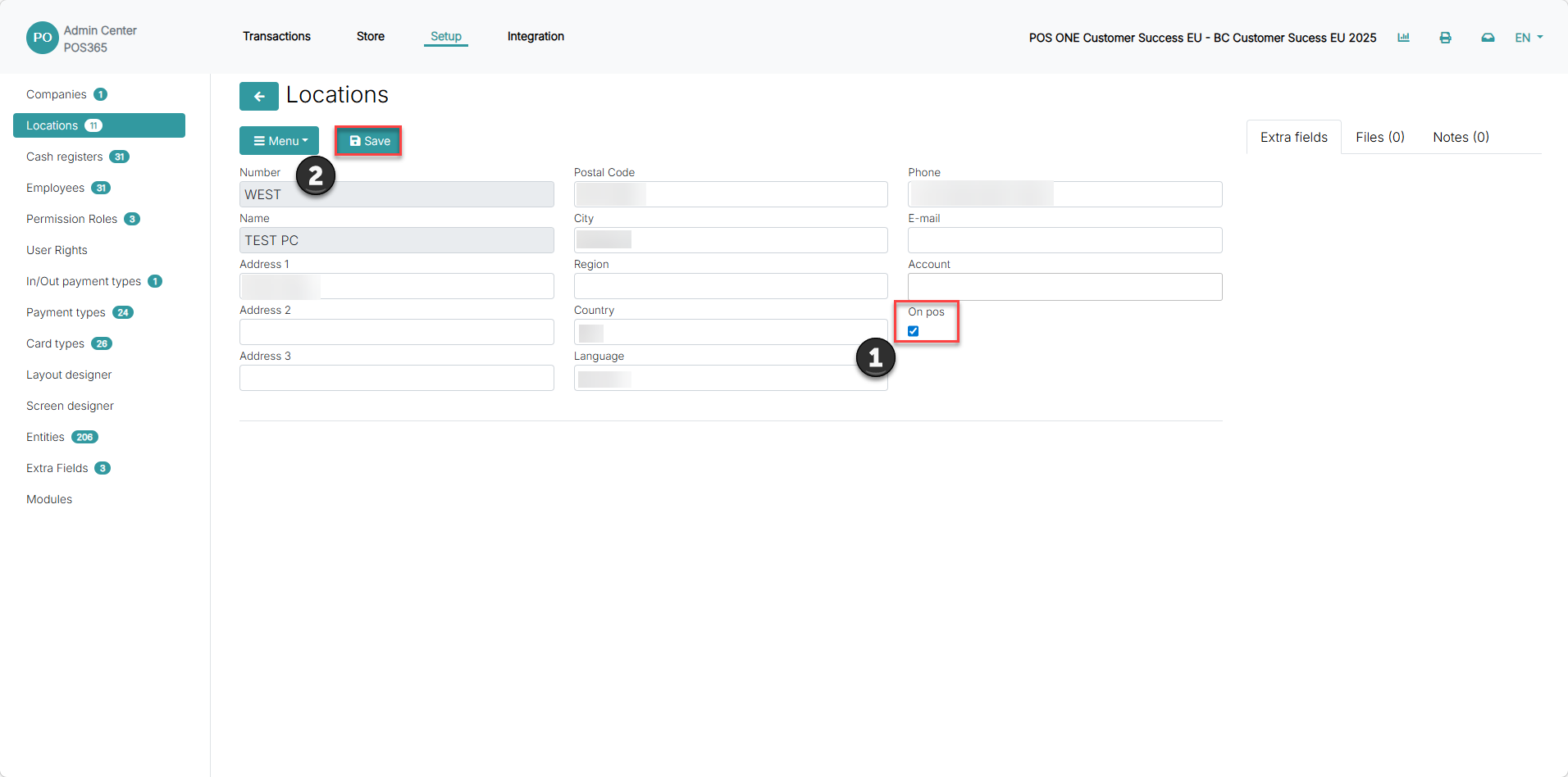
1) Set 'OnPOS' to true
2) Click 'Save'