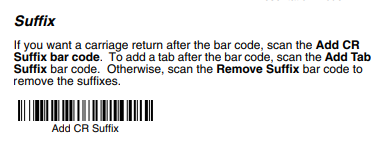
For Barcode readers to function properly, they have to be set up in a way that they add a return character at each scan.
All scanners used for POS365 are required to be Windows-specific HID-compatible devices and set up to add the return character at each scan.
In the list below, we have listed (And will continue to update) the barcodes needed to do make the required setting.
- Honeywell 1400g 2d Scanner: Honeywall documentation
- Navigate to page 8 and scan the Add CR Suffix barcode.