Skip to content
English
  • There are no suggestions because the search field is empty.

Enable automatic updates in Microsoft Store

This guide explains how to enable automatic update of apps in Microsoft Store, ensuring that POS365 will automatically be updated to the newest version.

This guide explains how to enable automatic update of apps in Microsoft Store, ensuring that POS365 will automatically be updated to the newest version.

Step 1:
enable automatic updates in microsoft store

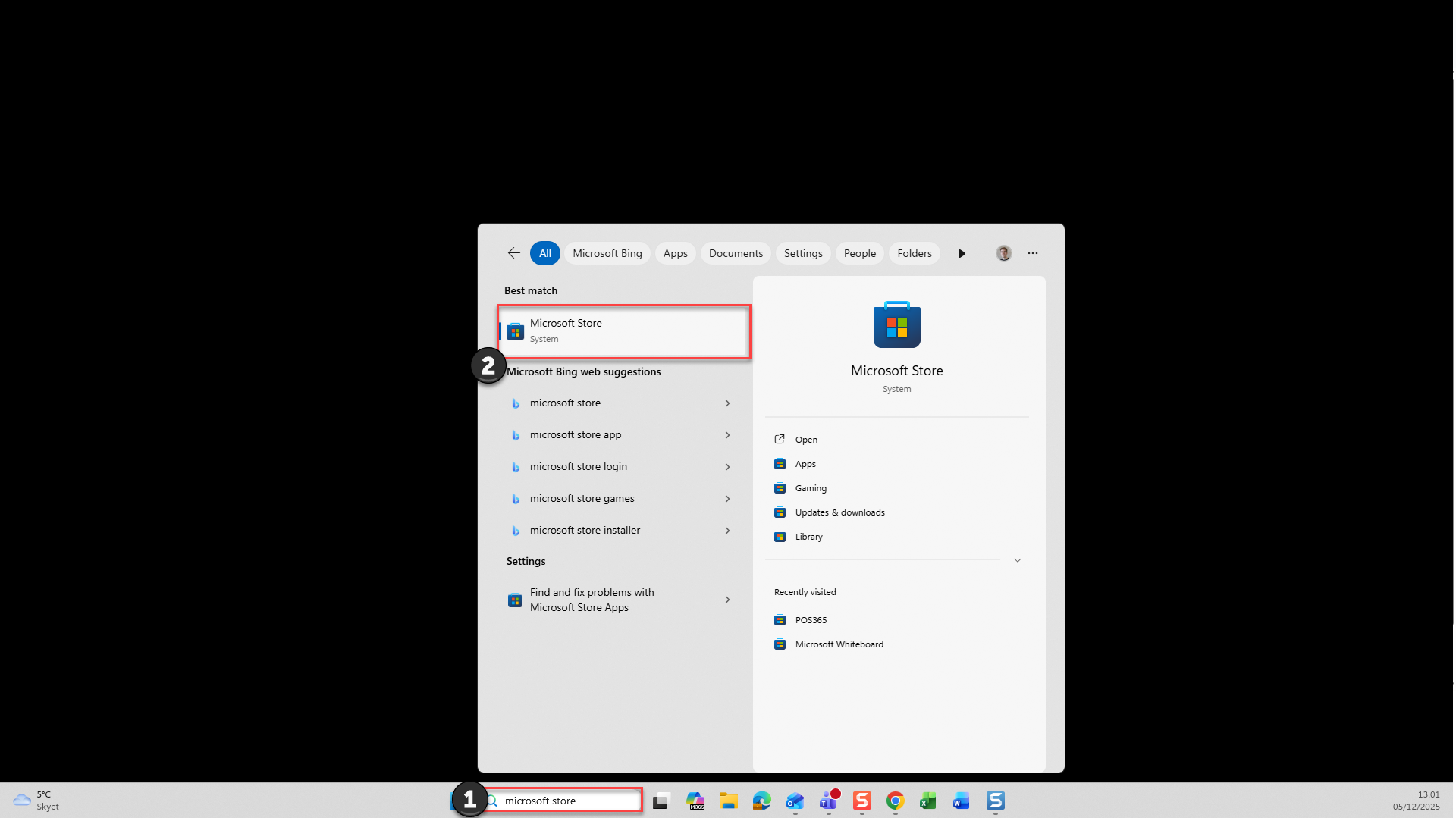
1) Search for 'Microsoft Store'

2) Open the system called 'Microsoft Store'

Step 2:
enable automatic updates in microsoft store

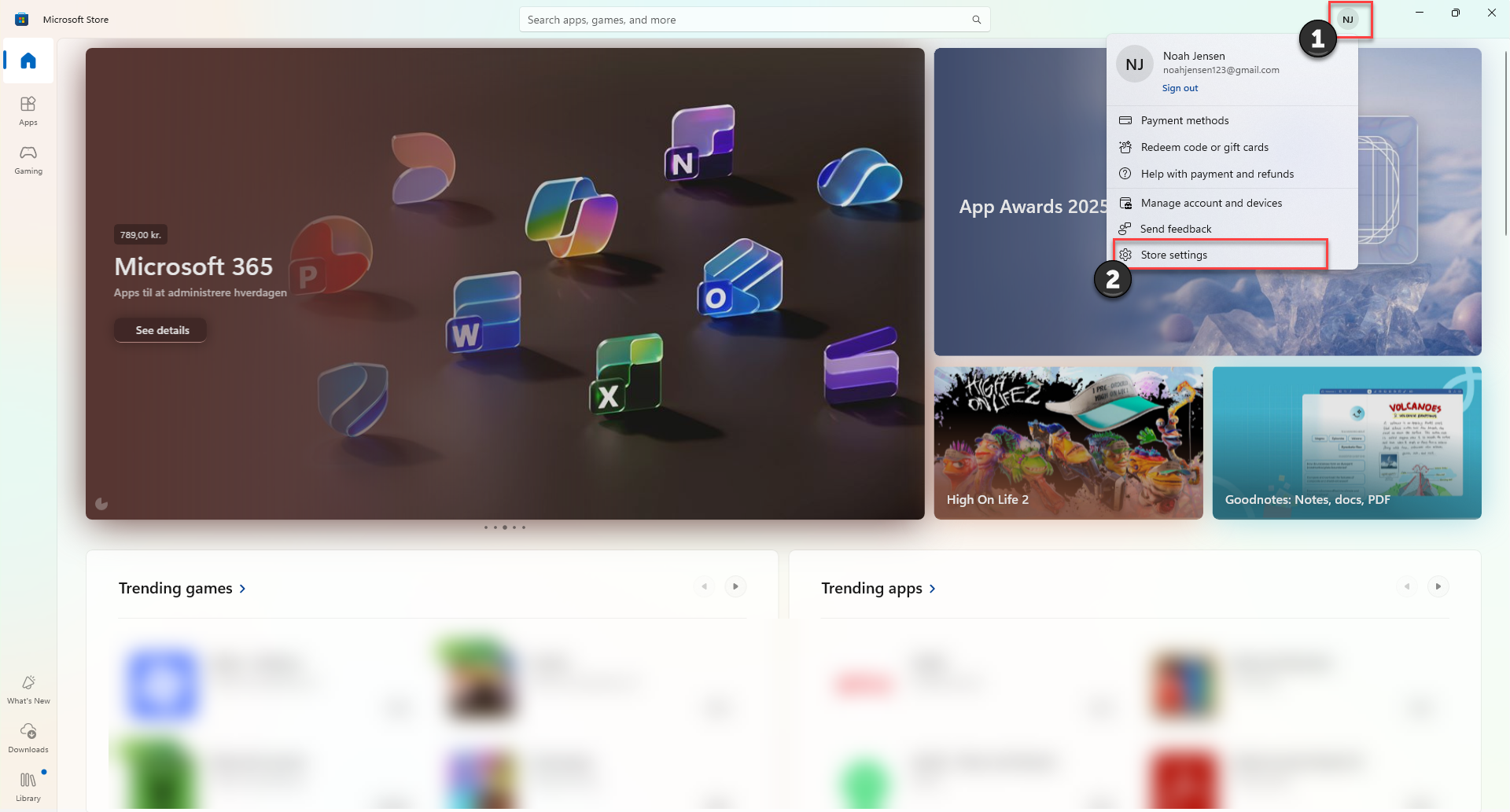
1) Click on your profile picture at the top, right corner

2) Go to 'Store settings'

Step 3:
enable automatic updates in microsoft store

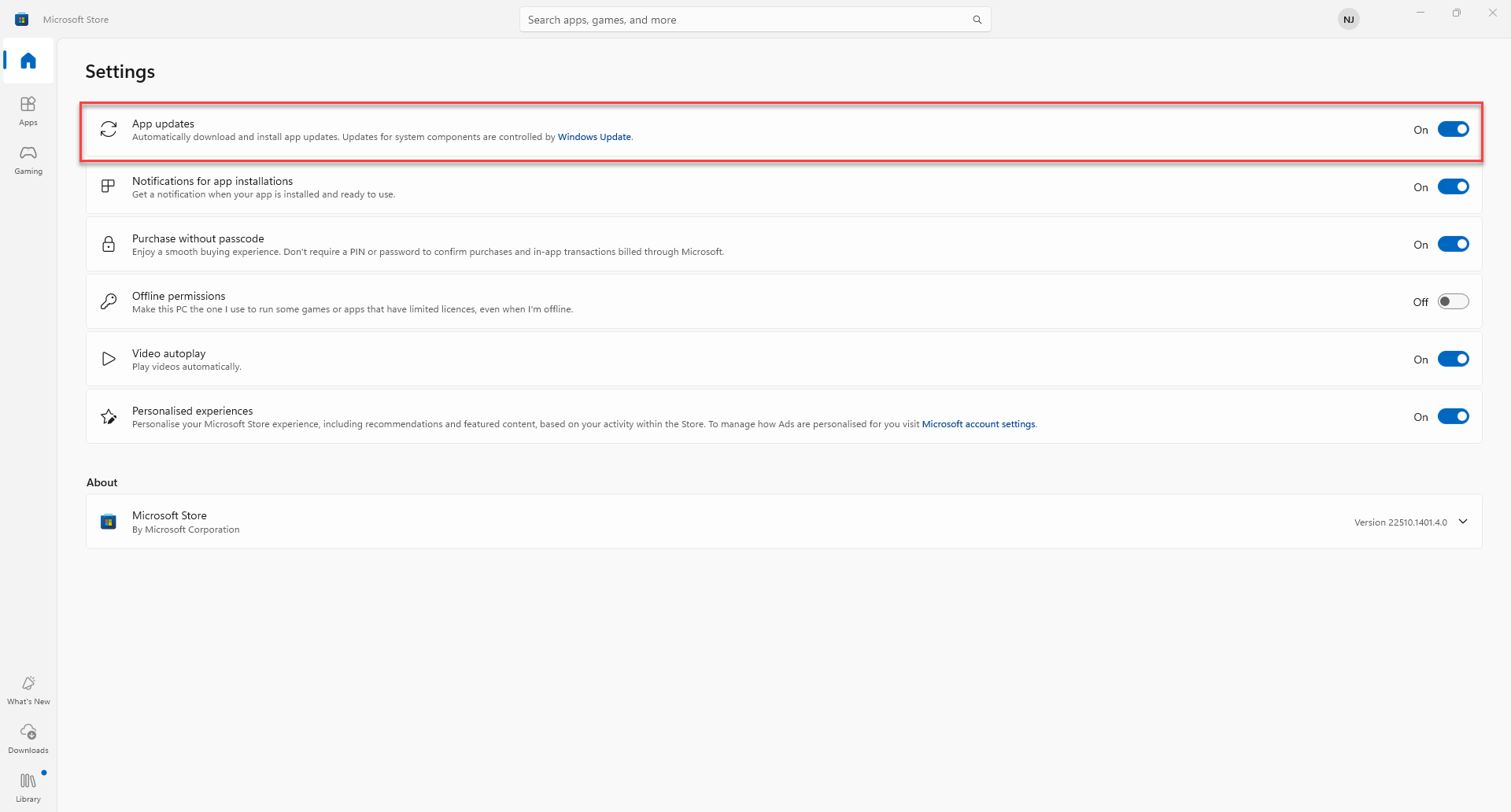
Turn 'App updates' on to ensure automatic update of POS365